Functional illustration · not a product photograph
Multi-discipline controller
The sequencer manages the configured round progression and score handling. Select the appropriate profiles for the installation.
Explore this feature →Manage structured rounds, supported scoring and compatible stand accessories through one dedicated NetLink controller. Build the right configuration for your ground.
Development candidate; simulation is not hardware acceptance or rulebook certification. Finals and shoot-offs excluded from the cited qualification coverage.
Optional equipment and specialist receiver variants depend on the selected discipline and final hardware acceptance.
The sequencer manages the configured round progression and score handling. Select the appropriate profiles for the installation.
Explore this feature →A typical five-position layout uses an optional wireless microphone set. Digital voice-processing firmware is designed to distinguish the intended call from other sound.
Explore this feature →The development horn integration provides audible start, pause, resume, miss and round-end notifications, with configurable volume.
Explore this feature →A dedicated interface for supported No Bird, miss, advance and pause actions in the configured round workflow.
Explore this feature →Add a dedicated media server and compatible HDMI screen to present the supported round and score information.
Explore this feature →Use the right receiver family for the configured disciplines, including five-module Olympic Trap and Olympic Skeet lamp-control options.
Explore this feature →Three discipline families, individually configured programmes. Multiple compatible profiles can be specified for one sequencer, subject to FieldTech reviewing the hardware requirements.
3 dedicated profiles
9 dedicated profiles
5 dedicated profiles
Confirm the final hardware and software configuration with FieldTech. Current software development verification is not governing-body certification.
Distinct functional notifications help the squad follow the supported round state.
Tell the squad the managed round has begun.
An audible indication when the round is paused.
A distinct indication when the round resumes.
Cue for an accepted miss in the supported scoring workflow.
A separate completion cue at the end of the round.
Audio previews generated from the original FieldTech development-firmware tone definitions. They are digital samples, not a measurement of horn loudness or a recording of the final hardware. Nothing plays automatically.
Follow the information from configuration through to recorded activity.
Configure the supported layout and select the appropriate discipline settings in the authorised Reception workspace.
Explore this feature →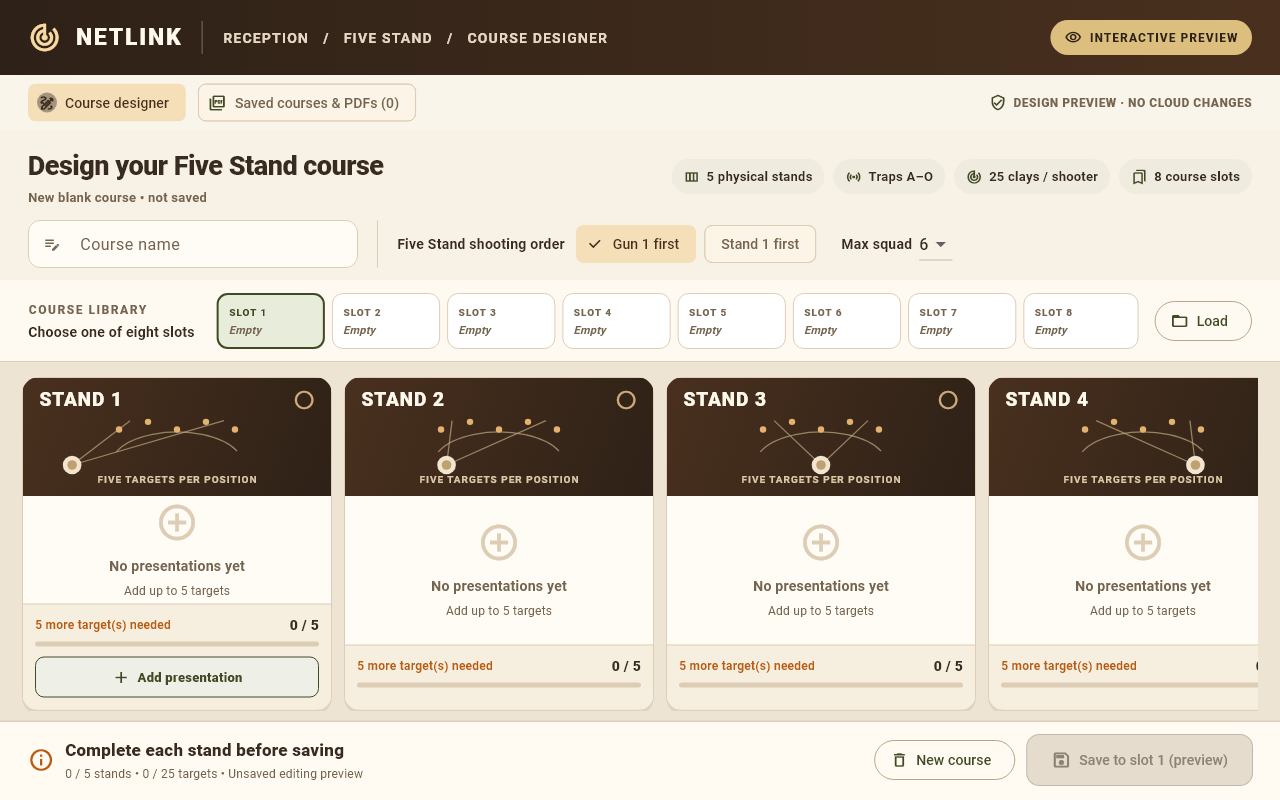
Use a customer card for the configured account-linked round workflow, or the supported Free Play mode for supervised rounds and recorded names where available.
Explore this feature →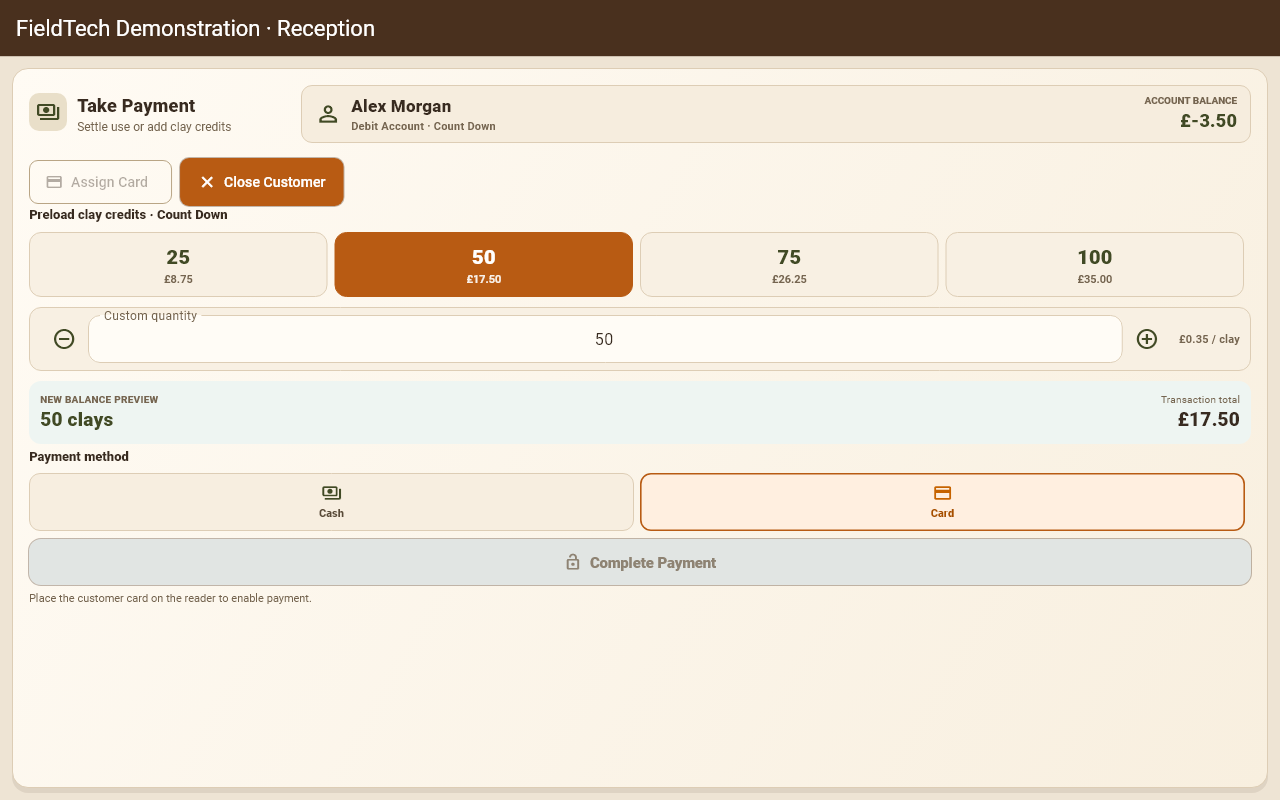
The controller follows the selected round rules. The optional microphones and referee remote are associated with that stand and operate within the supported configuration.
Explore this feature →Connect a compatible stand scoreboard to present recorded round progress and results, rather than requiring the squad to rely only on a controller display.
Explore this feature →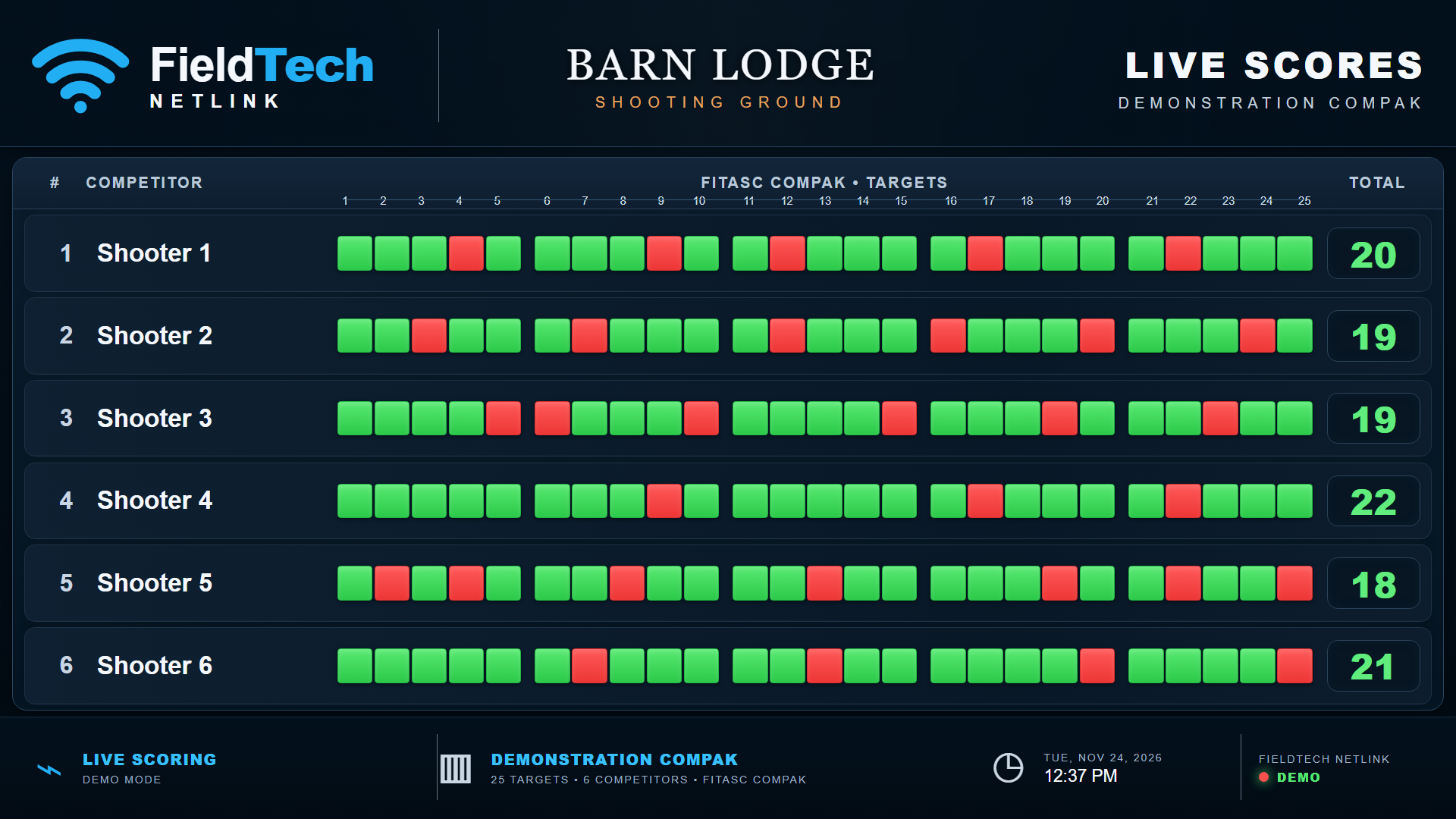
Use the supported reporting and customer-performance tools to review the recorded activity. Available details vary by equipment and operating mode.
Explore this feature →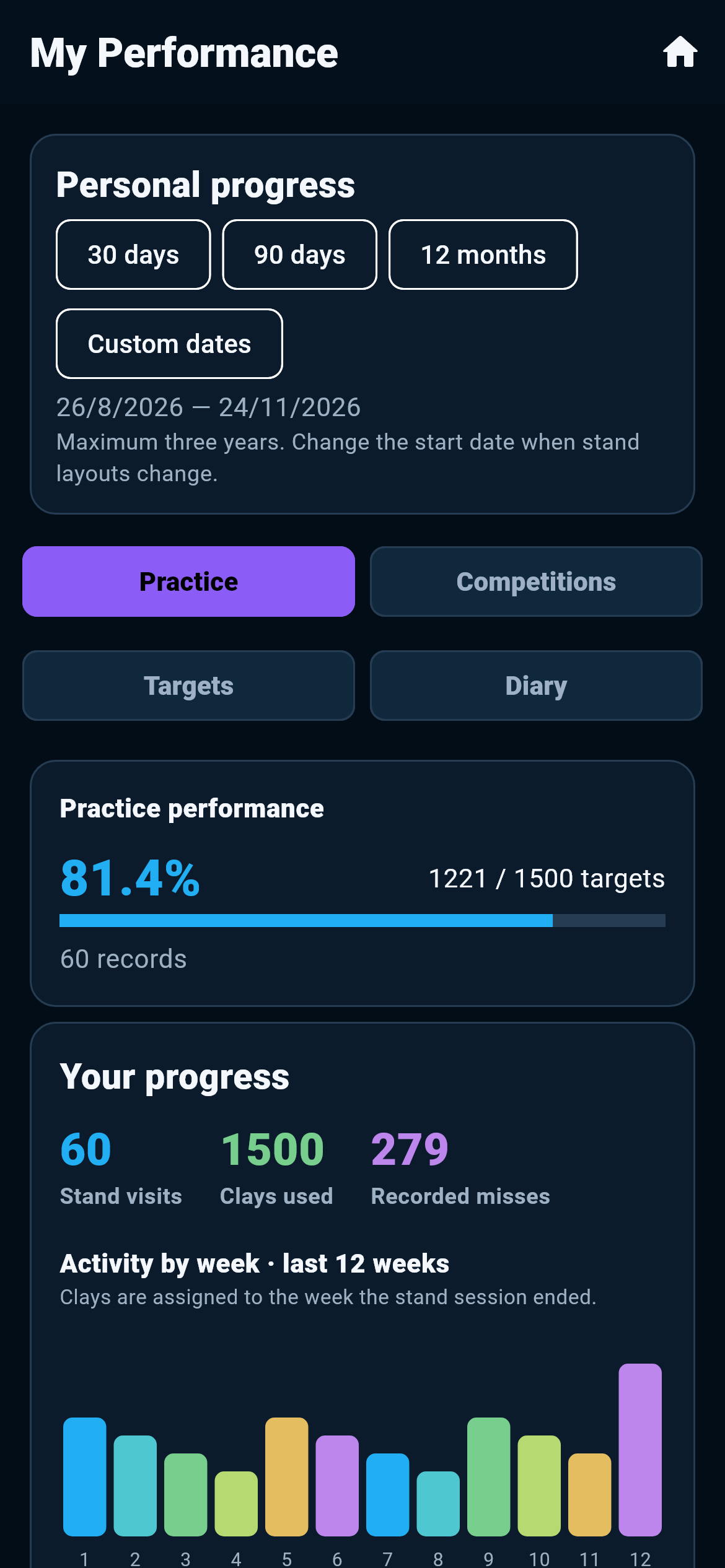
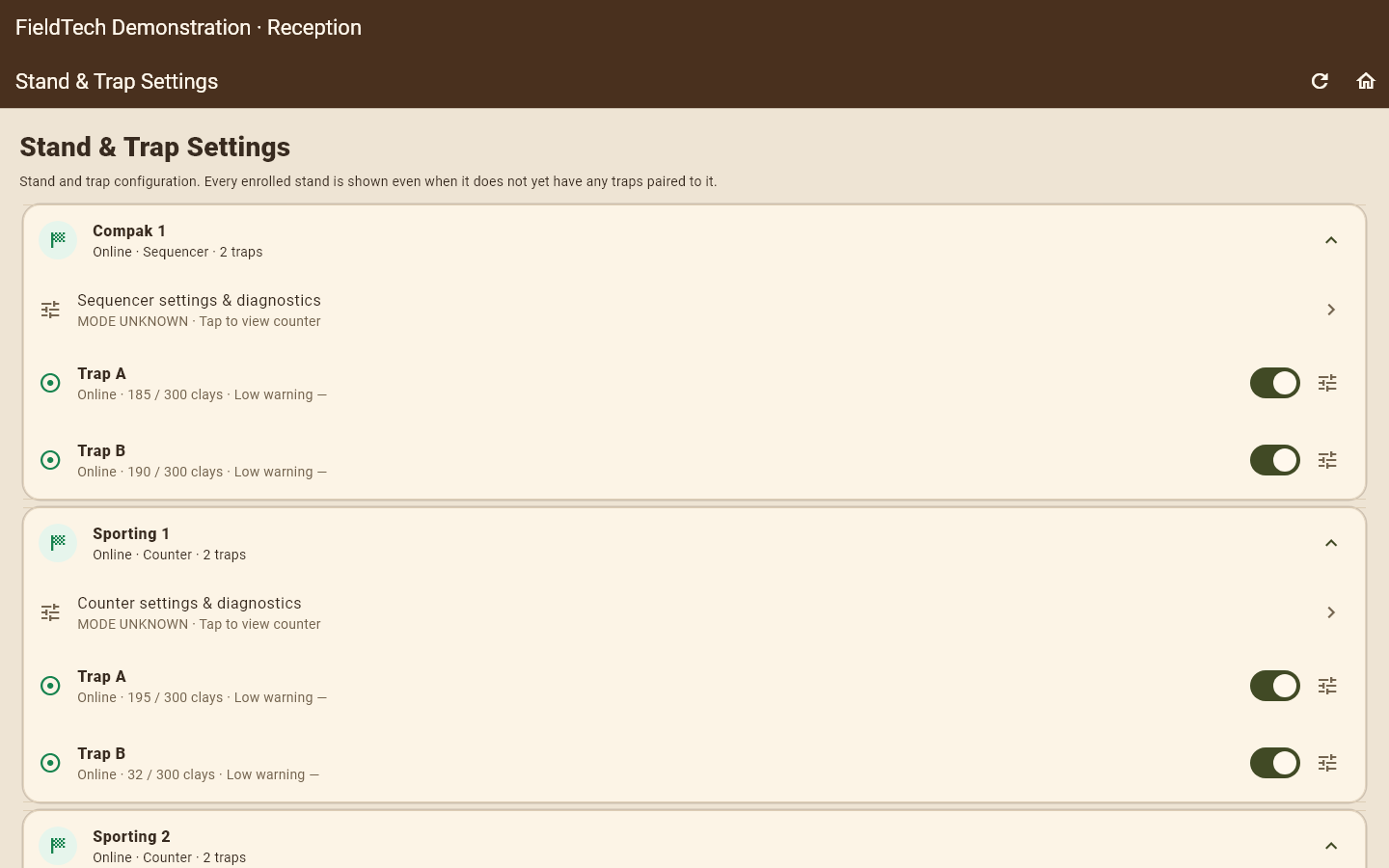
Authorised staff can review configured stands and compatible equipment settings.
Explore this feature →Prepare the supported structured course before running it on compatible equipment.
Explore this feature →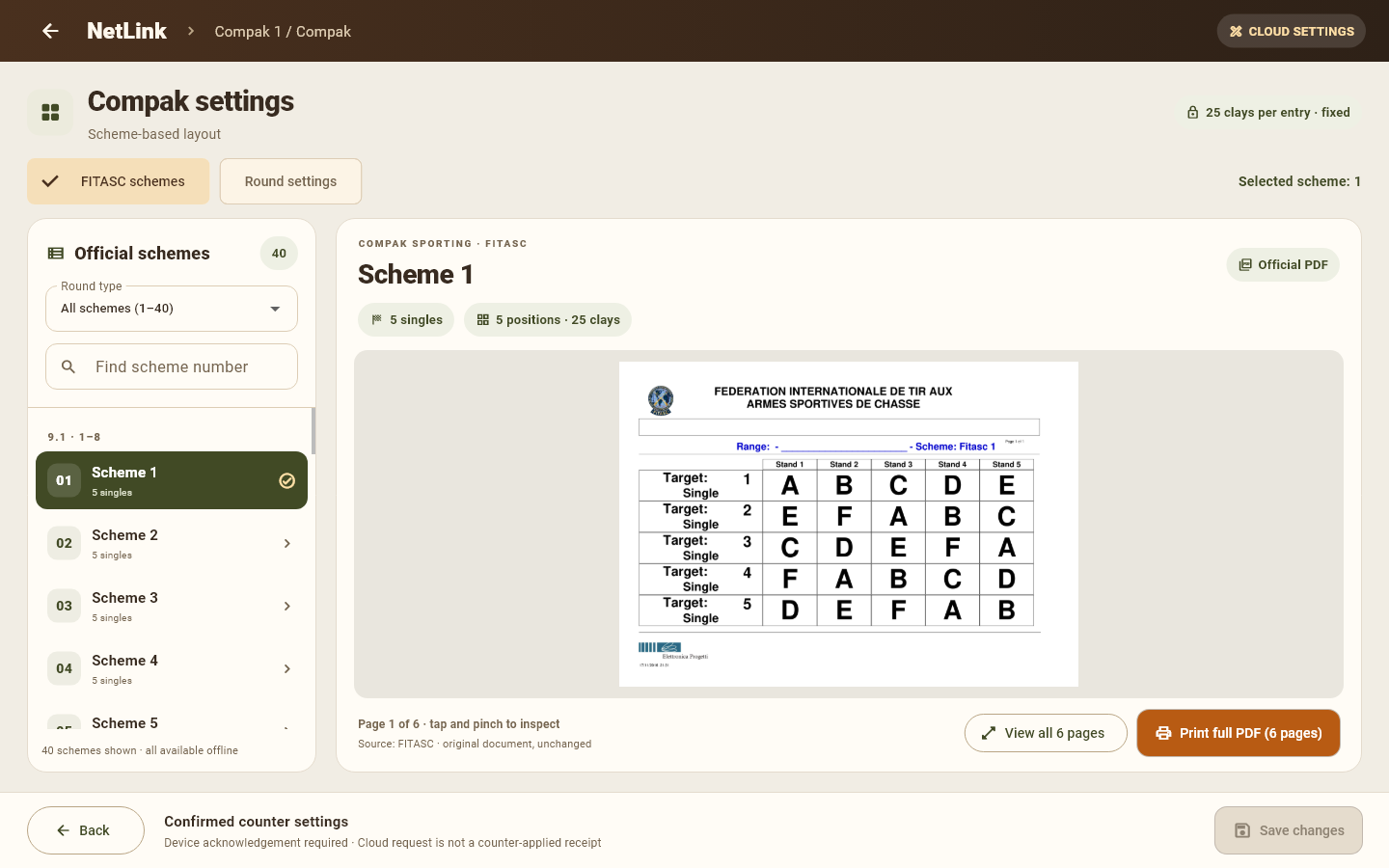
Browse all 40 bundled FITASC schemes, filter by round type or find a scheme number. Review the selected official PDF alongside the list before requesting a settings change.
Explore this feature →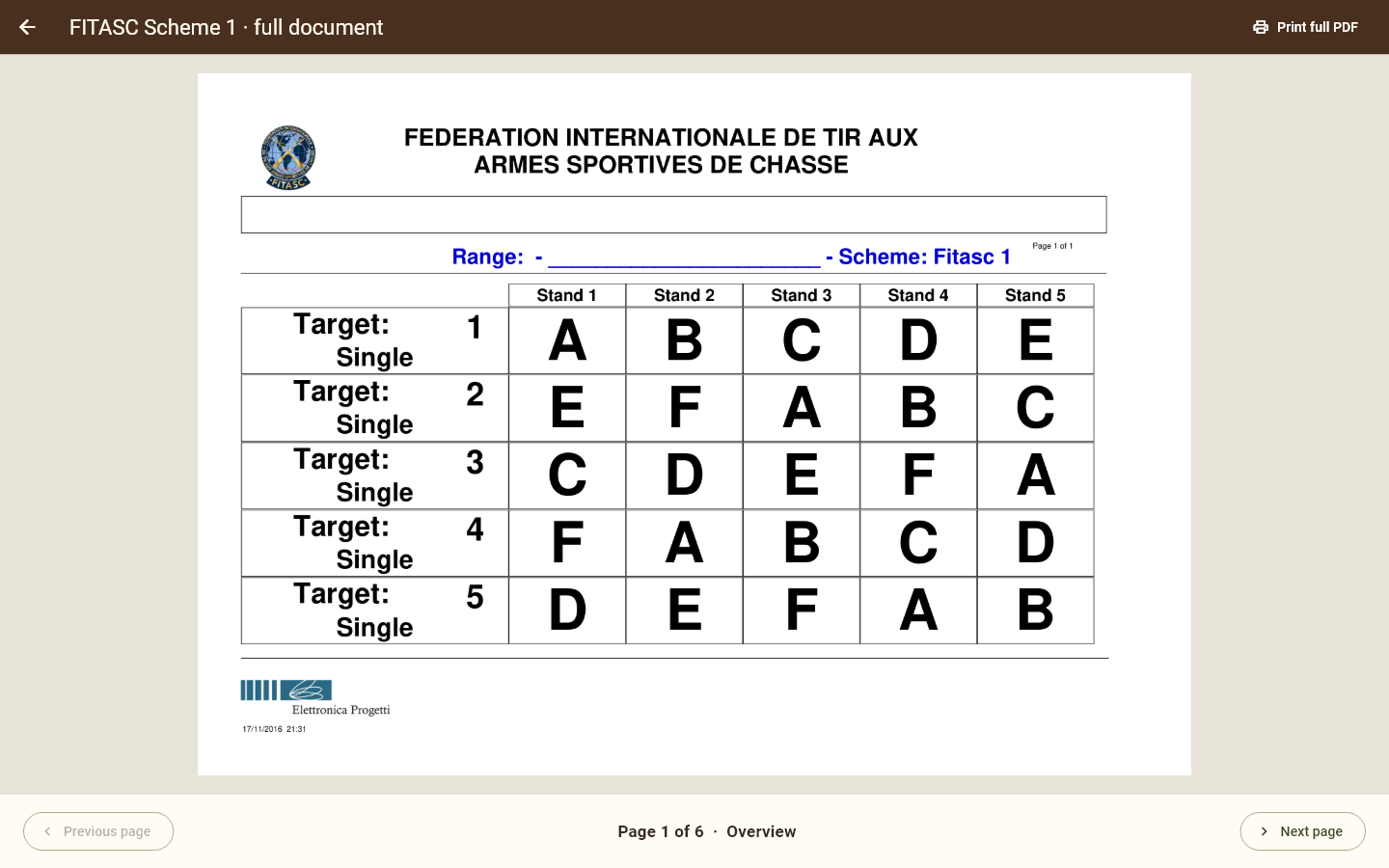
Open the complete selected scheme, inspect its pages and use the supported Reception printing workflow.
Explore this feature →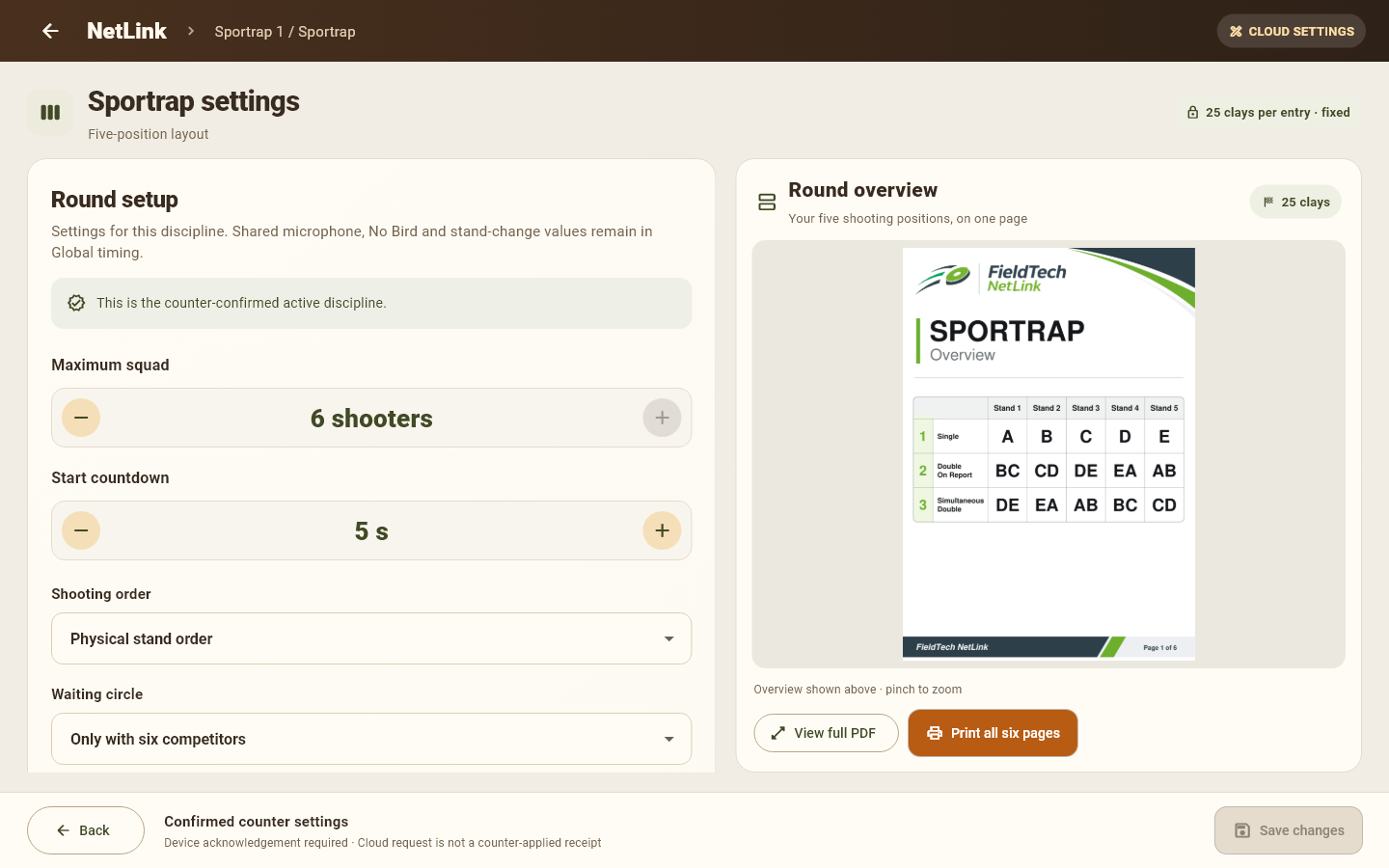
Configure the supported squad size, countdown and progression settings alongside the FieldTech round overview.
Explore this feature →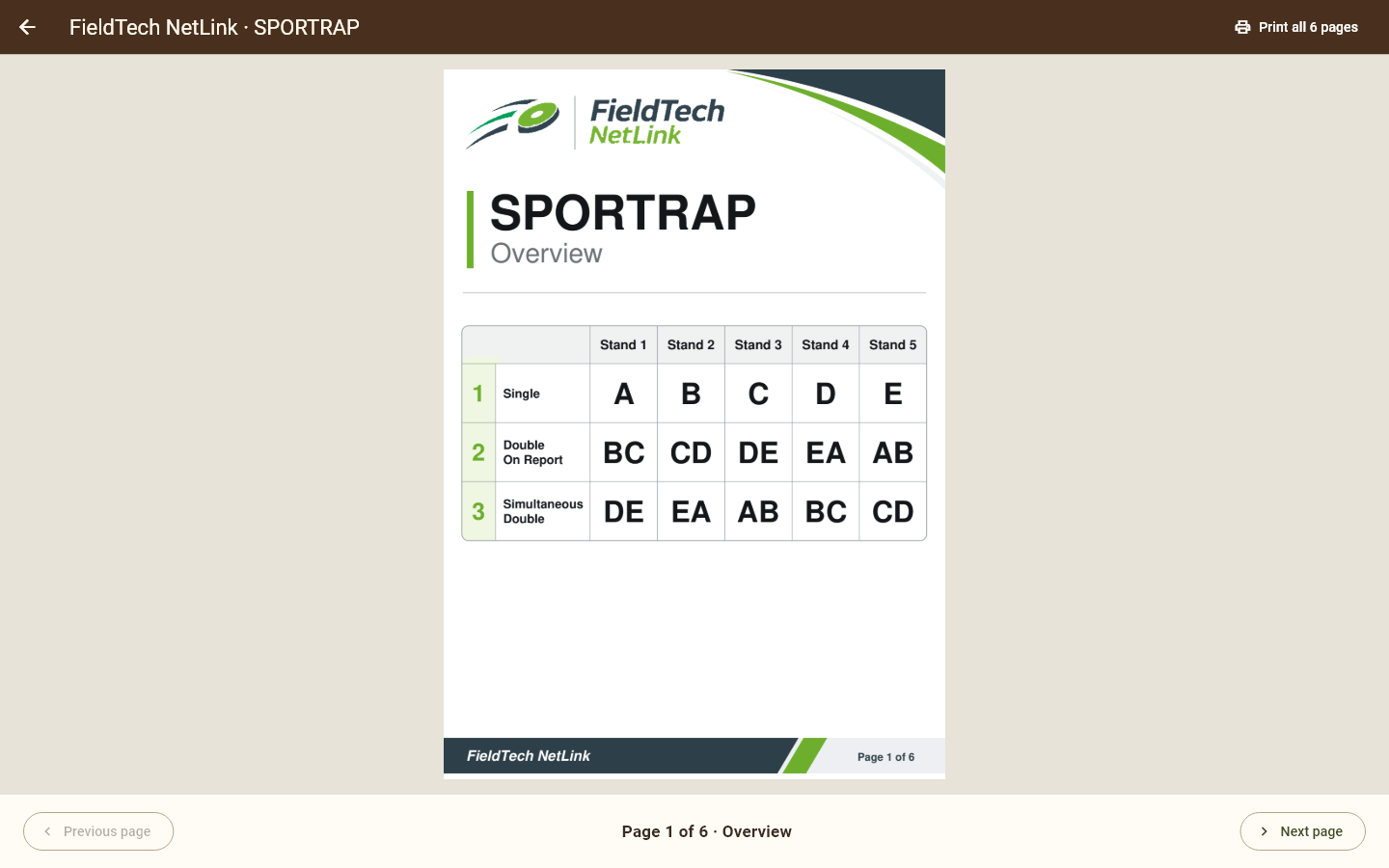
Open the six-page document, with a complete round overview and one page for each shooting position. The original bundled document remains available in the app.
Explore this feature →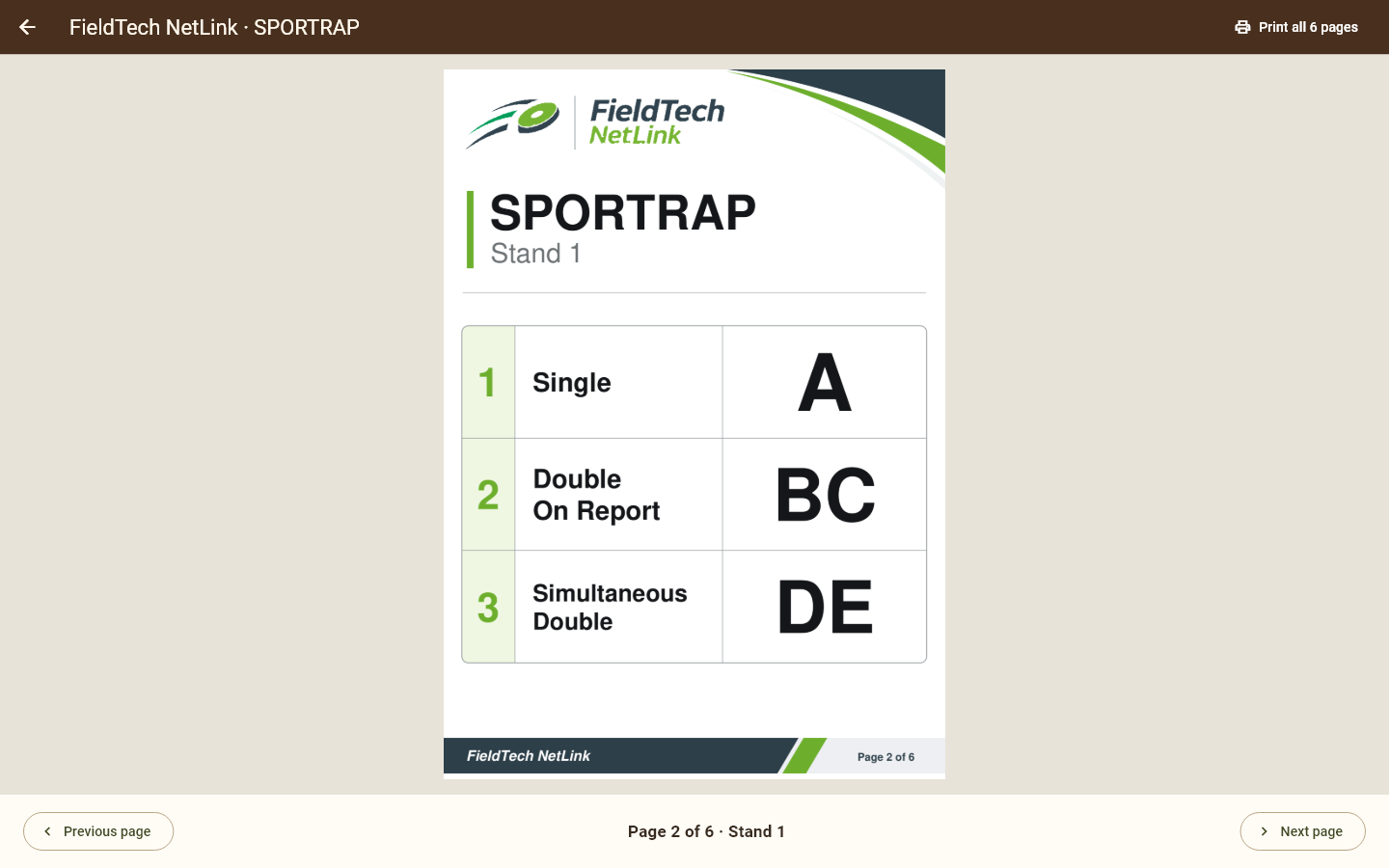
Browse the individual stand cards using the full-document viewer, with the supported option to print the complete document.
Explore this feature →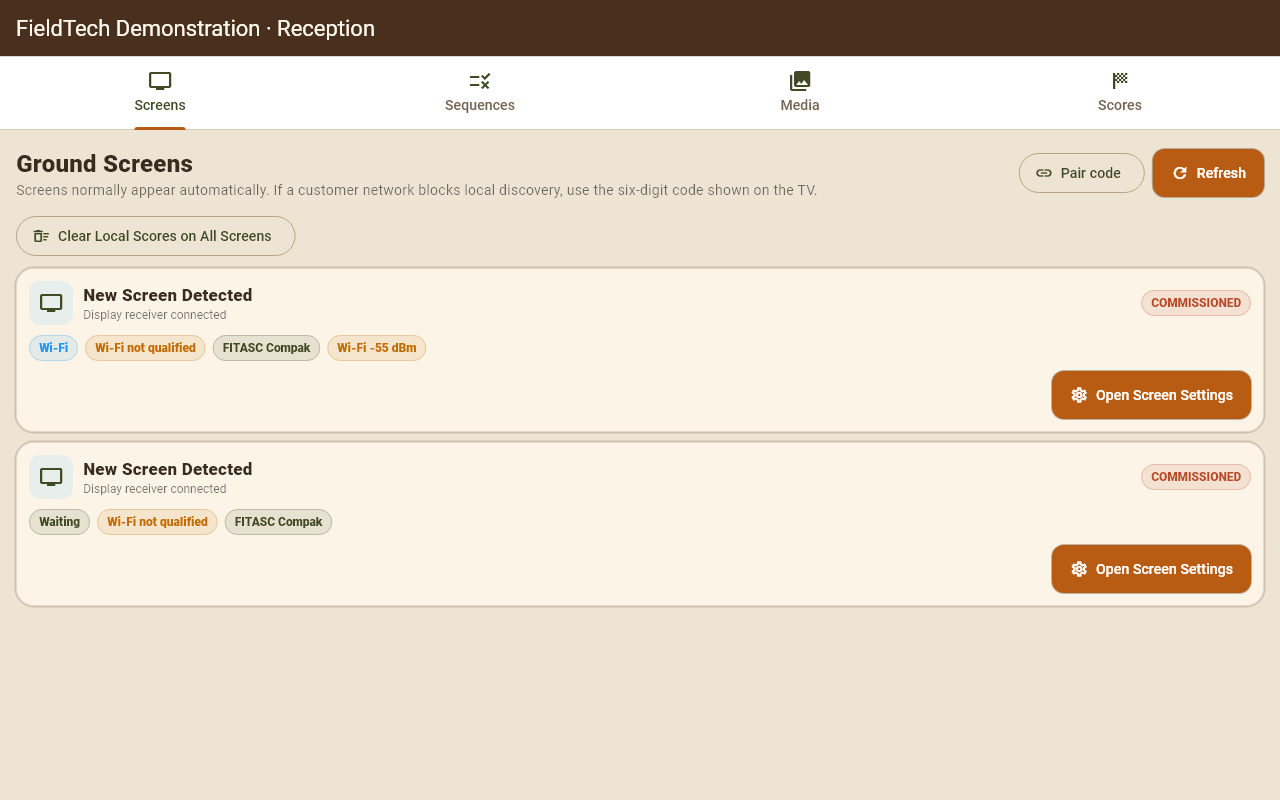
Configure supported display associations and content from Reception.
Explore this feature →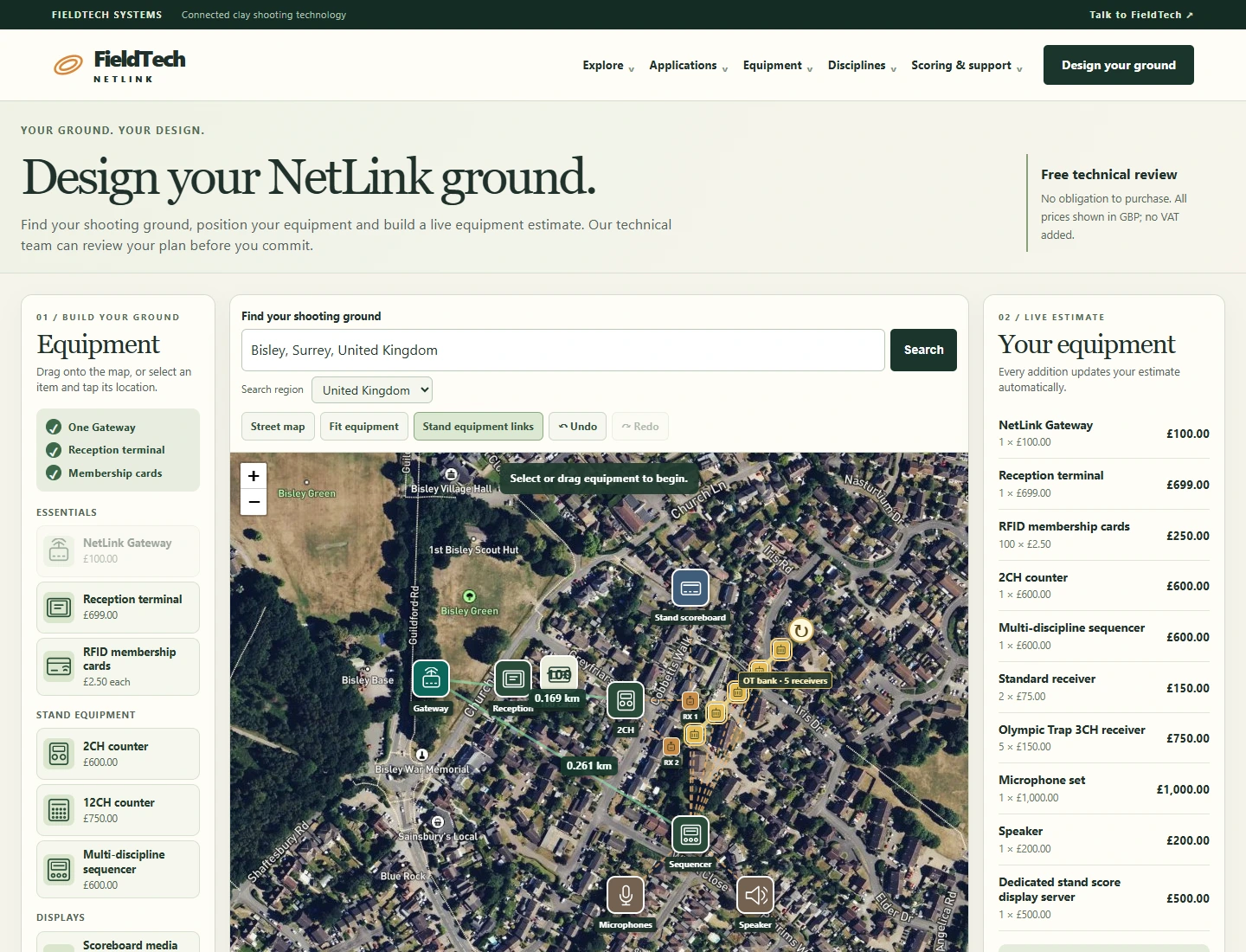
Select the relevant discipline profiles and optional accessories, then ask FieldTech to check the proposed layout.
Explore this feature →NetLink+ Customer and Groundsman apps, personal performance, customer push notices and advanced analytics are NetLink+ benefits. Core includes Reception and its operational reporting. Availability depends on configured equipment and permissions.
Compare the options