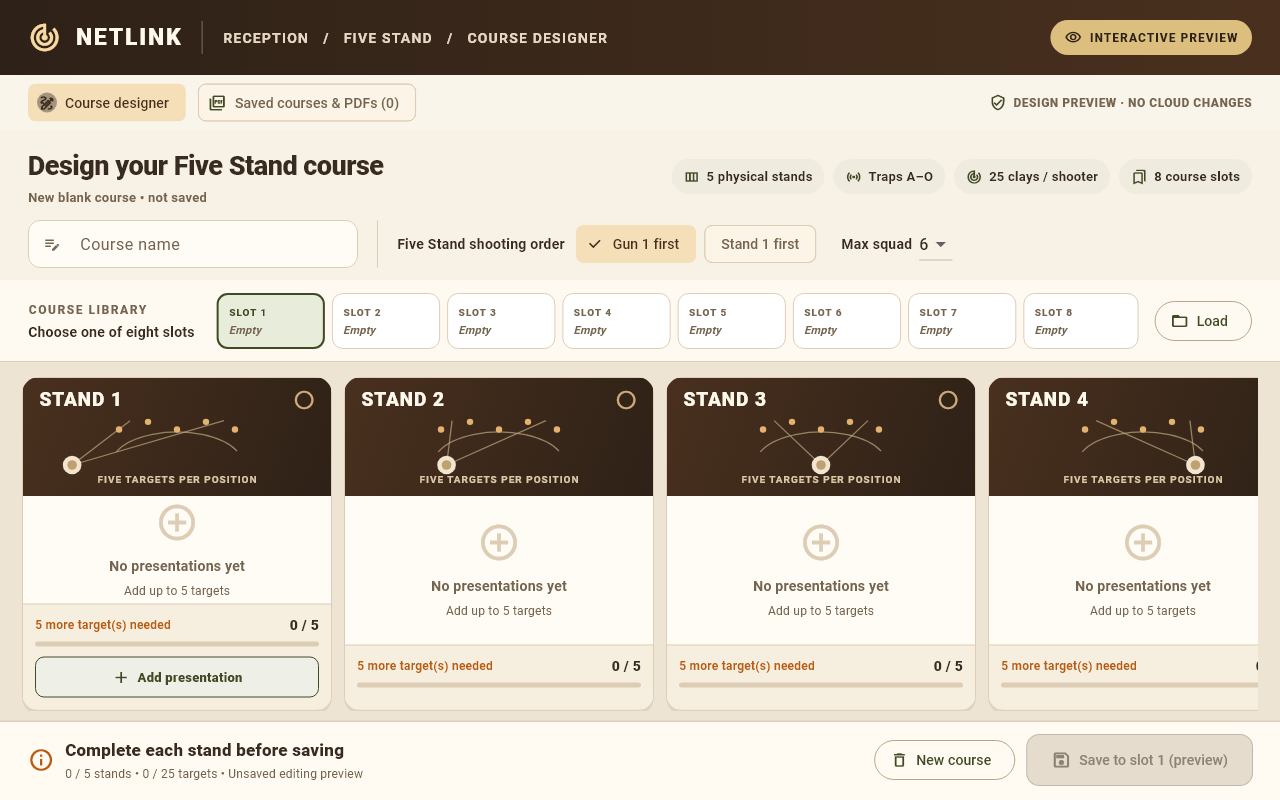
Five Stand course designer
Configure and review the course in the appropriate sequencer workspace before using compatible stand equipment.
Explore this feature →The current Reception development programme includes discipline and course configuration interfaces. Explore a genuine design-preview capture.
Request a demonstrationDevelopment interface; final operational acceptance is separate. This page is a software preview, not a claim of rulebook certification or deployed hardware functionality.
Current application code rendered with a demonstration course.
Use the relevant discipline-specific configuration.
Review the available configured presentation and stand information.
The design interface includes configuration-management tools; the approved release determines availability.
Planned and supported configuration functions differ by approved release.
Development features require separate hardware and integration acceptance.
Choose the appropriate discipline family.
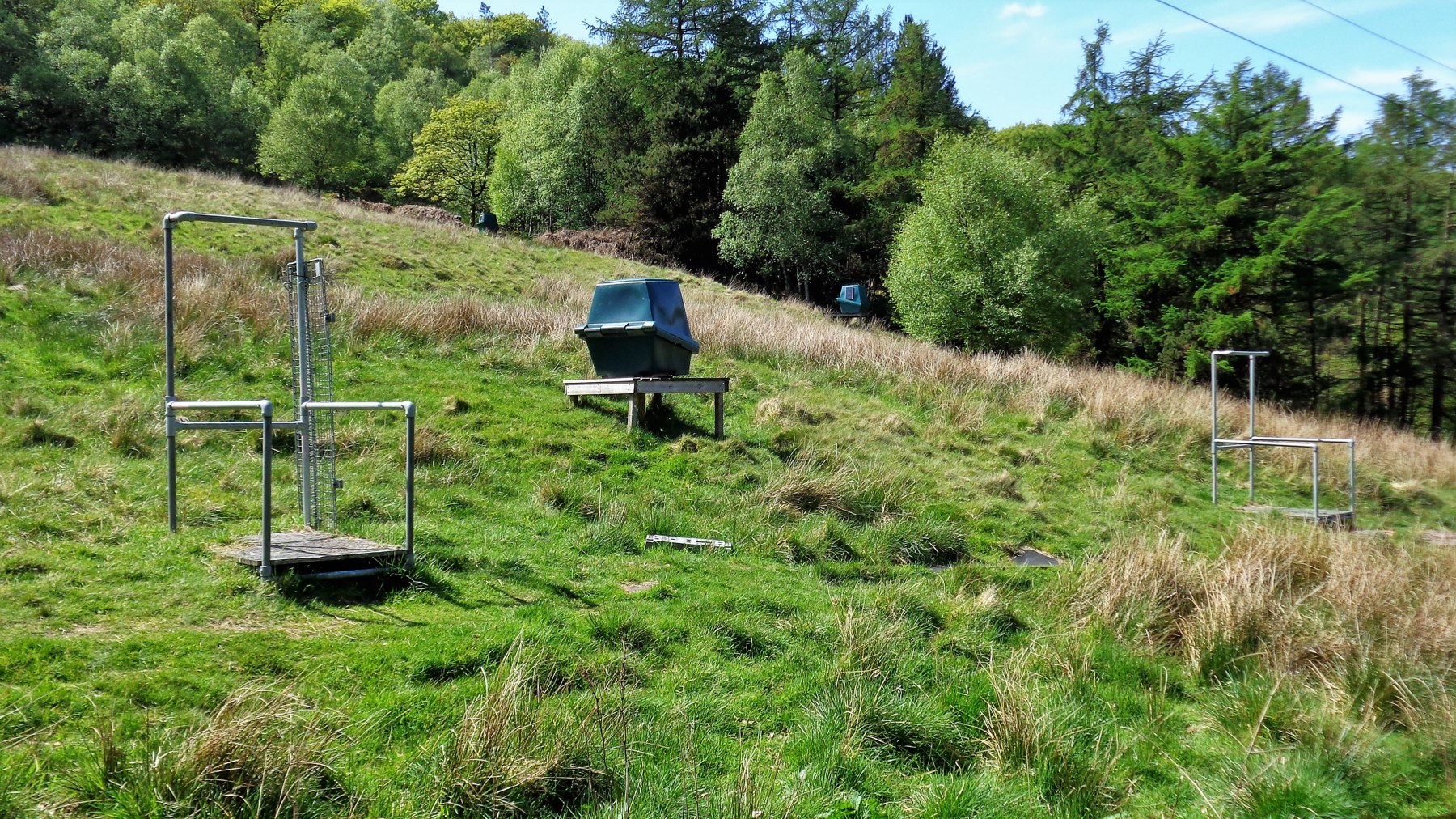
Support the everyday sporting customer and structured multi-target layouts using the appropriate FieldTech equipment.
Explore Sporting ↗
The sequencer development programme includes DTL, ABT, Nordisk Trap, Universal Trench, Olympic qualification and ATA Singles/Doubles profiles.
Explore Trap ↗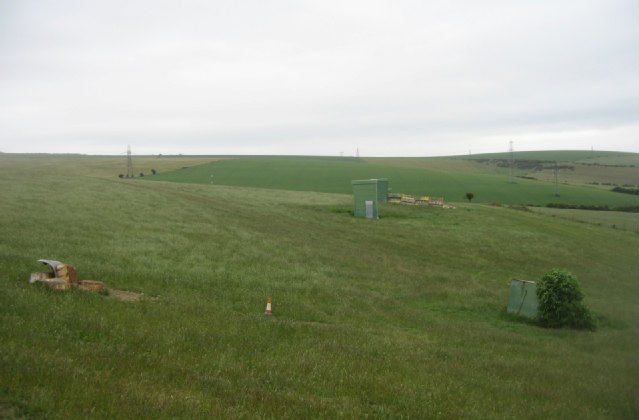
The sequencer development programme includes English Skeet, English Skeet Doubles, American Skeet, American Skeet Doubles and Olympic Skeet qualification.
Explore Skeet ↗Discuss your disciplines, equipment, connectivity and business requirements with FieldTech.
Current application screenshots using isolated demonstration records. Access and availability depend on the approved package and configuration.
Configure and review the course in the appropriate sequencer workspace before using compatible stand equipment.
Explore this feature →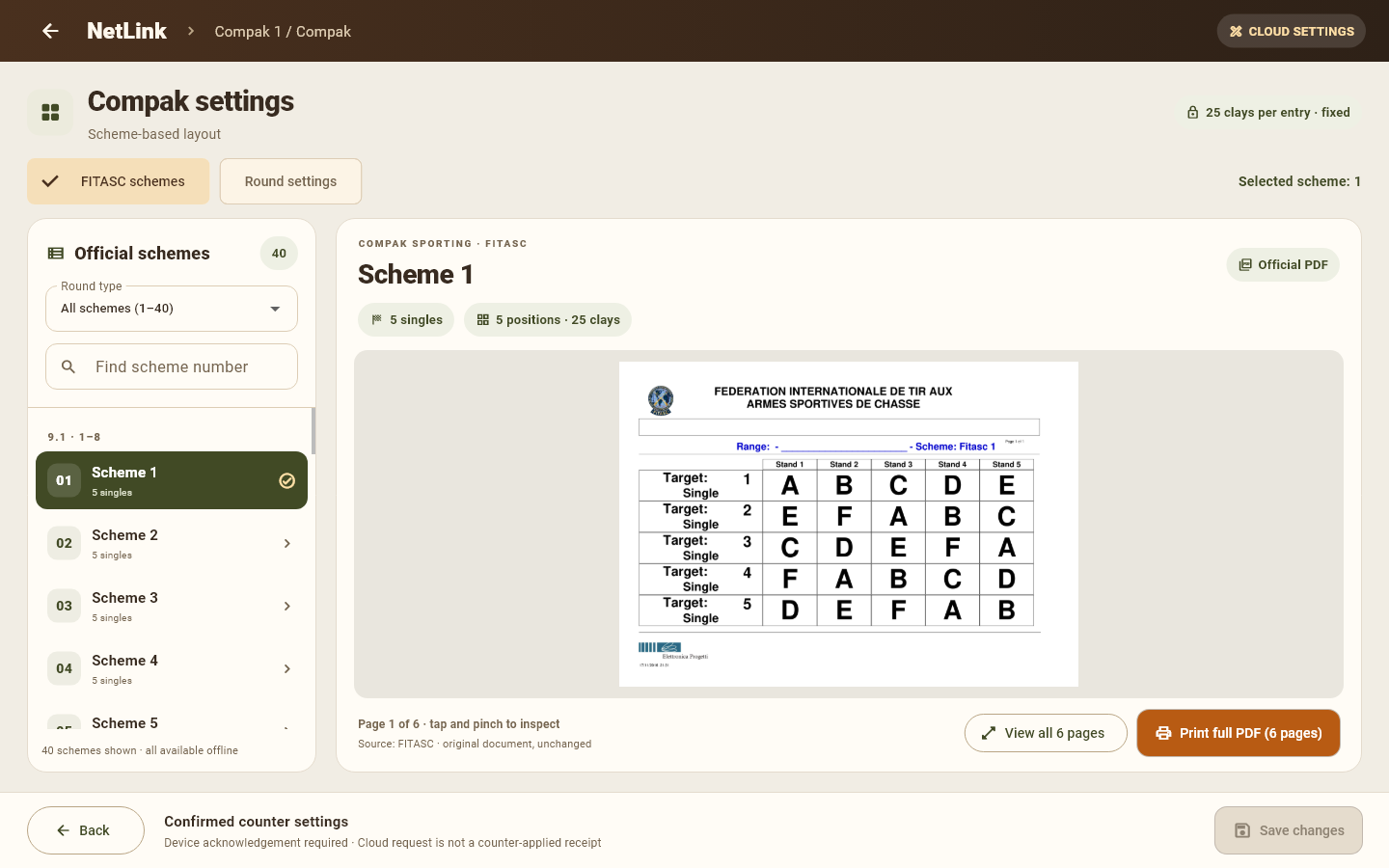
Browse all 40 bundled FITASC schemes, filter by round type or find a scheme number. Review the selected official PDF alongside the list before requesting a settings change.
Explore this feature →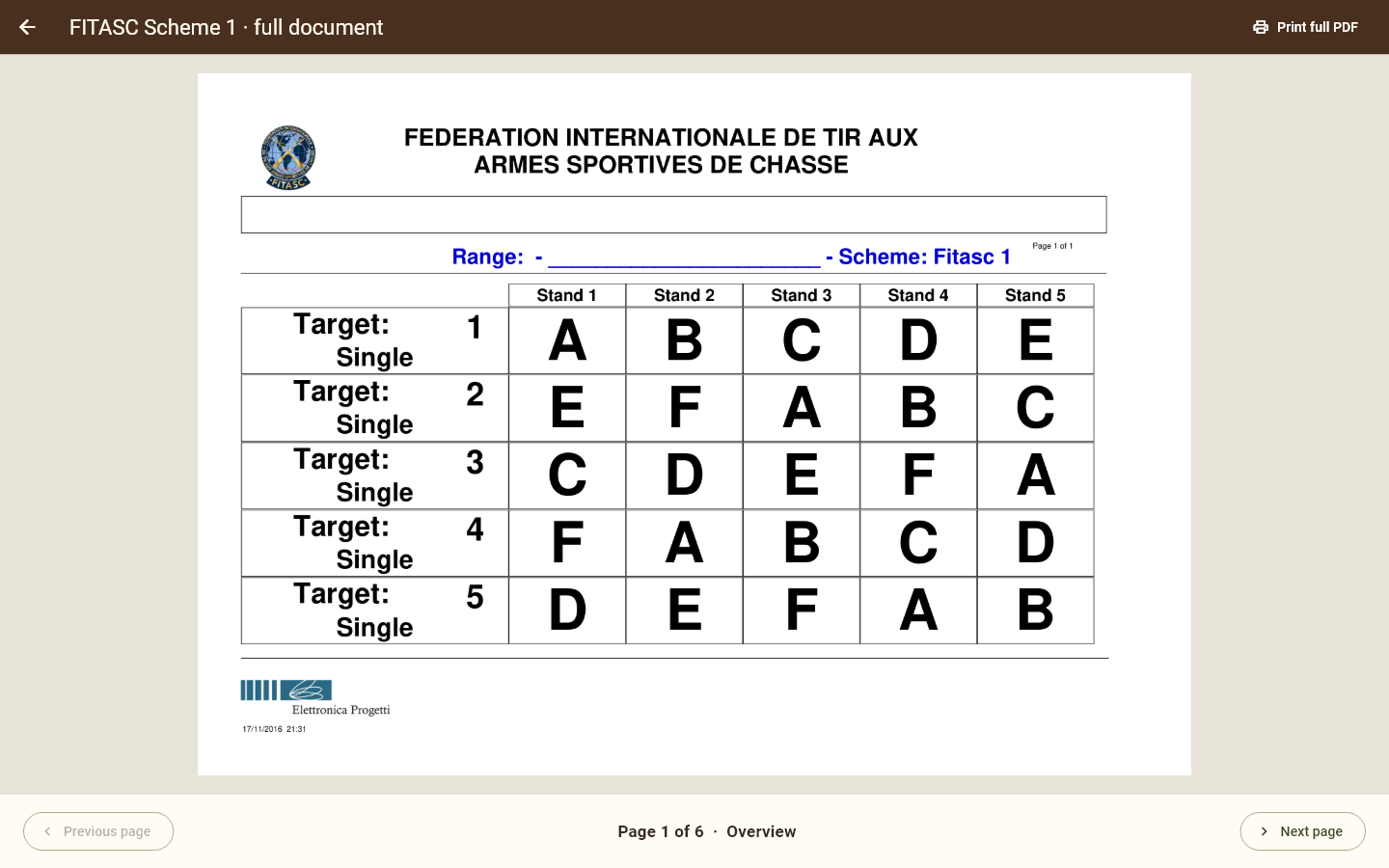
Open the complete selected scheme, inspect its pages and use the supported Reception printing workflow.
Explore this feature →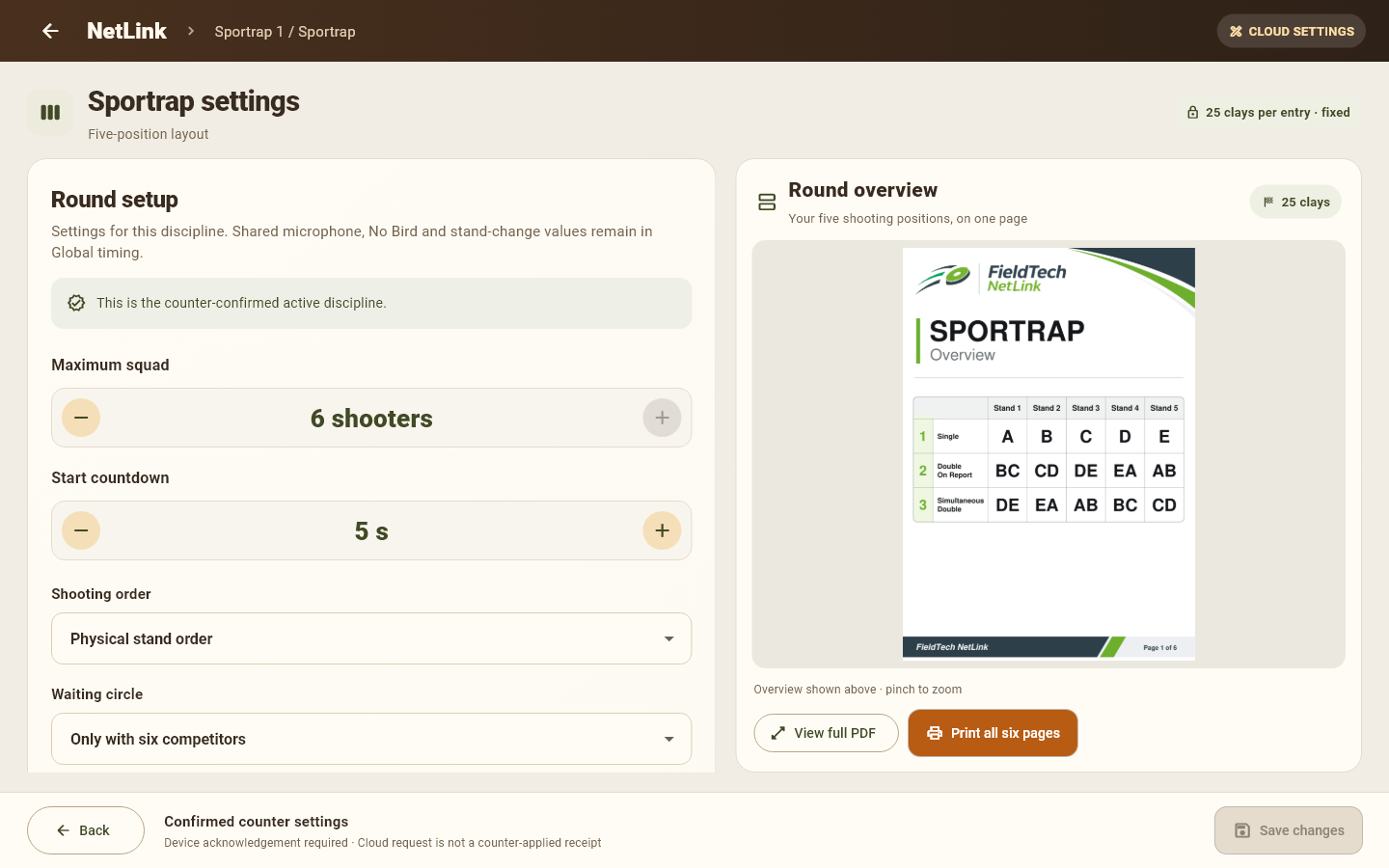
Configure the supported squad size, countdown and progression settings alongside the FieldTech round overview.
Explore this feature →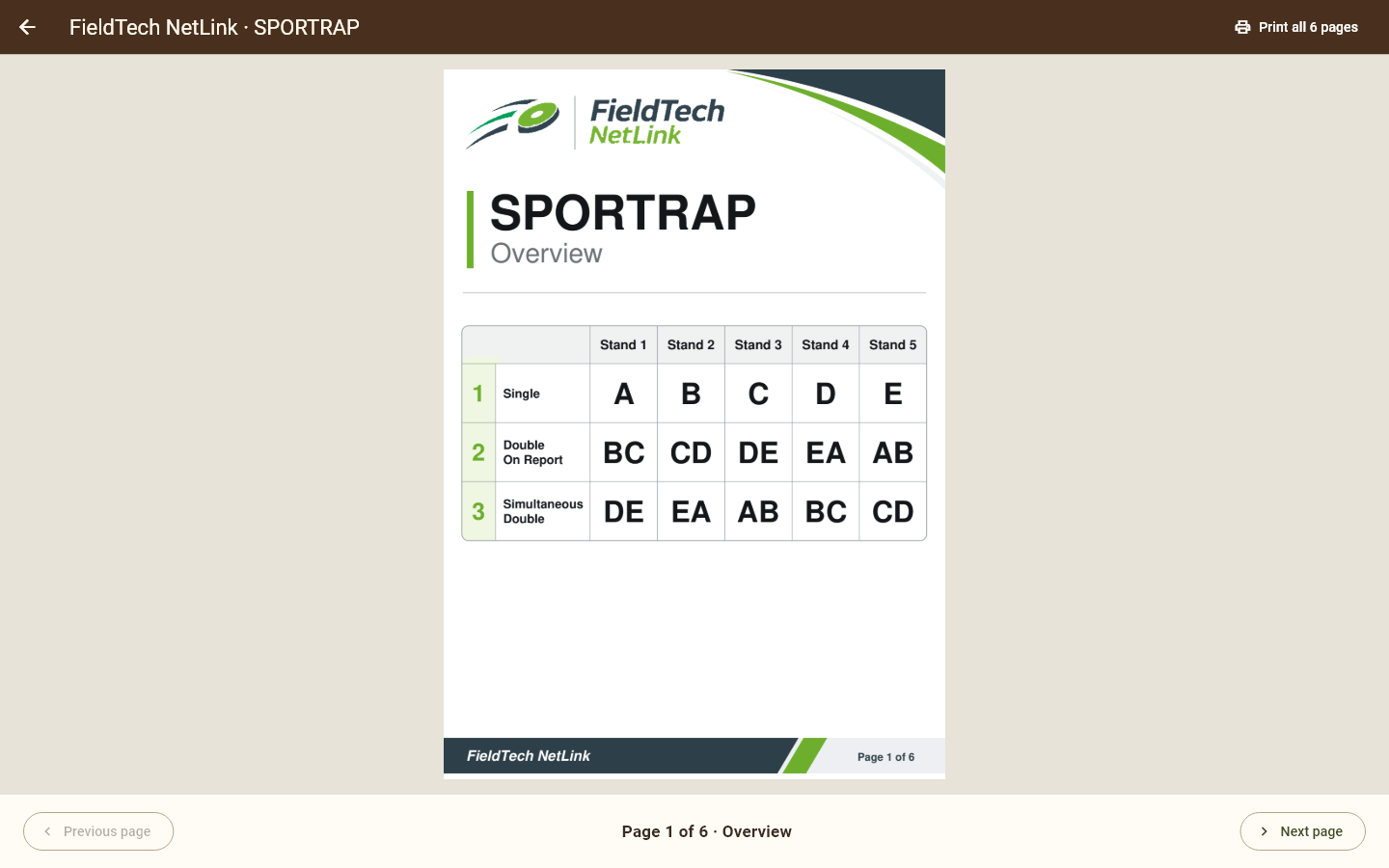
Open the six-page document, with a complete round overview and one page for each shooting position. The original bundled document remains available in the app.
Explore this feature →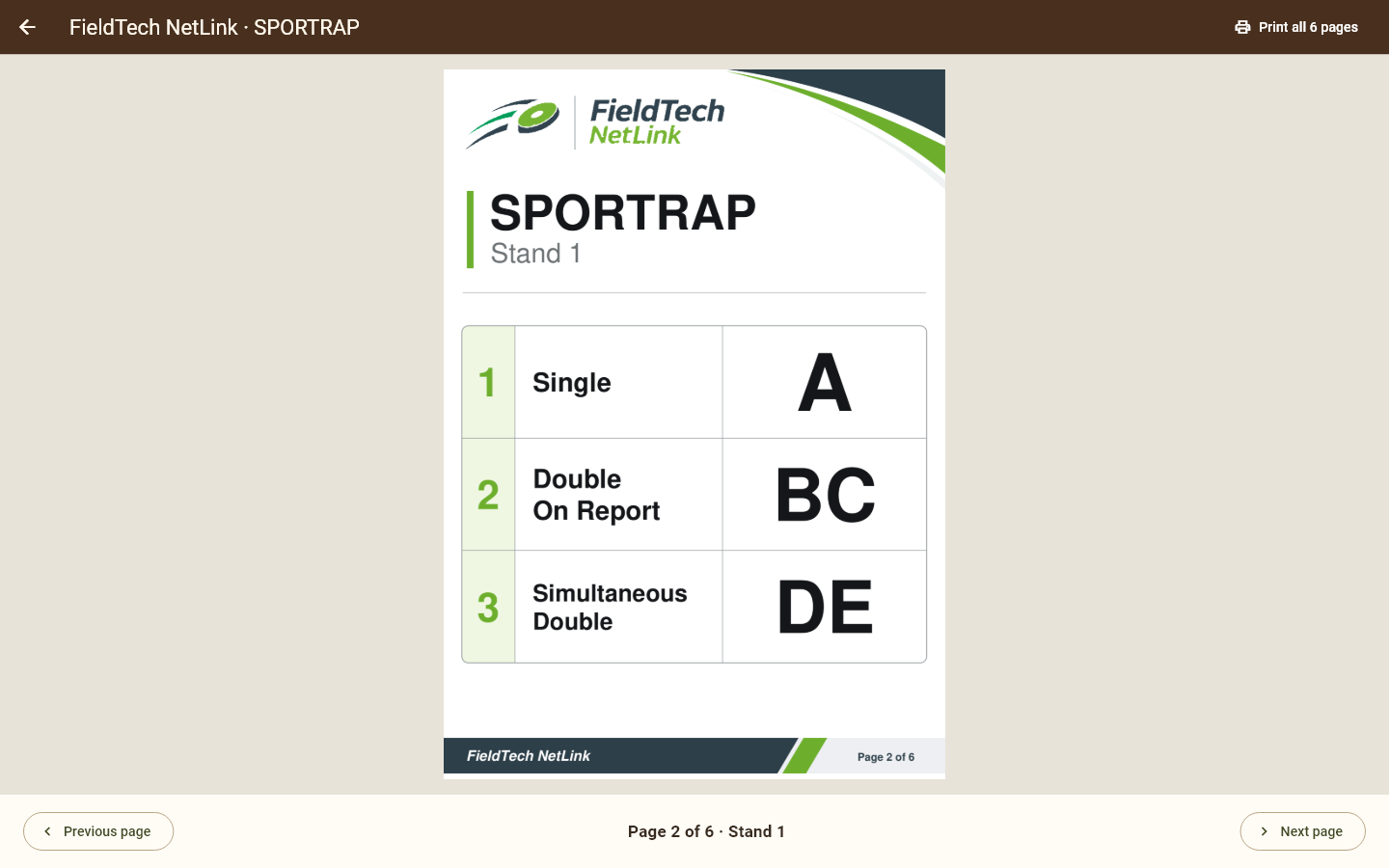
Browse the individual stand cards using the full-document viewer, with the supported option to print the complete document.
Explore this feature →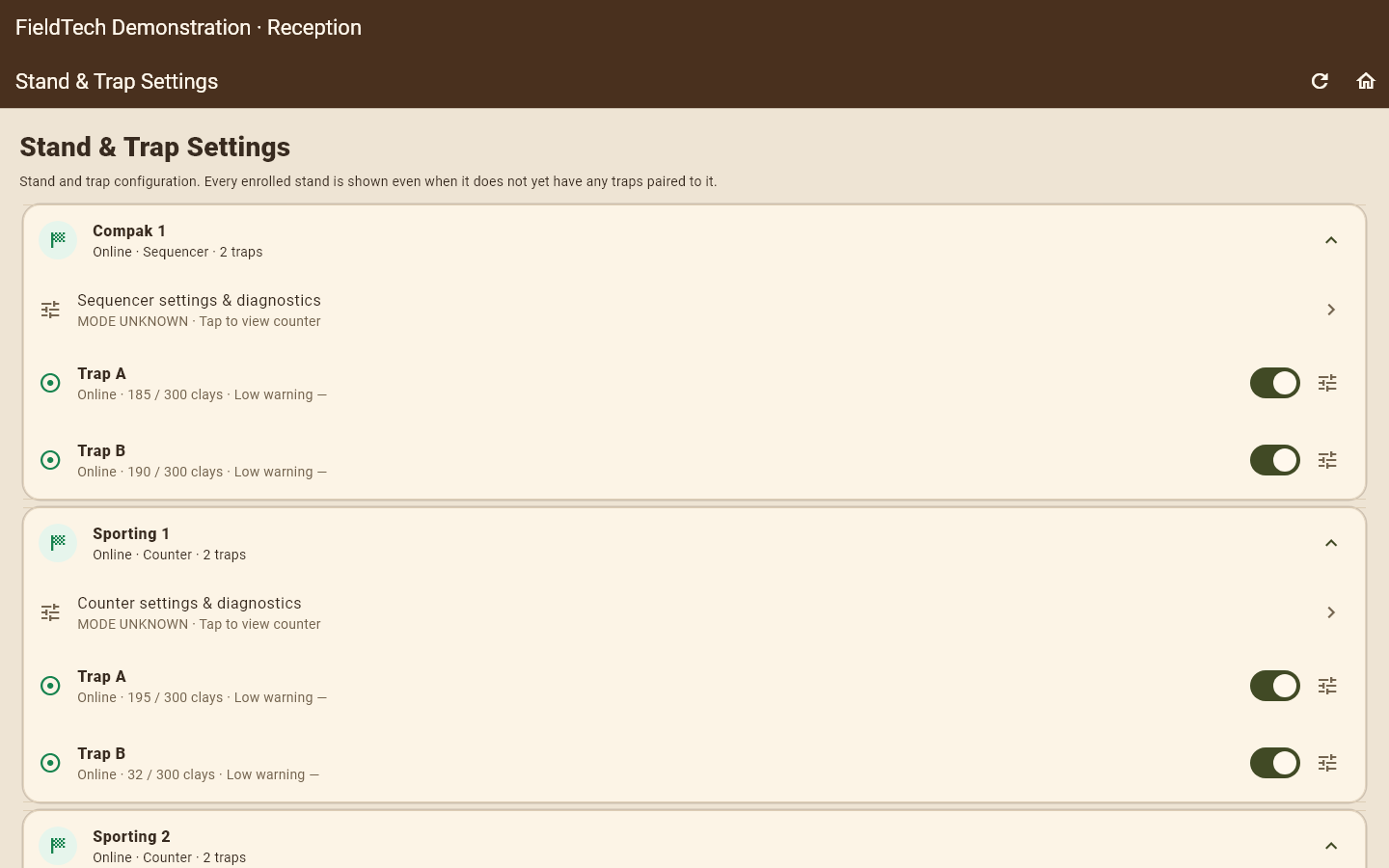
Review configured stands and receivers, associated traps and operational availability, with access to compatible counter or sequencer settings.
Explore this feature →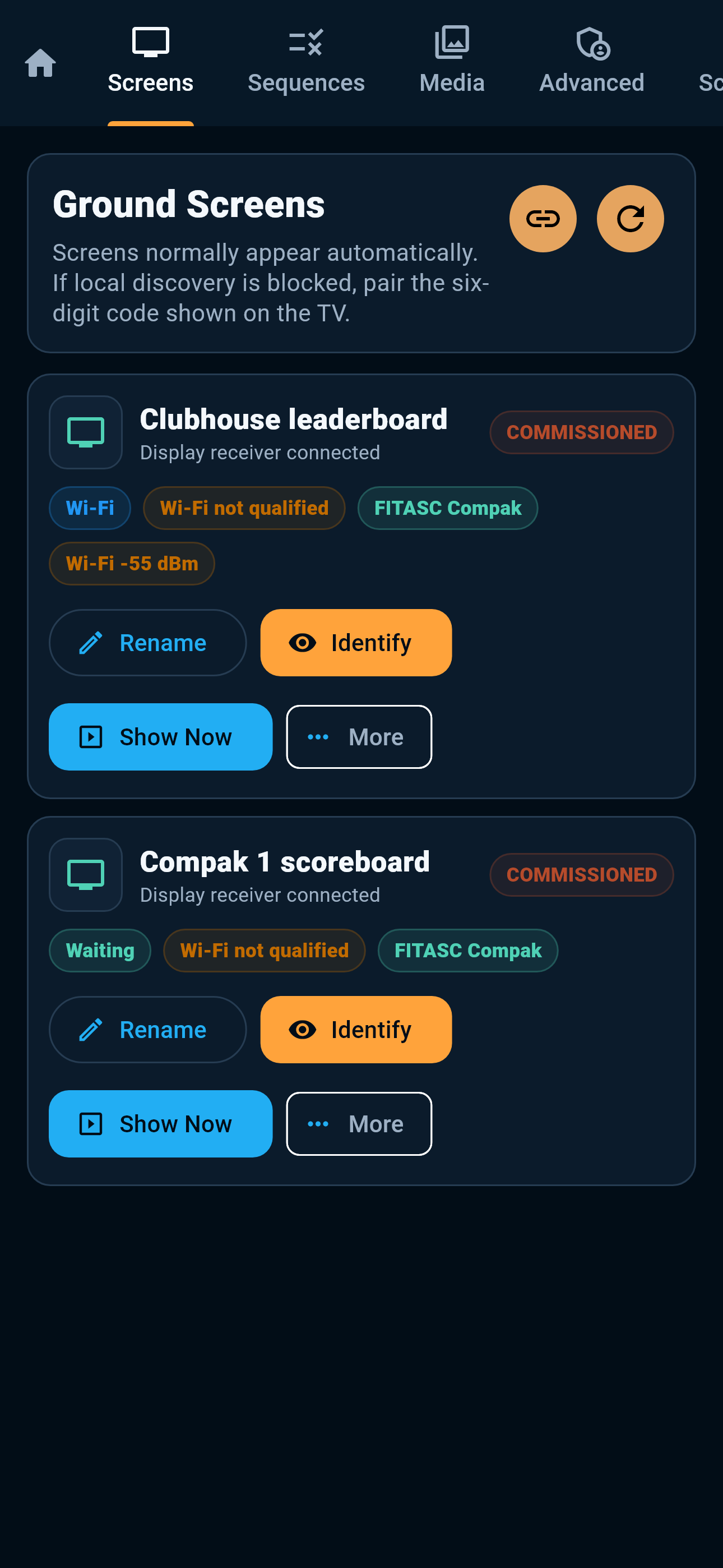
Review connected display endpoints, configuration, supported content and screen controls.
Explore this feature →