
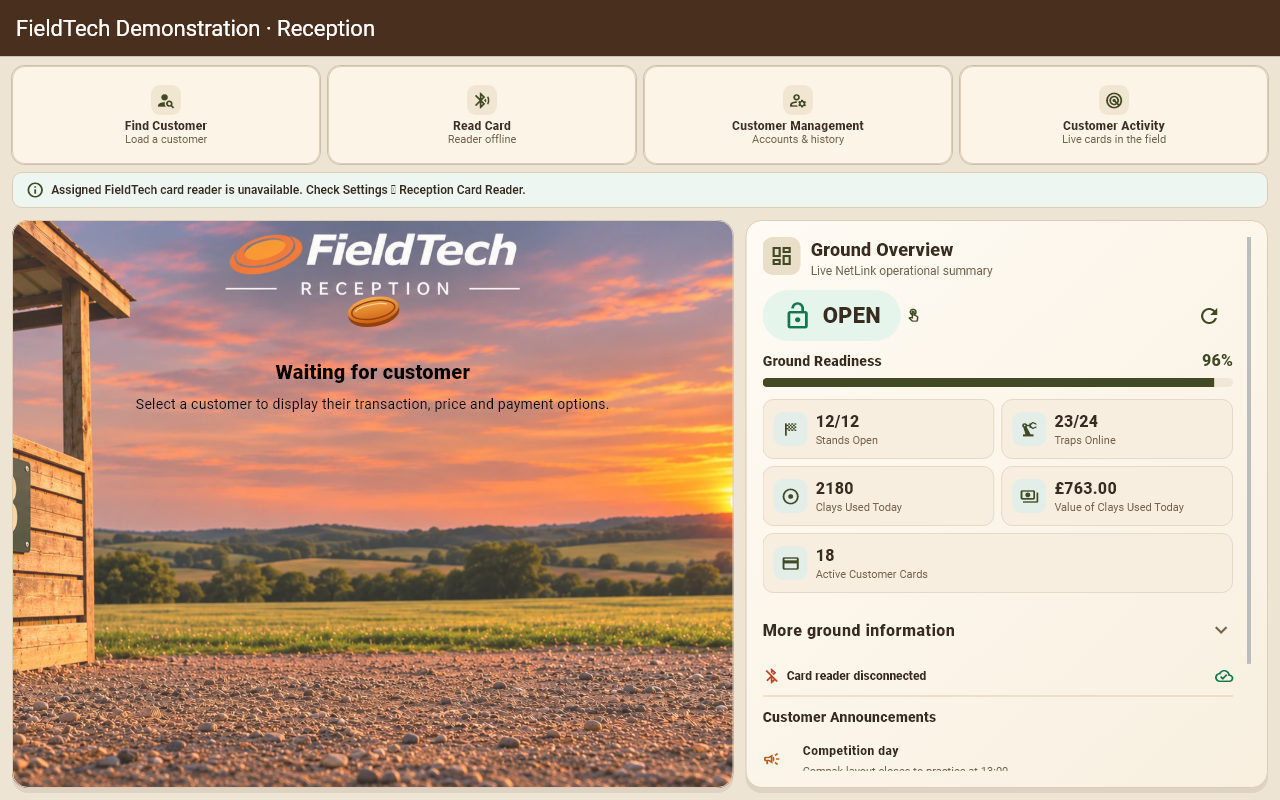
Reception Core
The complete clubhouse workspace for accounts, memberships, clay accounting, equipment and reporting.
Discover Reception
One purpose-built ecosystem for clubhouse management, connected stand equipment, staff operations, scoring and the customer experience.
Enjoy the Customer and Groundsman apps, advanced insight and seven-day support from your first production Gateway activation. Then choose NetLink+ at £40 per month per ground on a 12-month paid term, or continue with Core.
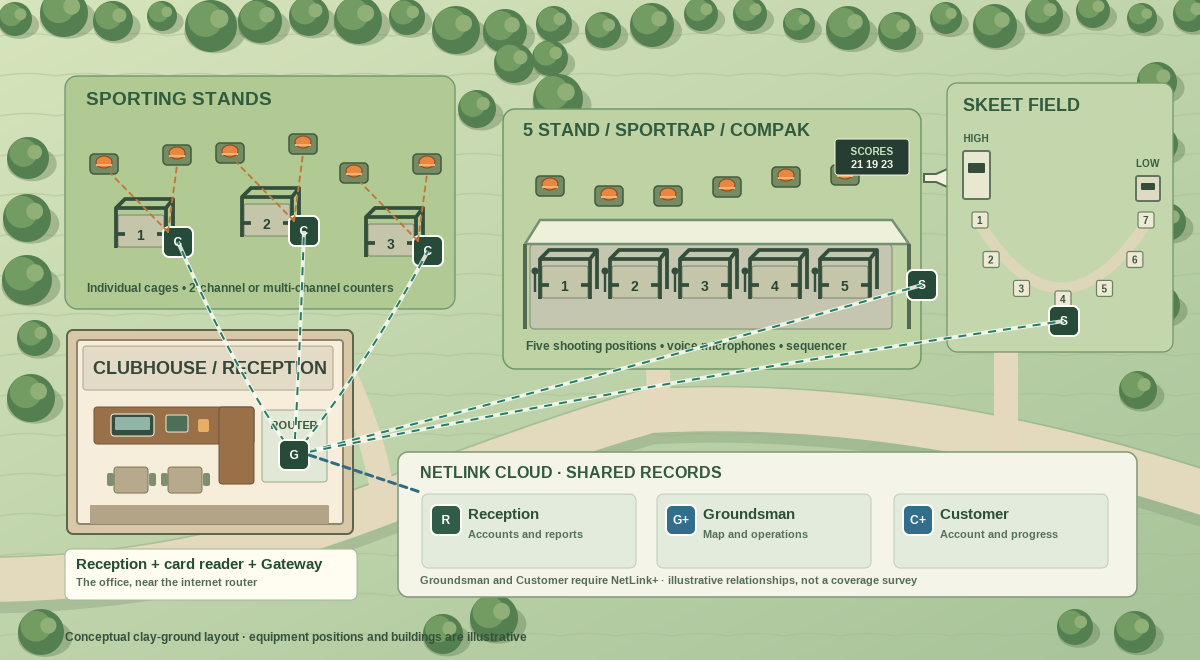
NetLink combines clay shooting ground equipment with management software. It connects the clubhouse, the stands and the people who use them.
See how NetLink works →Find your ground on the map, position your equipment and see the cost as you design. Request a complimentary technical review from FieldTech.
Design your ground →A connected clubhouse and field — from each individual sporting stand to a five-position layout and skeet.
Different users, one set of ground records.
The complete clubhouse workspace for accounts, memberships, clay accounting, equipment and reporting.
Discover Reception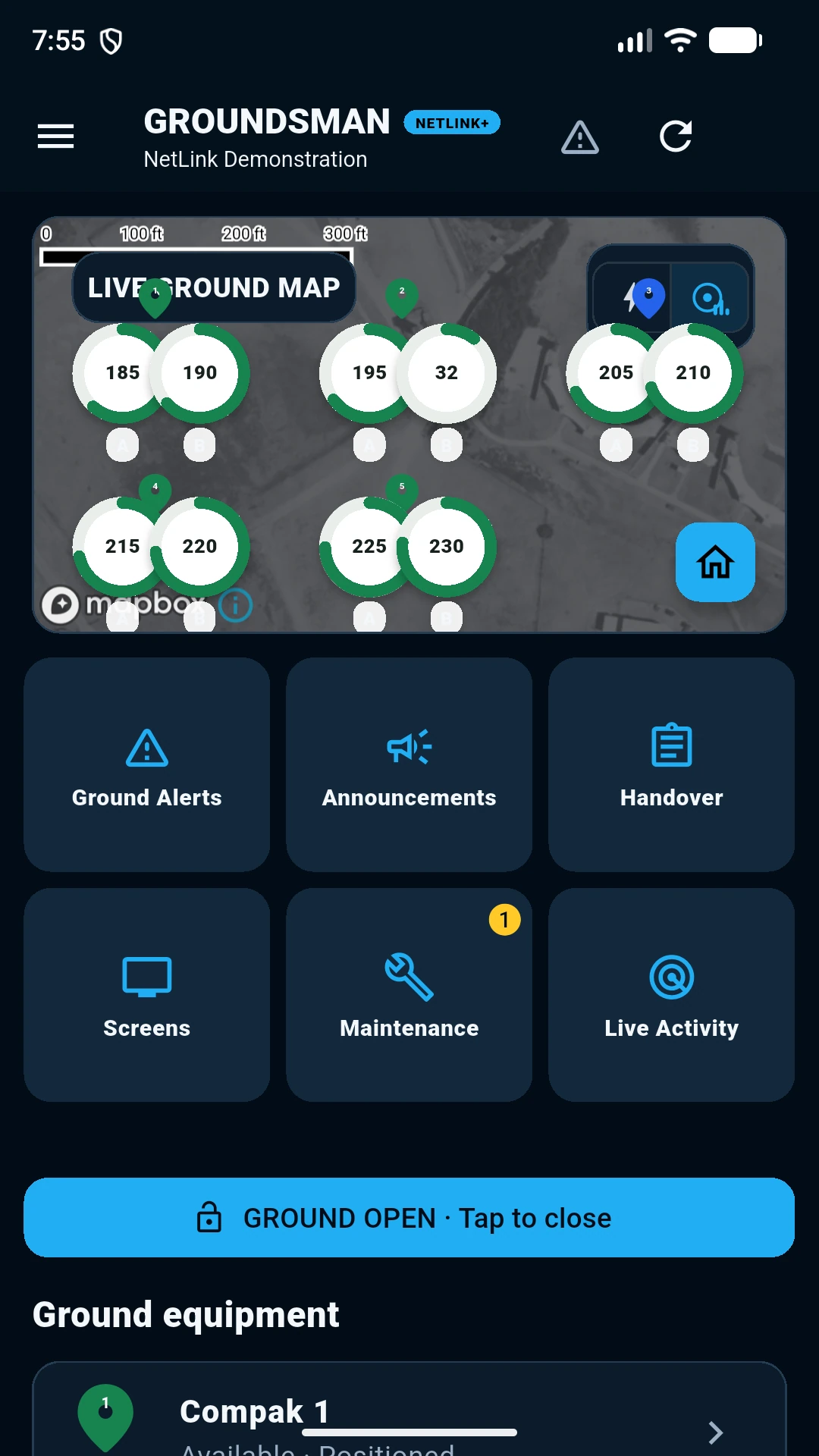
See equipment and remaining clays in the field, coordinate maintenance and respond to warnings.
Discover Groundsman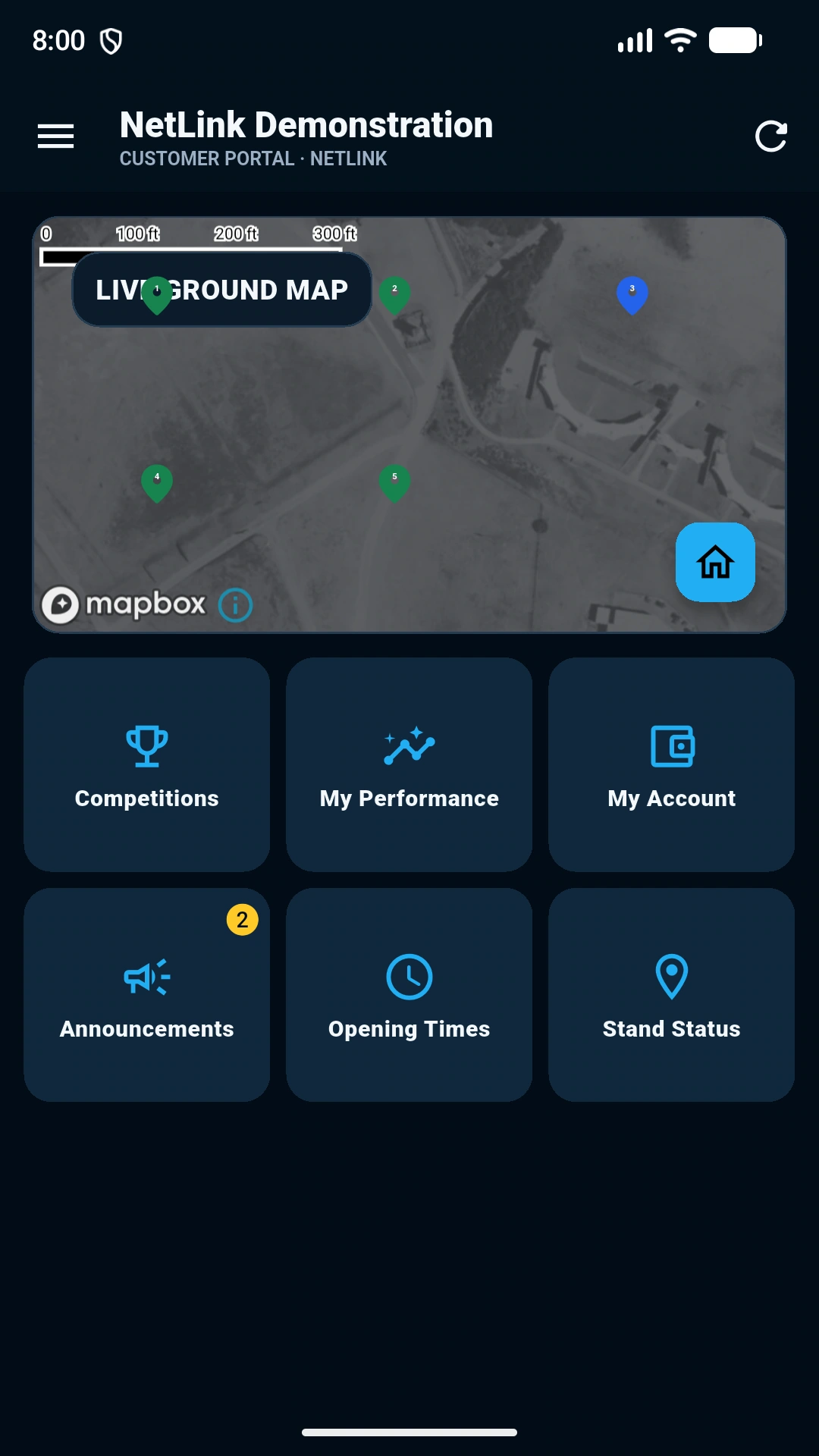
Give customers their shooting account, ground information and personal performance in one place.
Discover CustomerNetLink+ Customer and Groundsman apps, personal performance, customer push notices and advanced analytics are NetLink+ benefits. Core includes Reception and its operational reporting. Availability depends on configured equipment and permissions.
Select a stage to discover how the equipment and applications work together.
Reception finds or creates the customer account and prepares the shooting card. The card identifies the customer's applicable account workflow.
See ReceptionA compatible counter records clay use against the configured card/account. Structured disciplines can use a sequencer to manage the round and its scoring, where supported.
Explore the equipment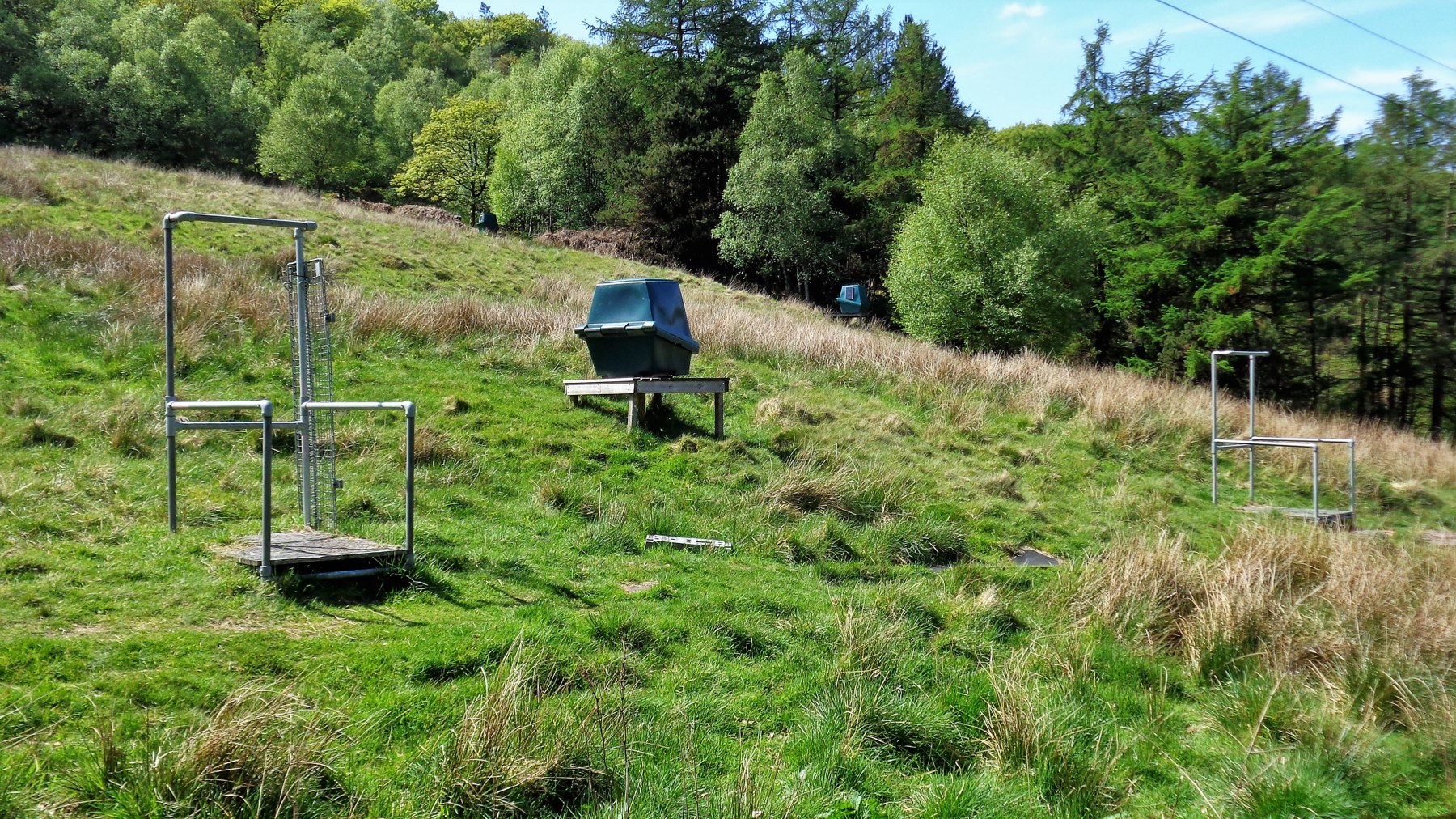
The ground's compatible equipment communicates with the Gateway by radio. The Gateway uses its network connection to send supported records to NetLink Cloud, where authorised applications can use them.
Understand connectivity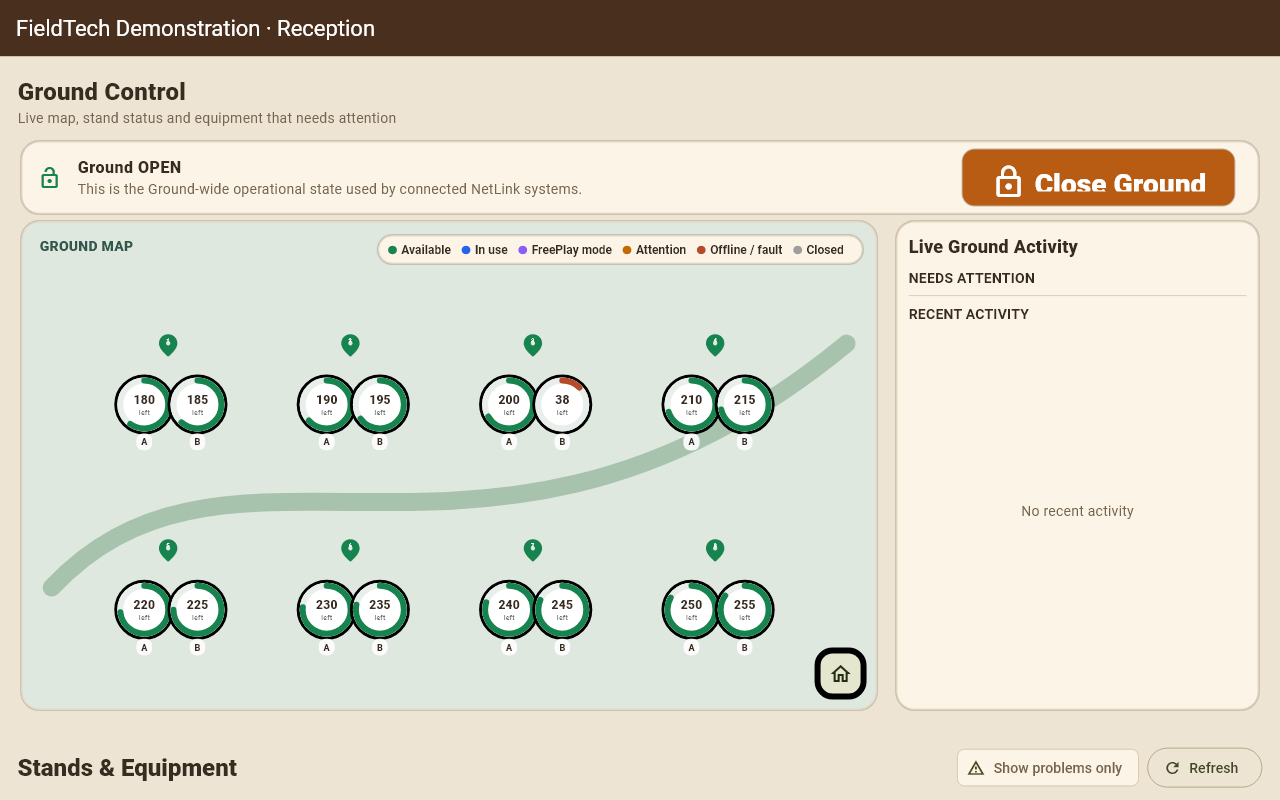
The recorded clay usage feeds the applicable account and reporting workflow. Staff can review customer activity and consumption, rather than treating each stand as an isolated machine.
Explore accounting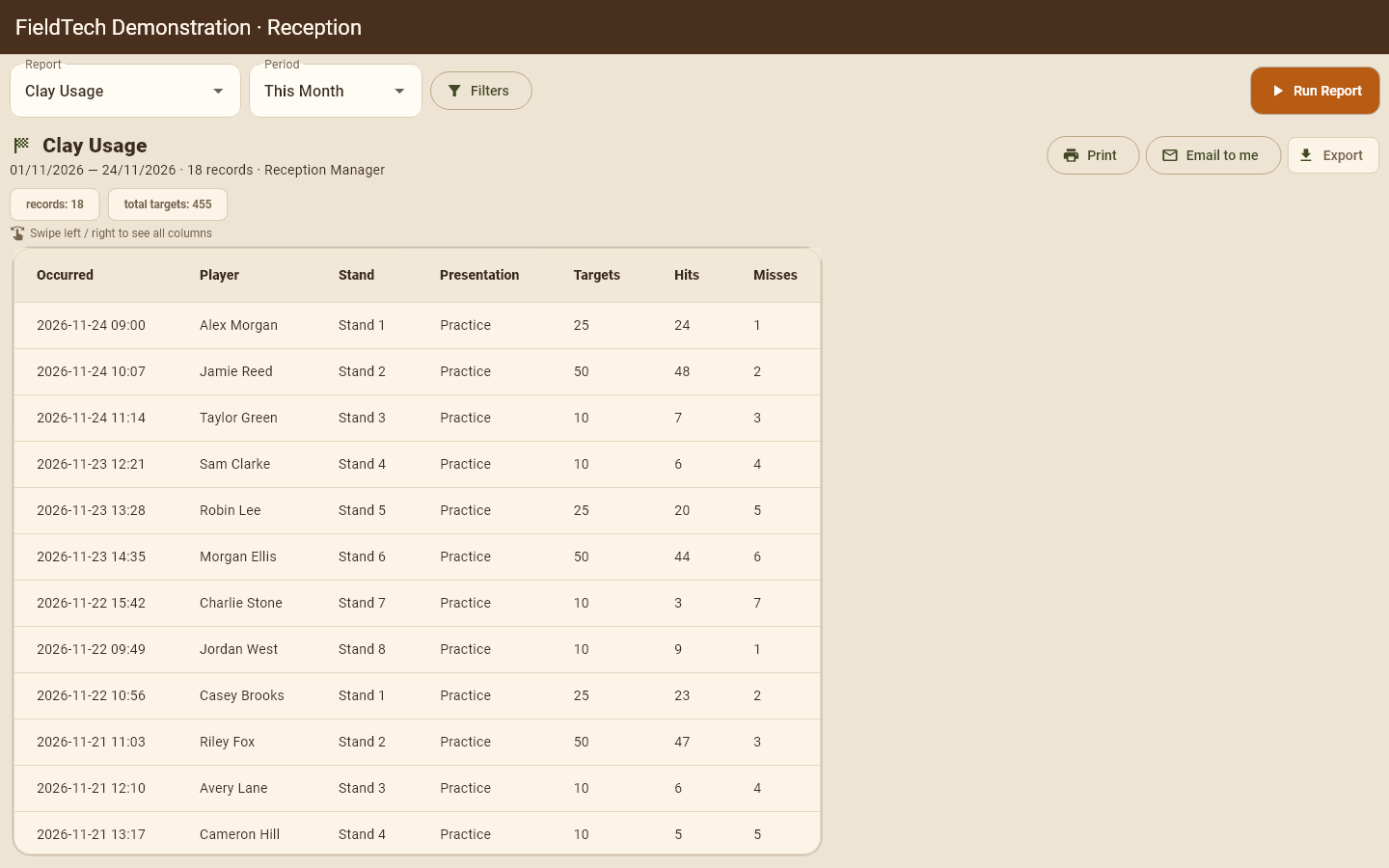
Groundsman gives authorised staff access to equipment information and maintenance records on a phone. Reported status and usage help staff decide where to investigate or service equipment.
Meet Groundsman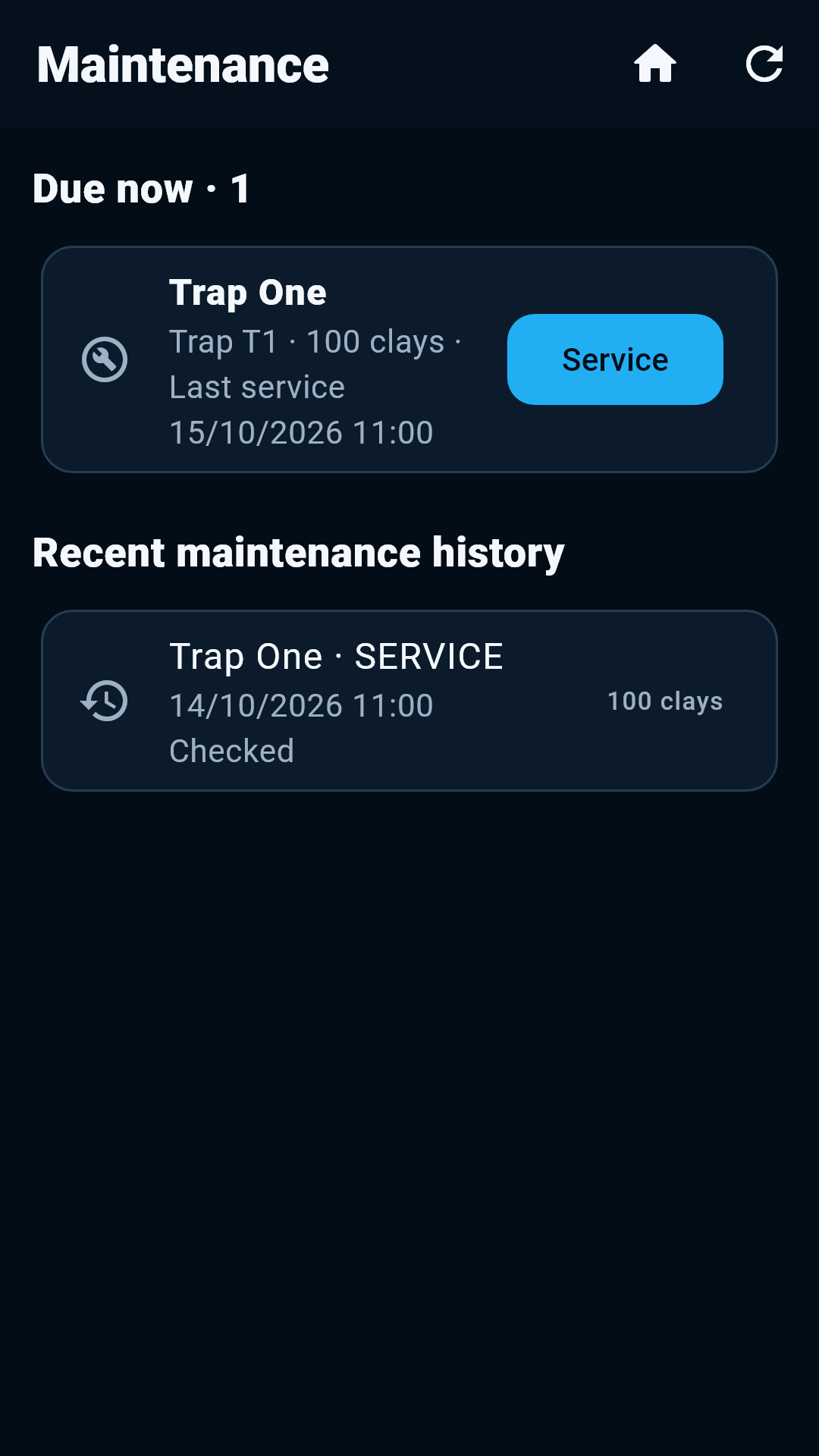
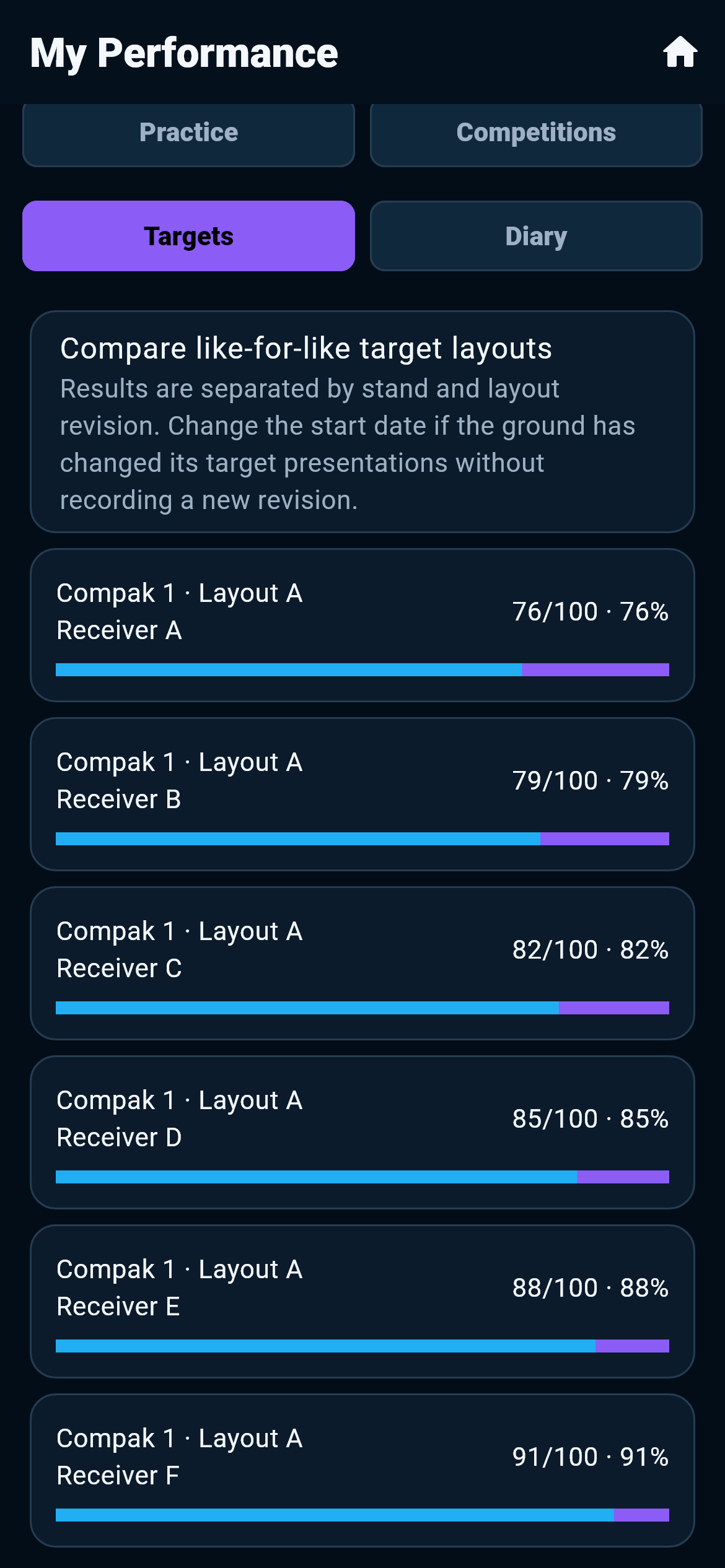
Customers can review available account and shooting records. Where the equipment and mode provide scores, the Customer app can show performance trends and support a training diary.
Explore Customer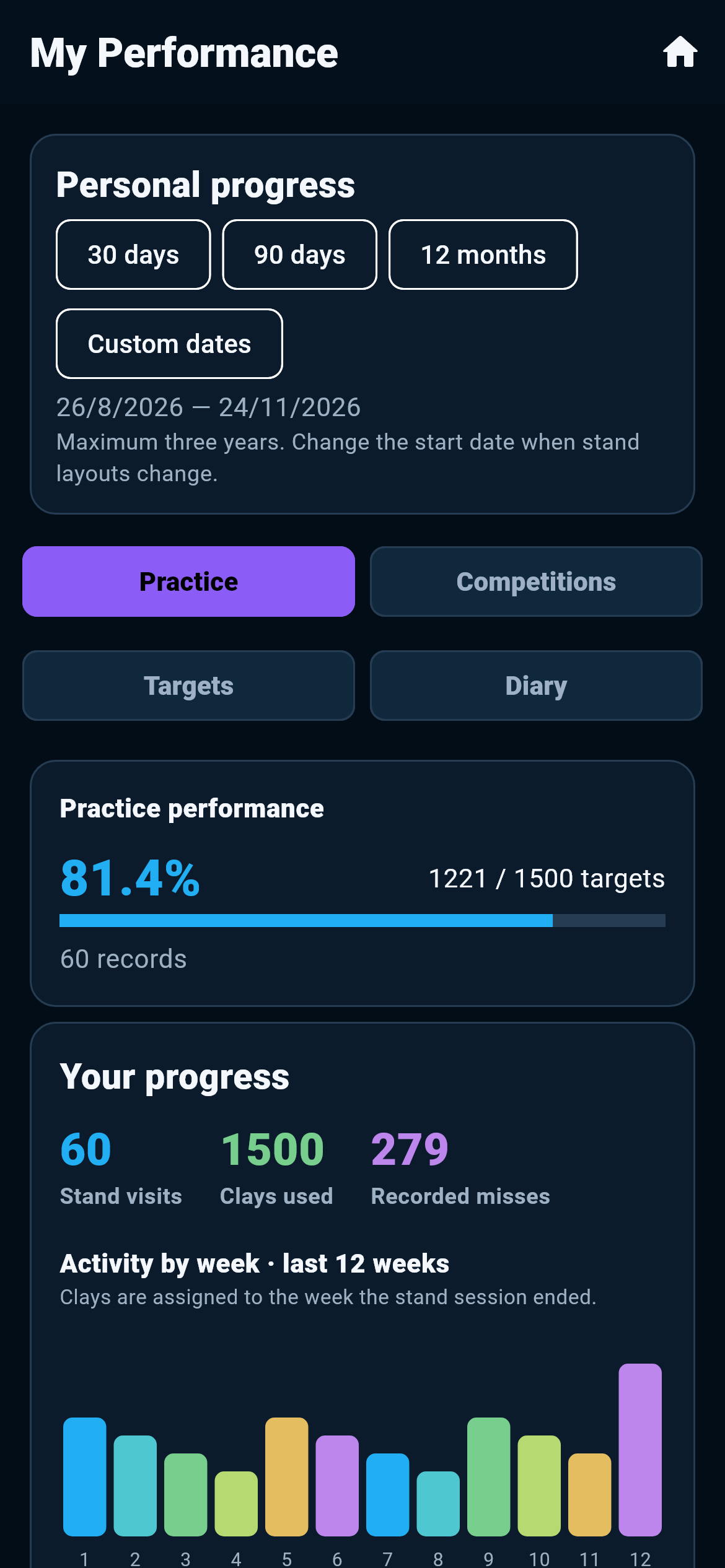
Illustrative customer journey. App screens are genuine current-source demonstration captures, not a linked live customer session. App and equipment availability and scoring depend on the accepted configuration.
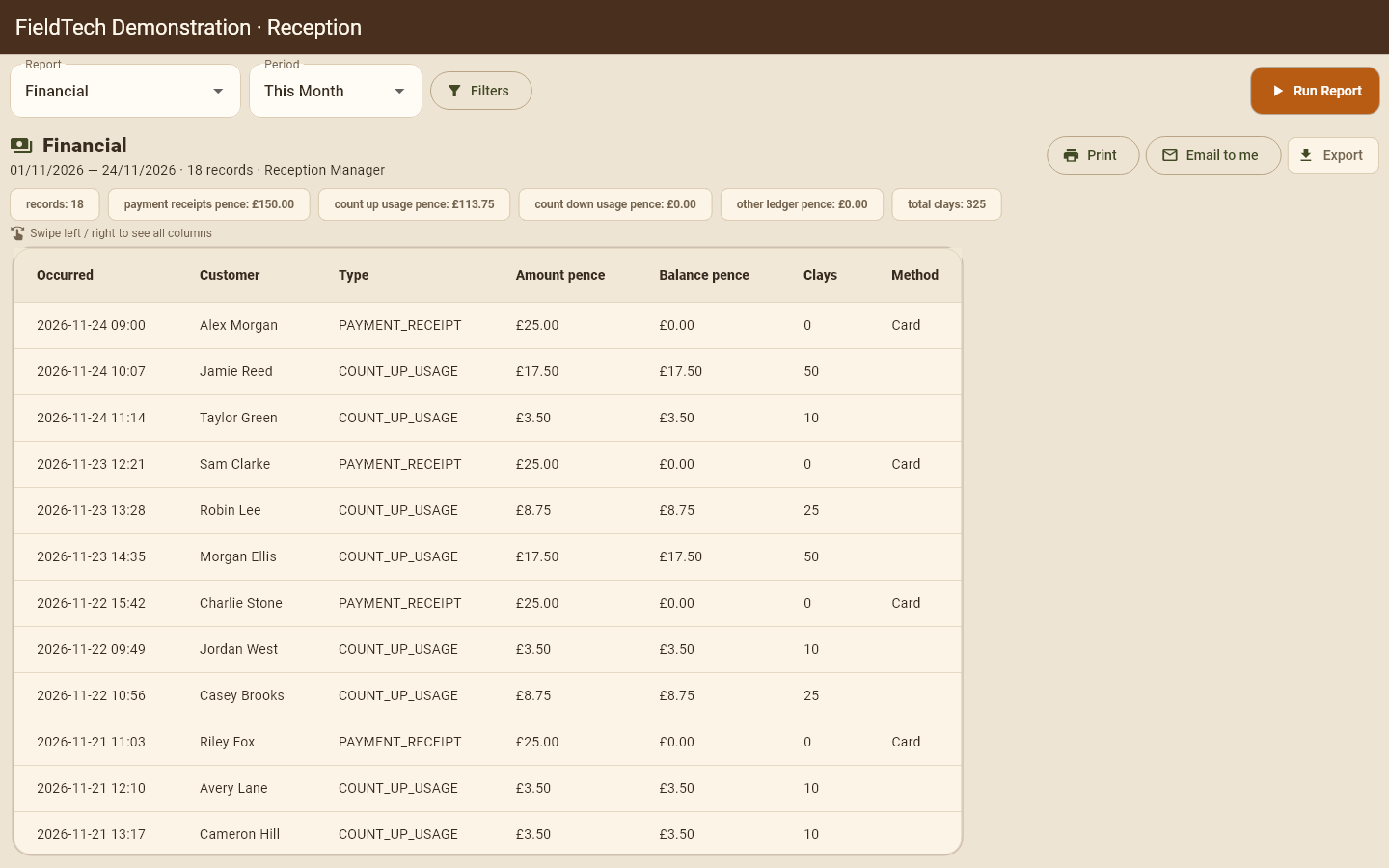
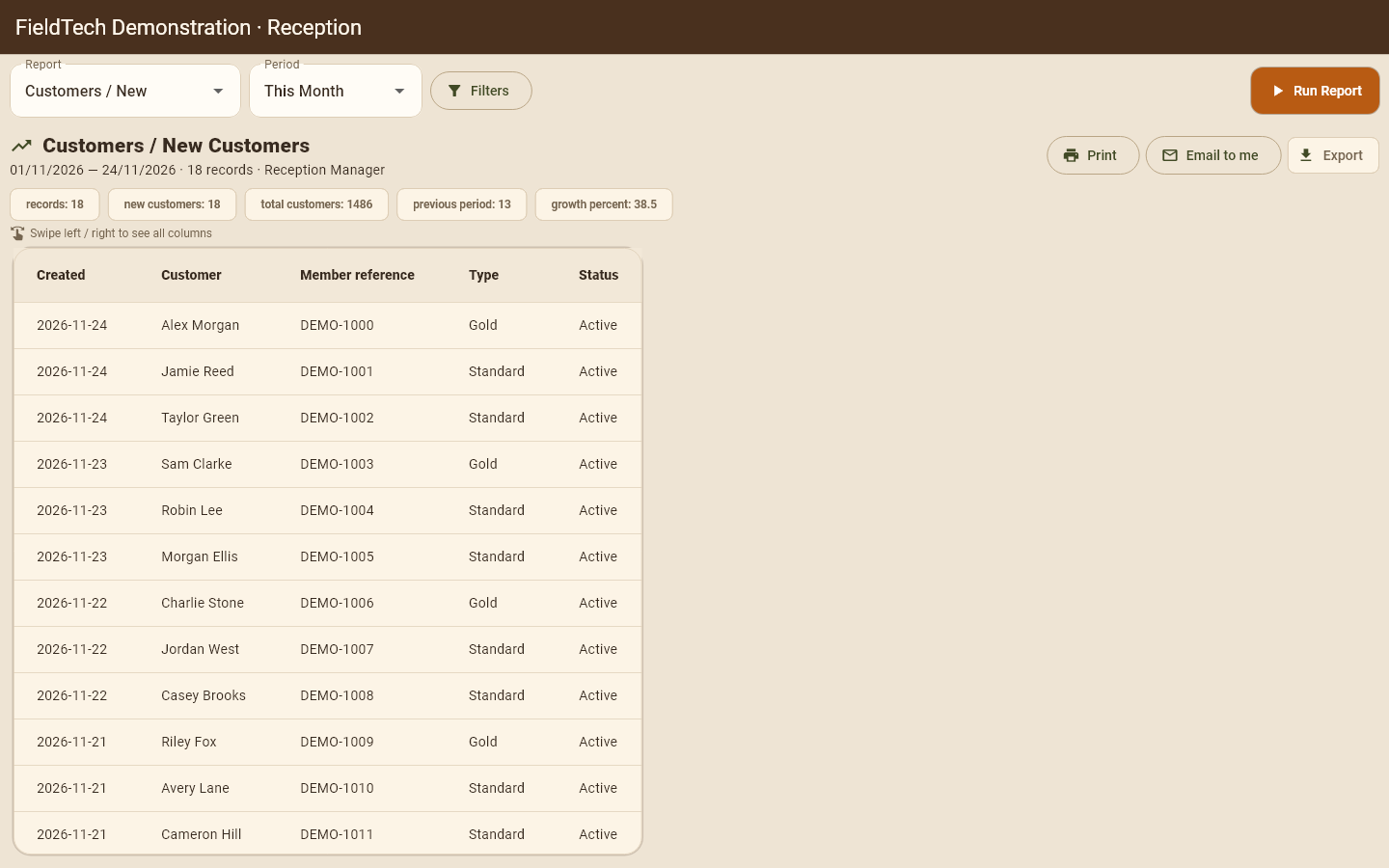
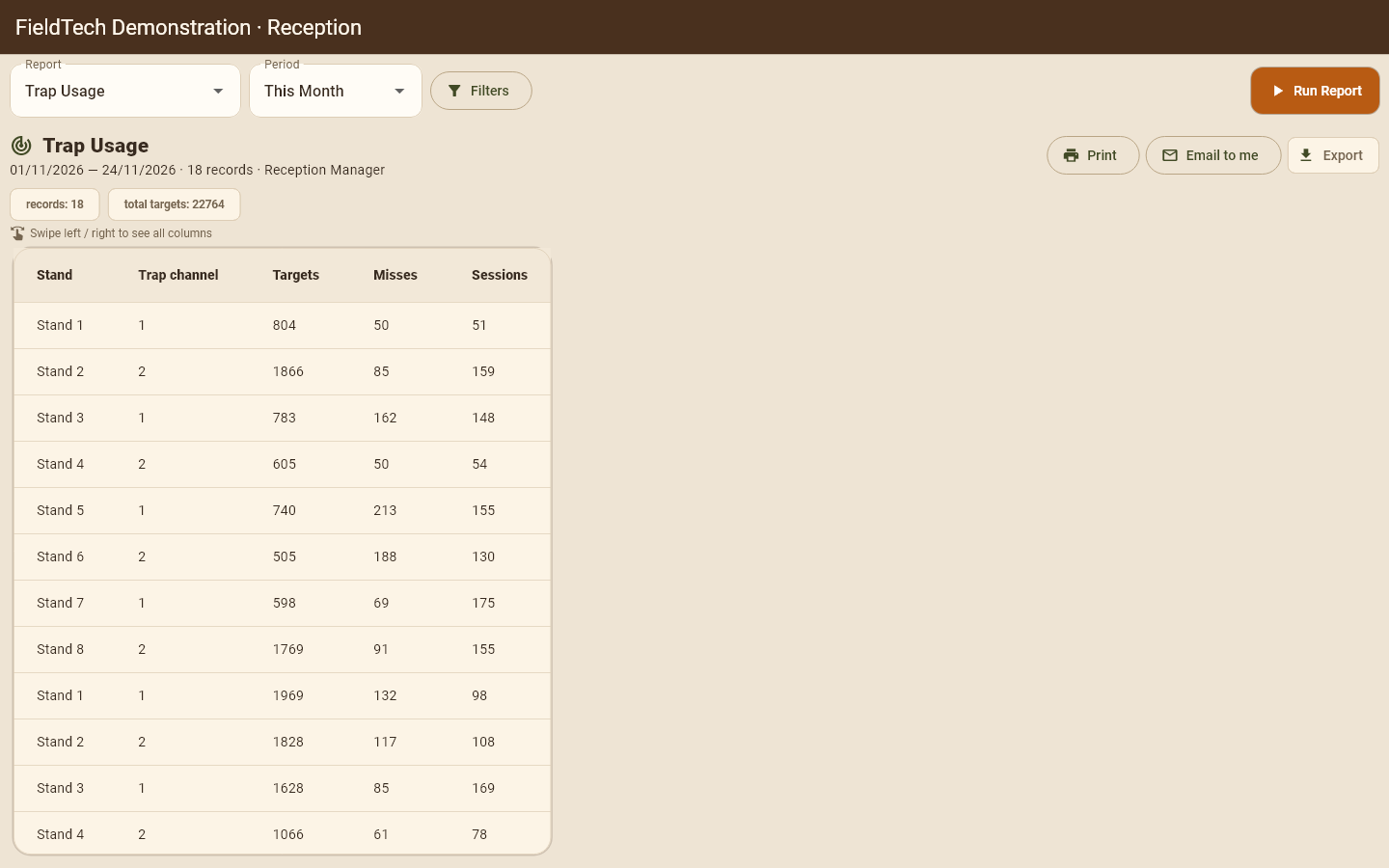
Turn the day’s recorded shooting, account activity and equipment usage into useful business information. Compare periods, review individual records and export the available reports.
Operational, financial, membership and technical records.
Follow the underlying transactions and equipment activity.
Advanced analytics and scheduled reports for a deeper business view.
Browse equipment by its role in the connected ground. Official product photography will replace the labelled placeholders.
A dedicated counter family for sporting stands and clay usage records.
Explore 2-channel counter ↗A multi-button counter family for layouts requiring greater target-channel flexibility.
Explore 12-channel counter ↗Designed for discipline-specific target order, shooter progression and score handling across configured layouts.
Explore Multi-discipline sequencer ↗The Gateway links compatible stand equipment to the central NetLink ecosystem.
Explore NetLink Gateway ↗Purpose-designed microphone software includes digital voice processing and filtering for compatible discipline-control equipment.
Explore Wireless microphones ↗Dedicated scoreboard software and receiver hardware are designed for stand and clubhouse displays.
Explore Scoreboard receiver ↗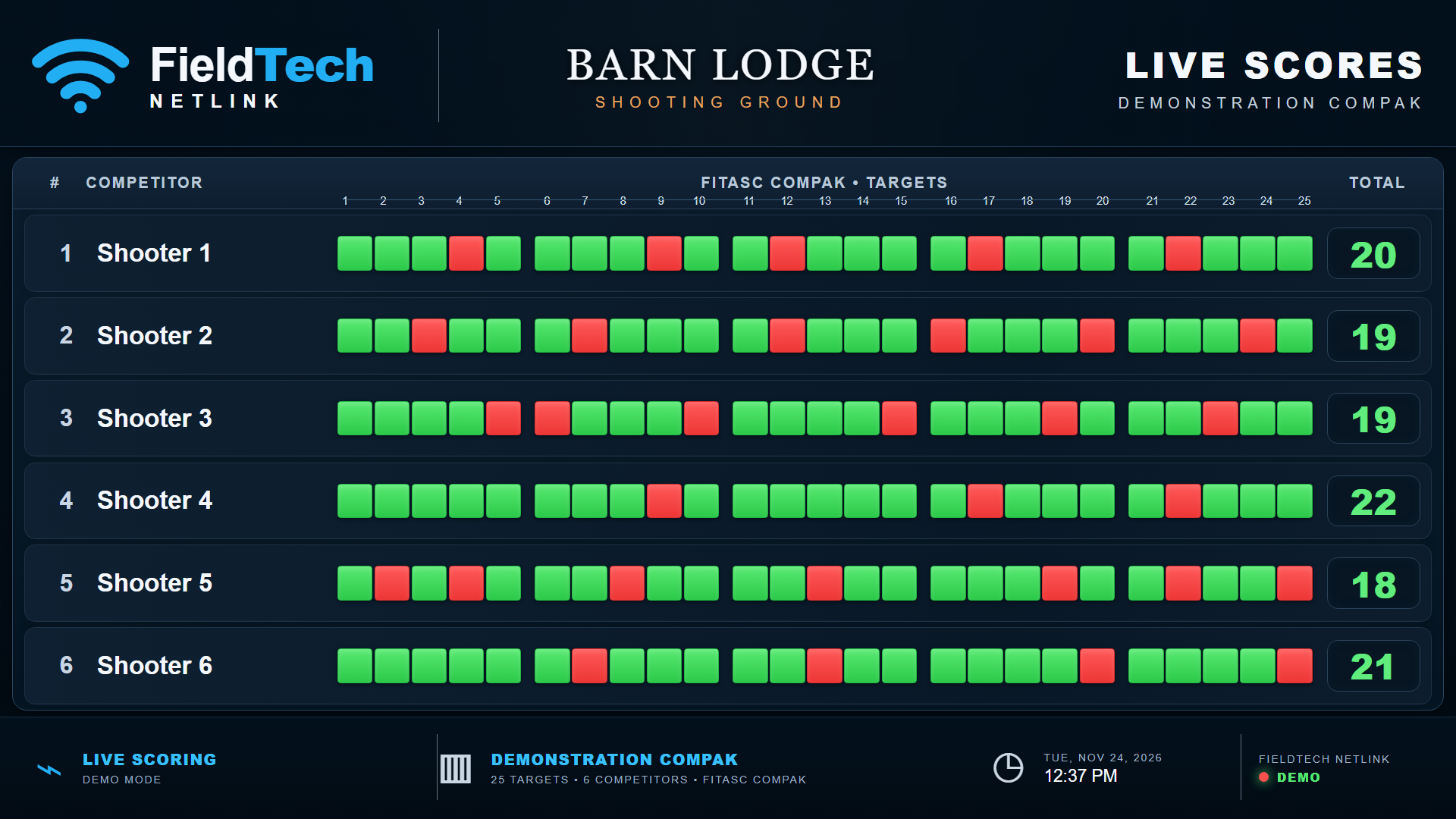
Configured score displays can present results, rankings and clubhouse information. Explore the current candidate display interfaces.
Follow supported score updates.
Present leaderboards and announcements.
Use the appropriate supported display layout.
Individual stands, Compak, Sportrap and Five Stand layouts.
Explore Sporting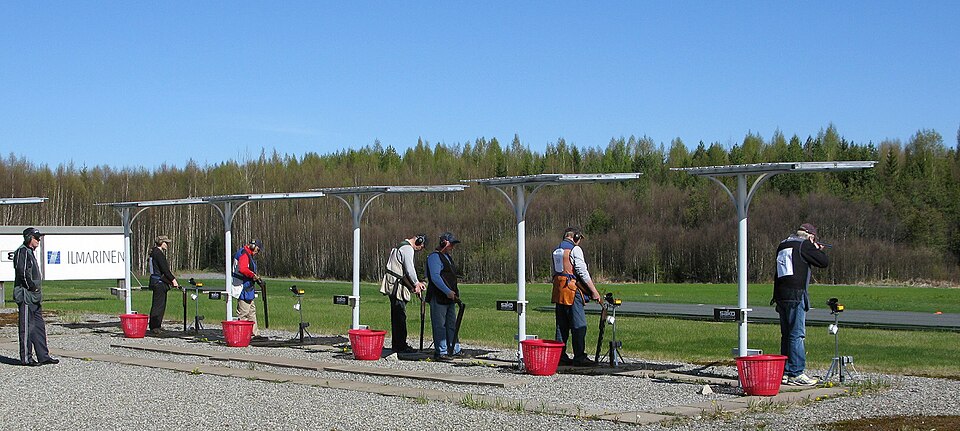
Structured trap disciplines including DTL, ABT and Olympic Trap.
Explore Trap
Dedicated skeet sequencing and supported station configurations.
Explore SkeetRepresentative discipline photographs, not FieldTech installations. See image credits .
A personal shooting record makes every visit more meaningful, with access to performance, results and a private diary where the ground provides these facilities.
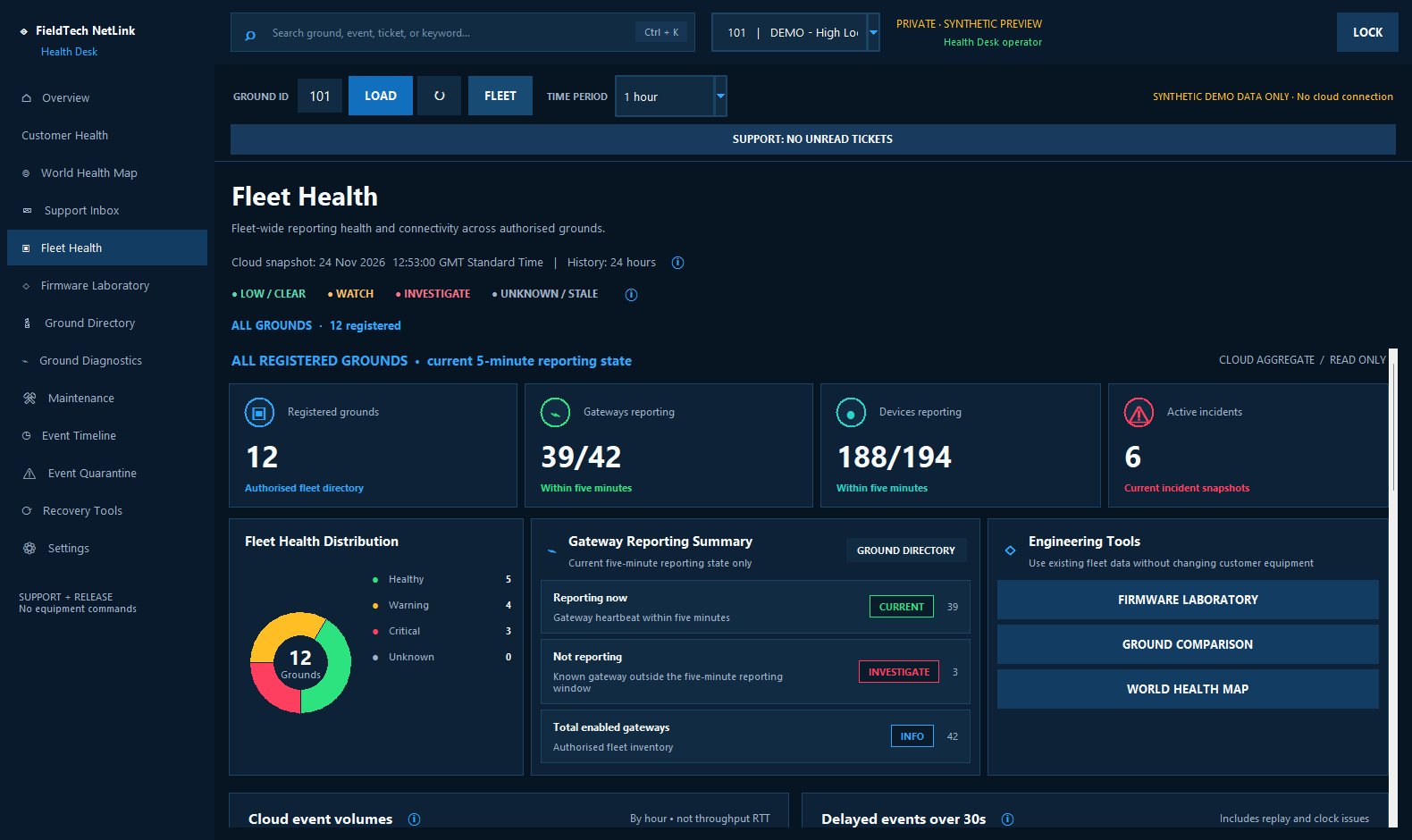
FieldTech develops its own diagnostics, controlled release tooling and fleet-health monitoring. Synthetic previews show the type of information engineering staff can investigate.
Distinguish reported, stale and unknown status.
Review available communication and event information.
Validate and track compatible software updates.
FieldTech connects the actual clay equipment to useful clubhouse and field operations, rather than treating each stand as an isolated machine.
Discuss your disciplines, equipment, connectivity and business requirements with FieldTech.
Use the galleries to see how the three workspaces support the clubhouse, field staff and shooters.
Explore the Reception application screen by screen.
See ground readiness, activity, clay usage and the main customer operations together. Start a new visit without switching between disconnected systems.
Explore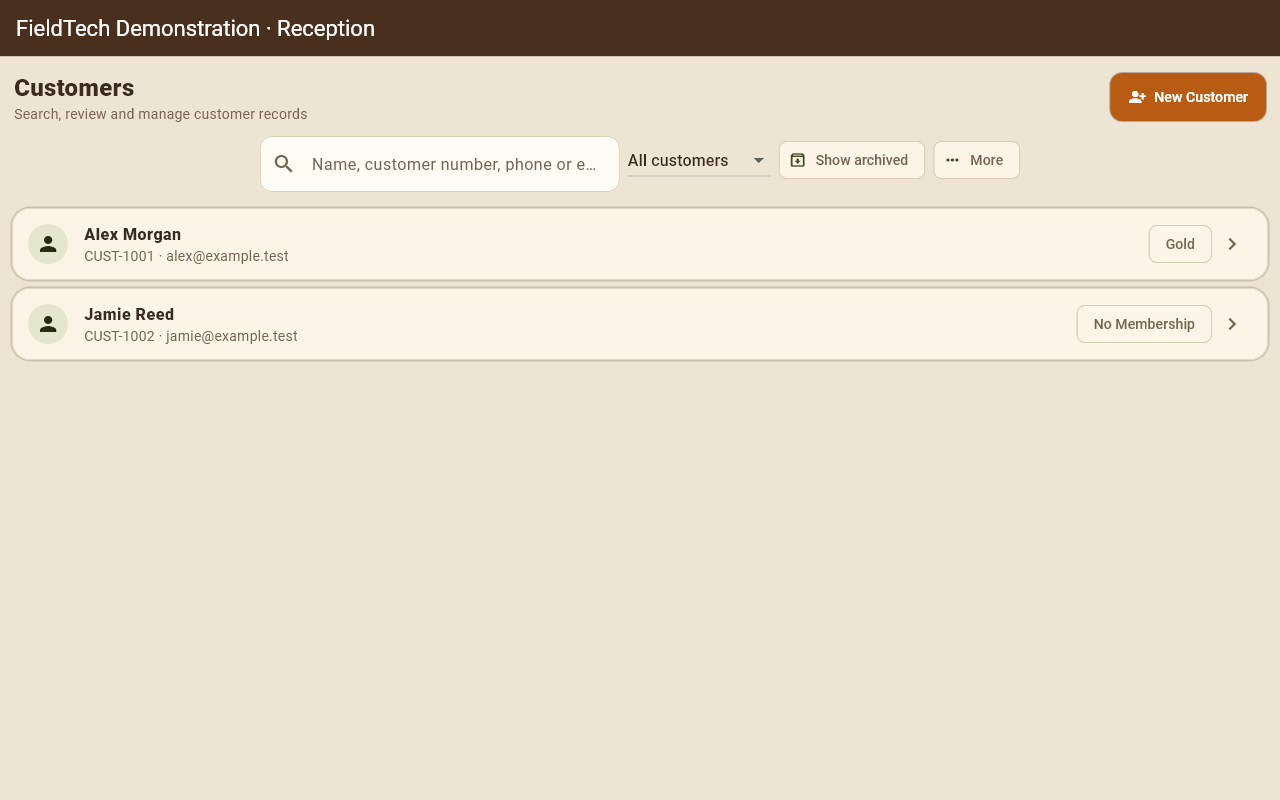
Search customer accounts, see membership status and open the appropriate customer workspace.
Explore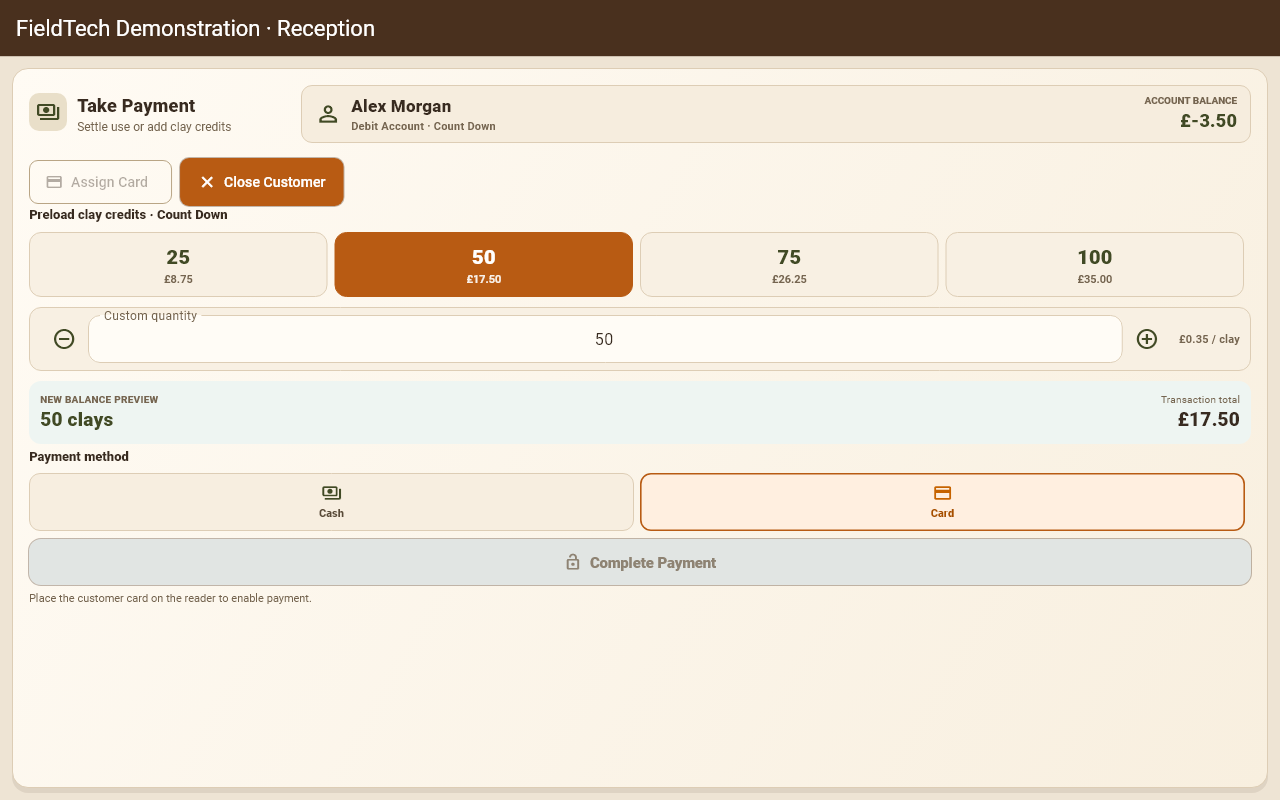
Review recorded charges and payments for the configured count-up or count-down workflow; settle the account at Reception.
Explore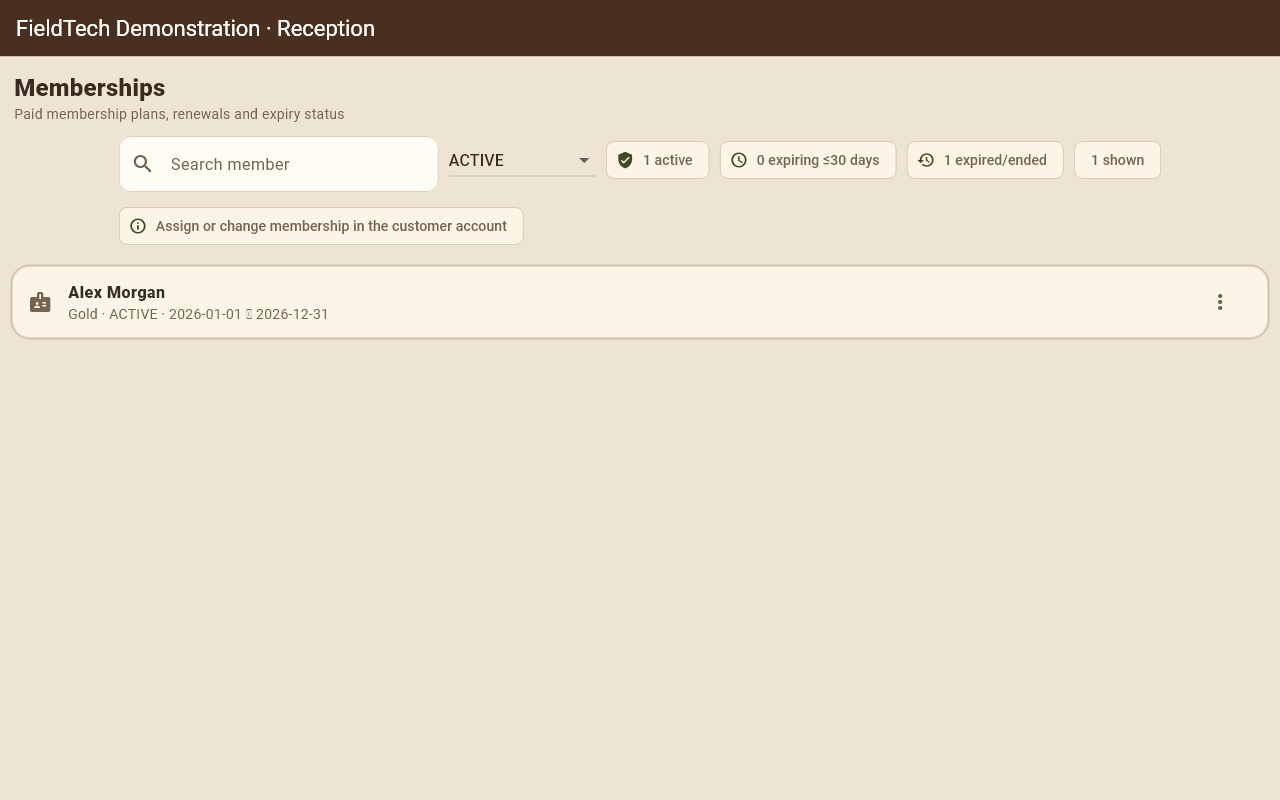
Manage membership dates, renewals and status. Membership-based clay pricing can form part of the account workflow.
ExploreChoose from 12 reporting categories, select periods and available filters, and run, print, export or email the supported reports.
ExploreSee the configured stands, associated traps, connectivity and clay availability. Investigate issues before reopening a stand.
Explore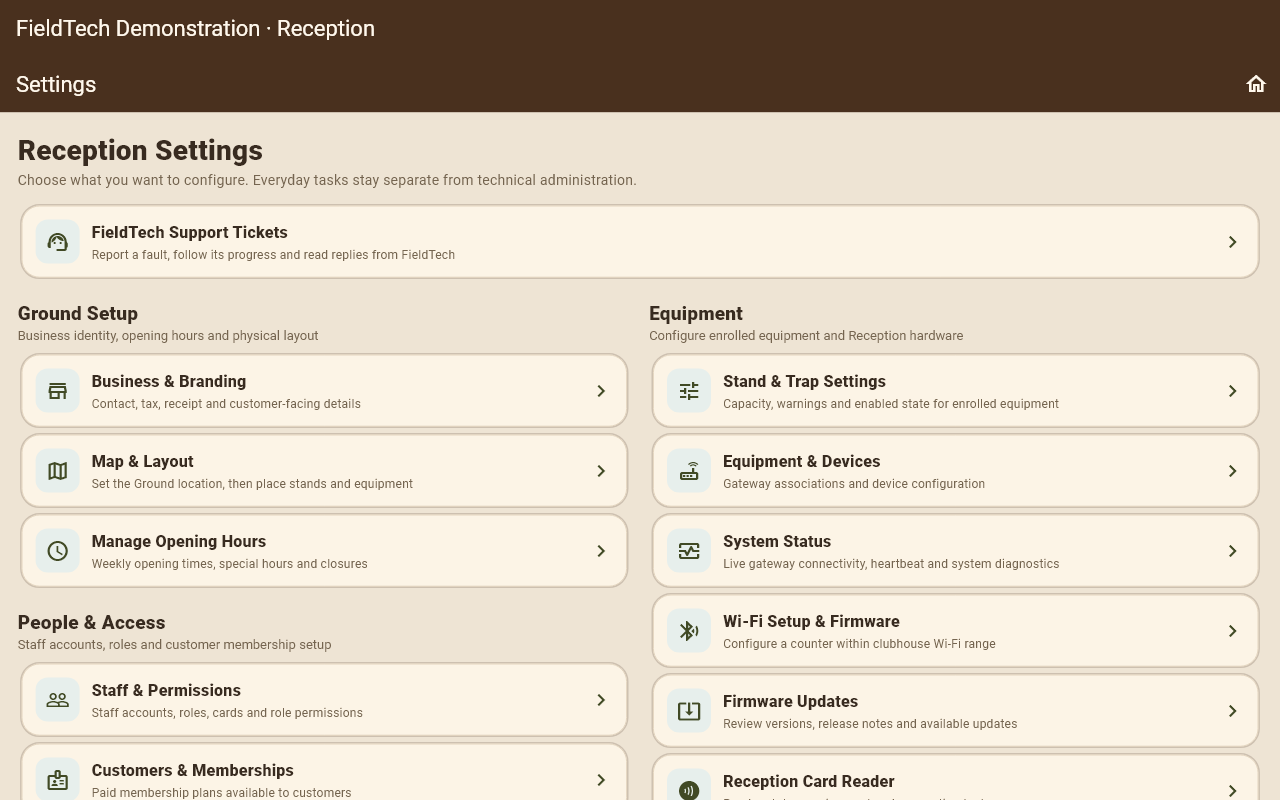
A single administrative starting point for the ground, equipment, people, accounts and system settings.
Explore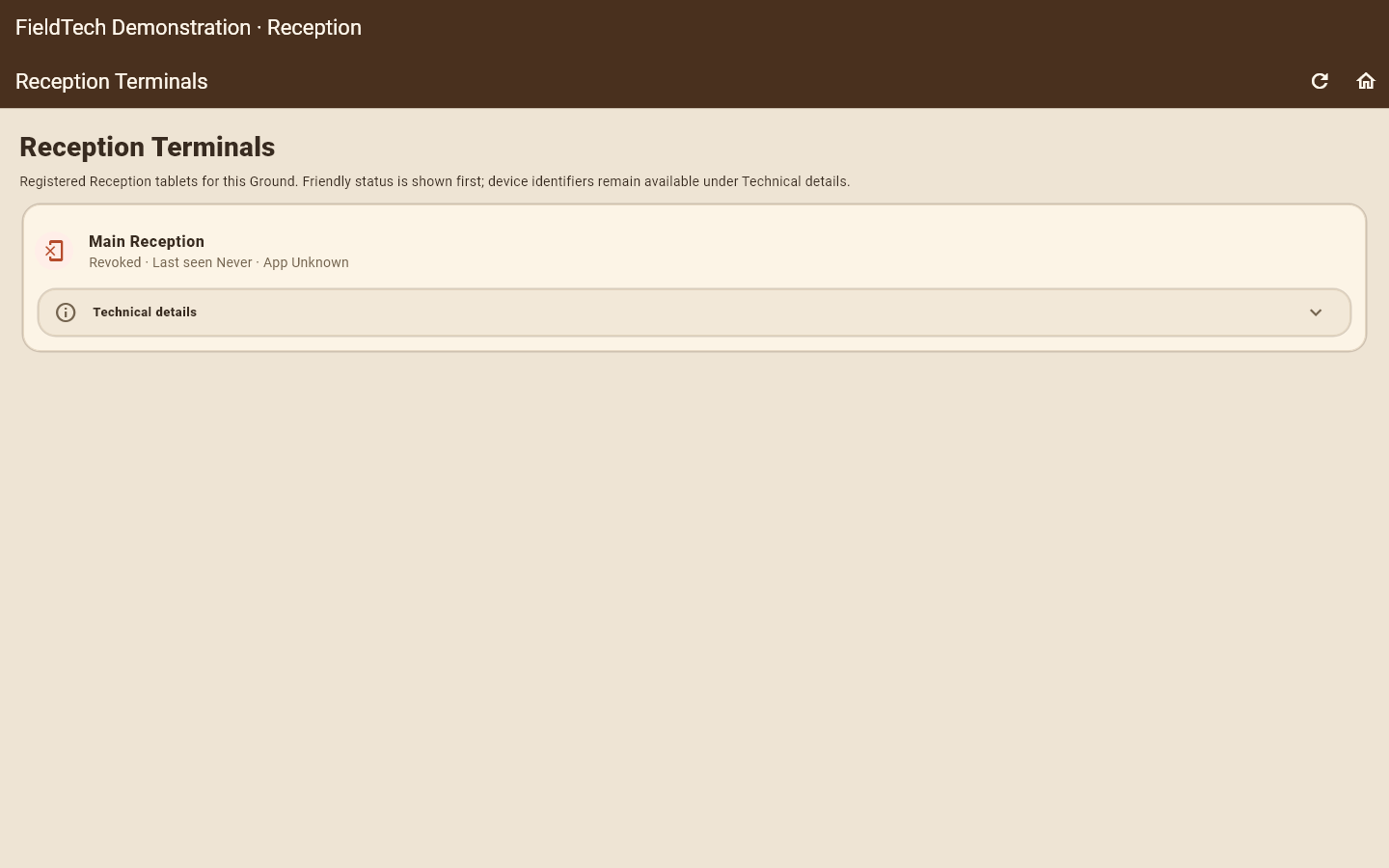
Review enrolled Reception terminals and their available status information; manage replacements through authorised procedures.
Explore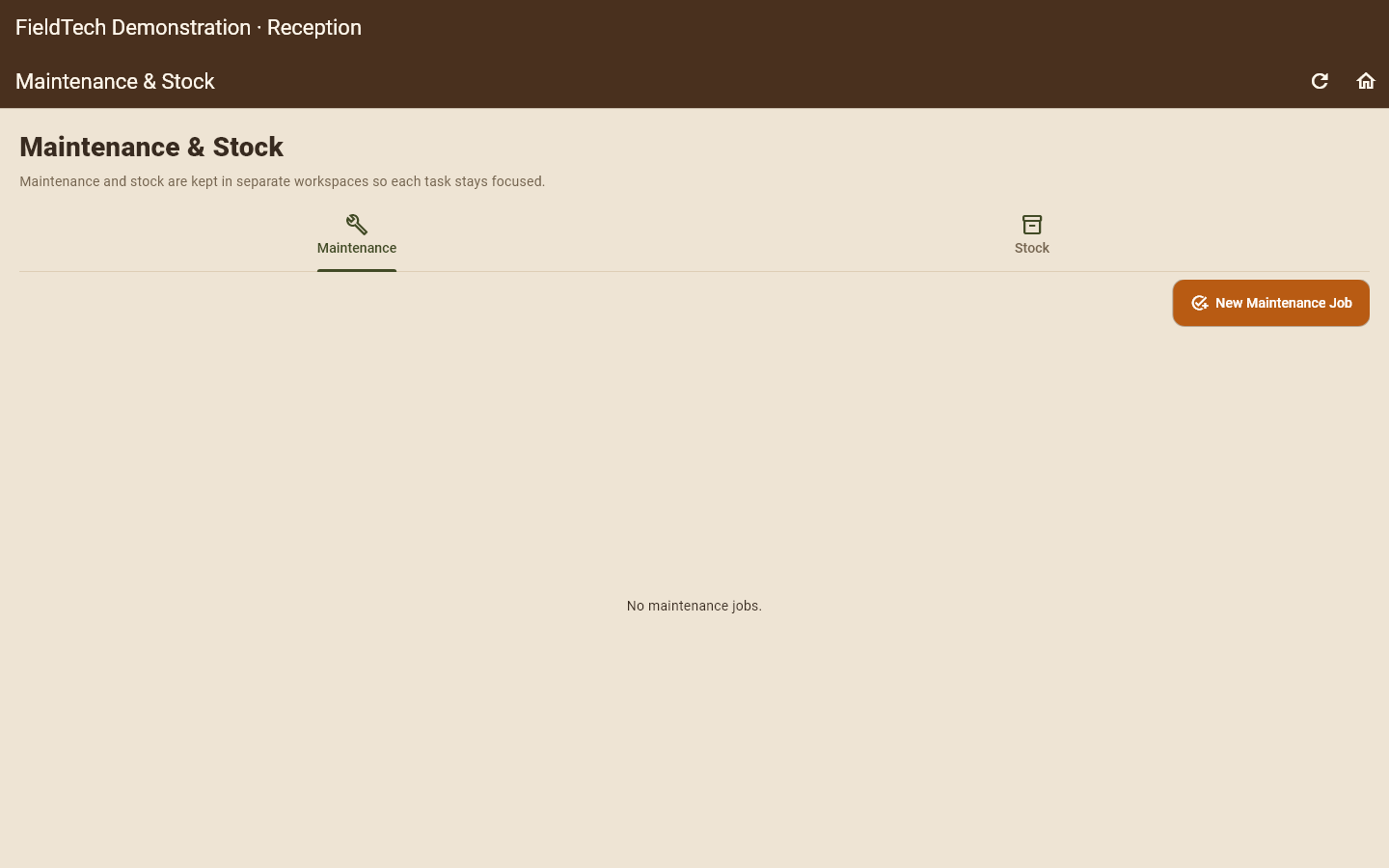
Manage maintenance jobs and stock records, alongside operational trap usage and service information.
Explore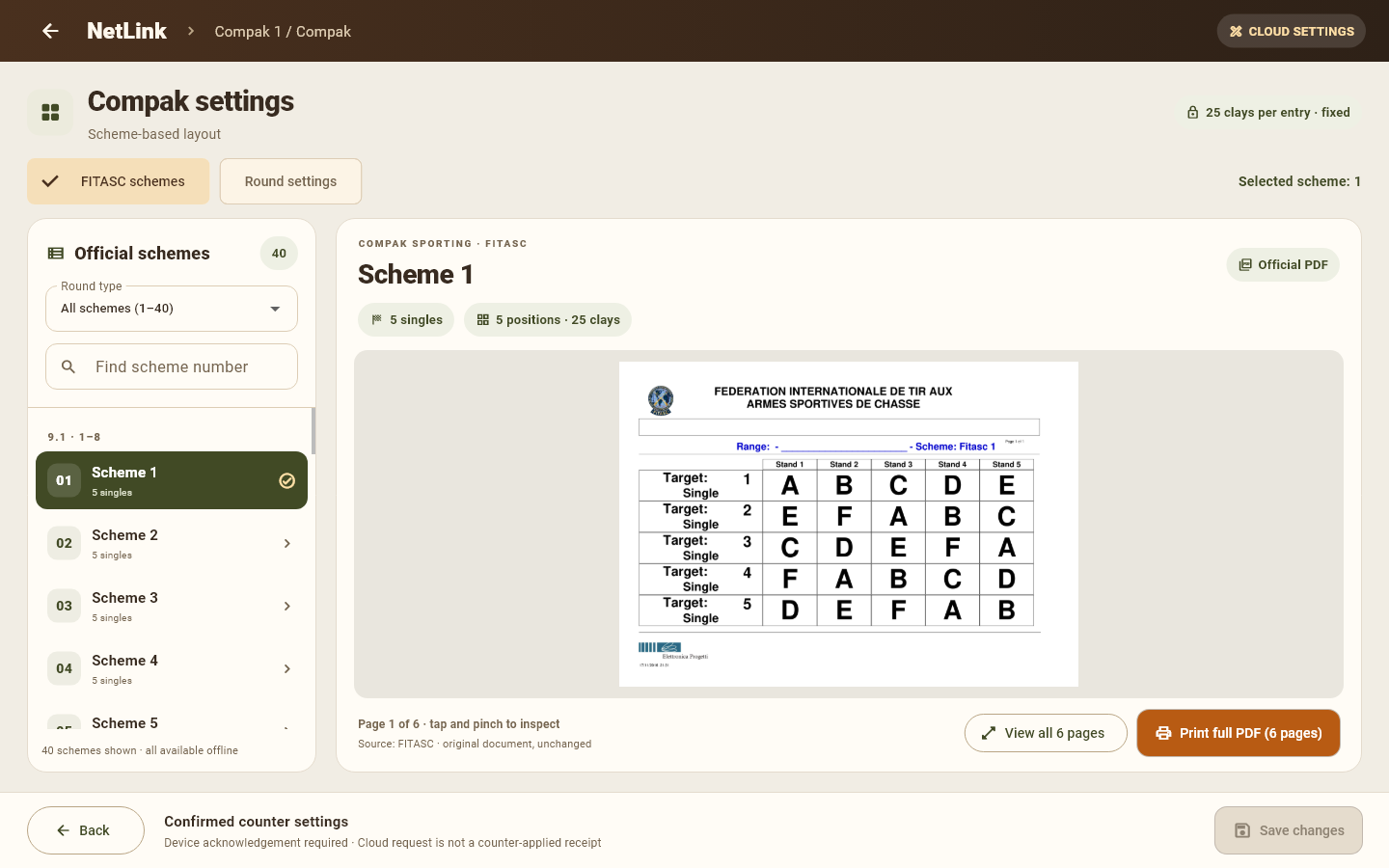
Browse all 40 bundled FITASC schemes, filter by round type or find a scheme number. Review the selected official PDF alongside the list before requesting a settings change.
Explore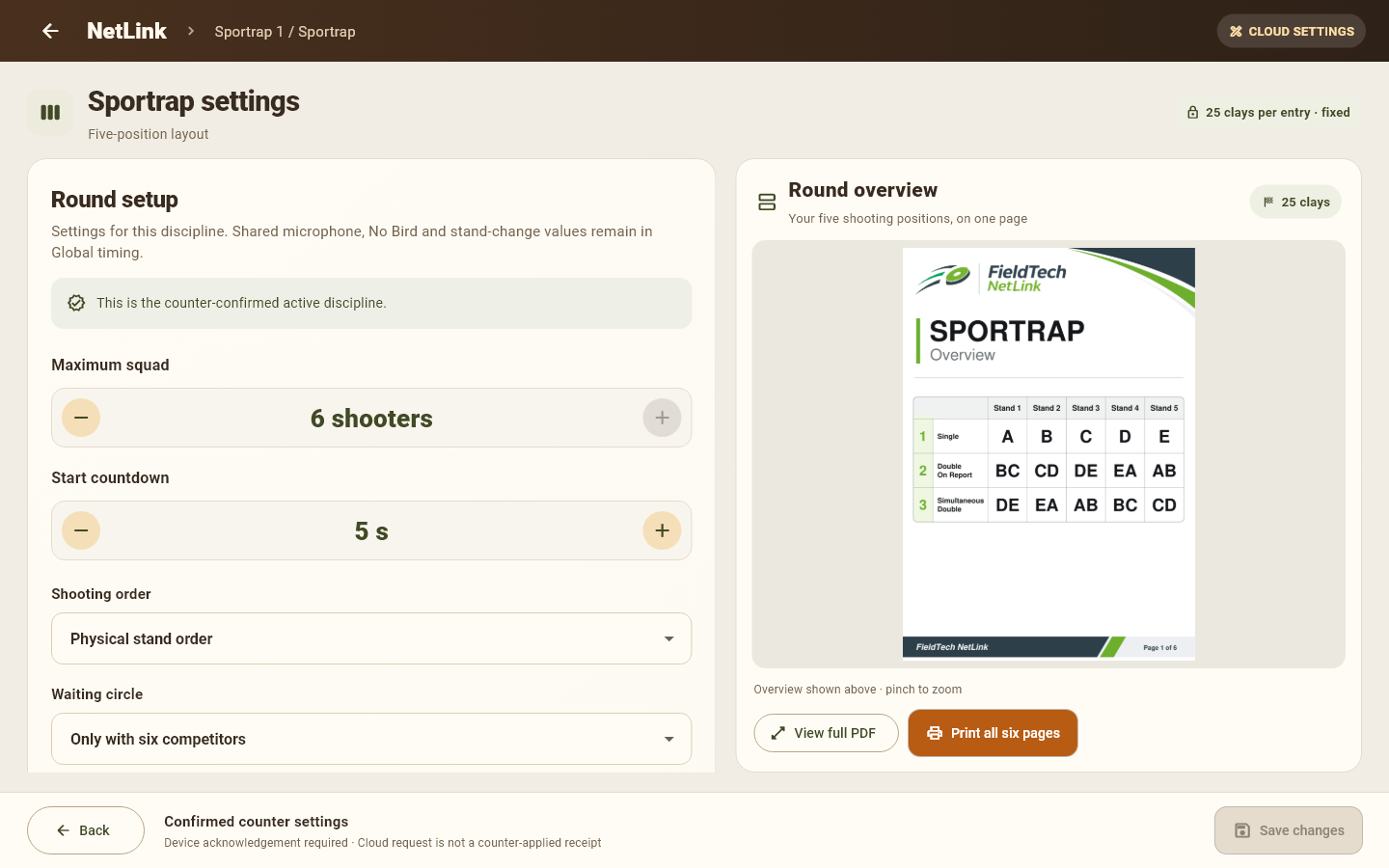
Configure the supported squad size, countdown and progression settings alongside the FieldTech round overview.
ExploreExplore the Groundsman application screen by screen.
Open the key operational tools from the staff home workspace. View available information according to the permissions granted to your account.
Explore NetLink+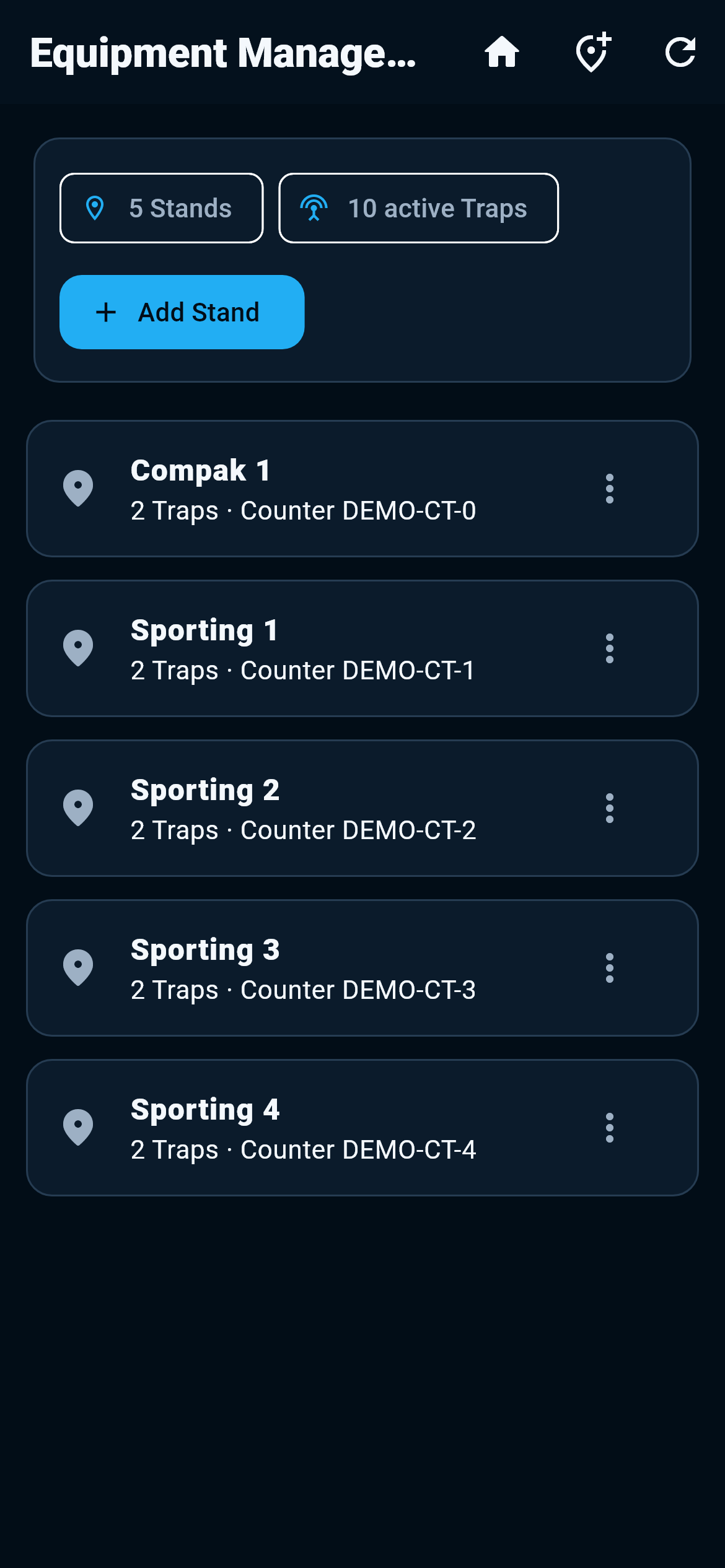
Review stands and their associated traps; inspect and manage configuration through the permitted equipment controls.
Explore NetLink+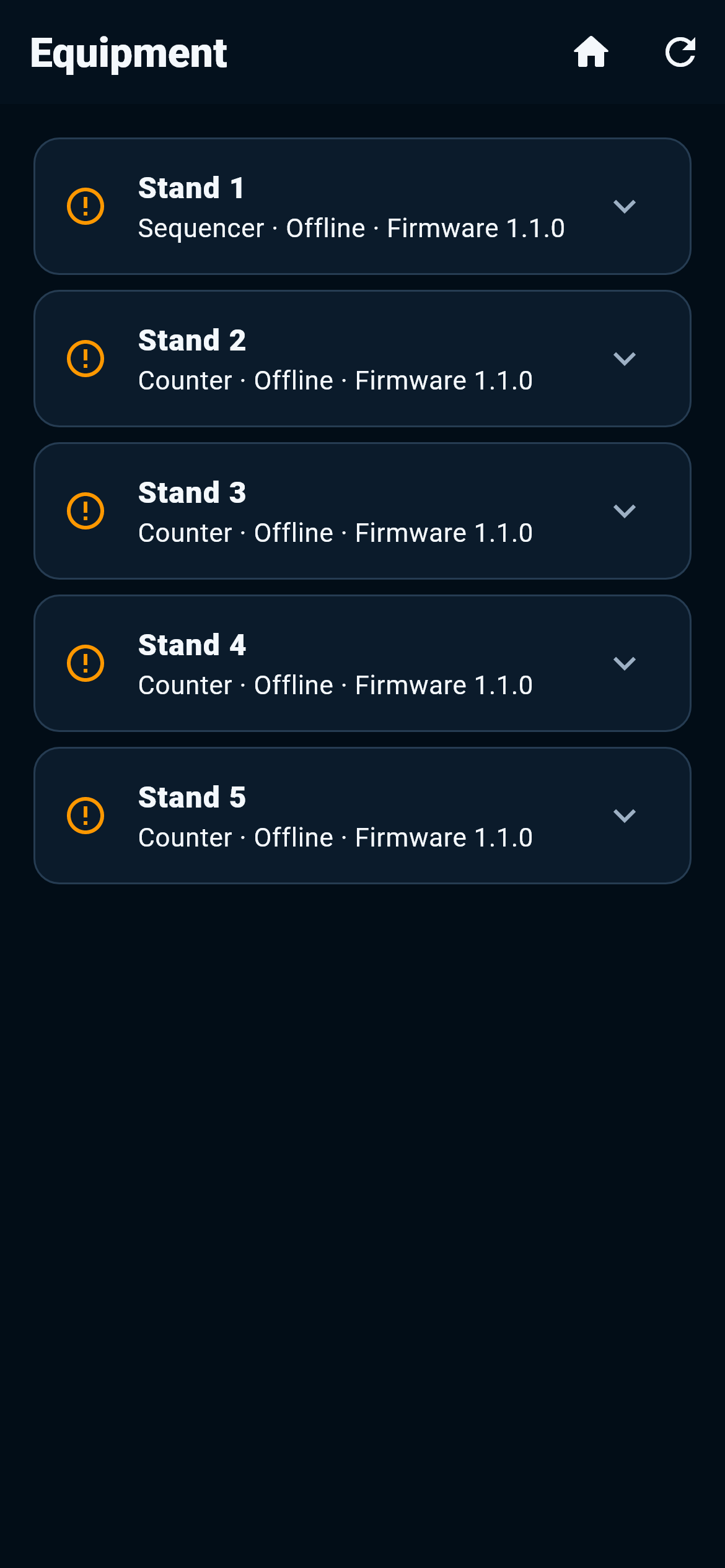
Check recorded equipment status and firmware details. An offline or unconfirmed device is distinct from one known to be available.
Explore NetLink+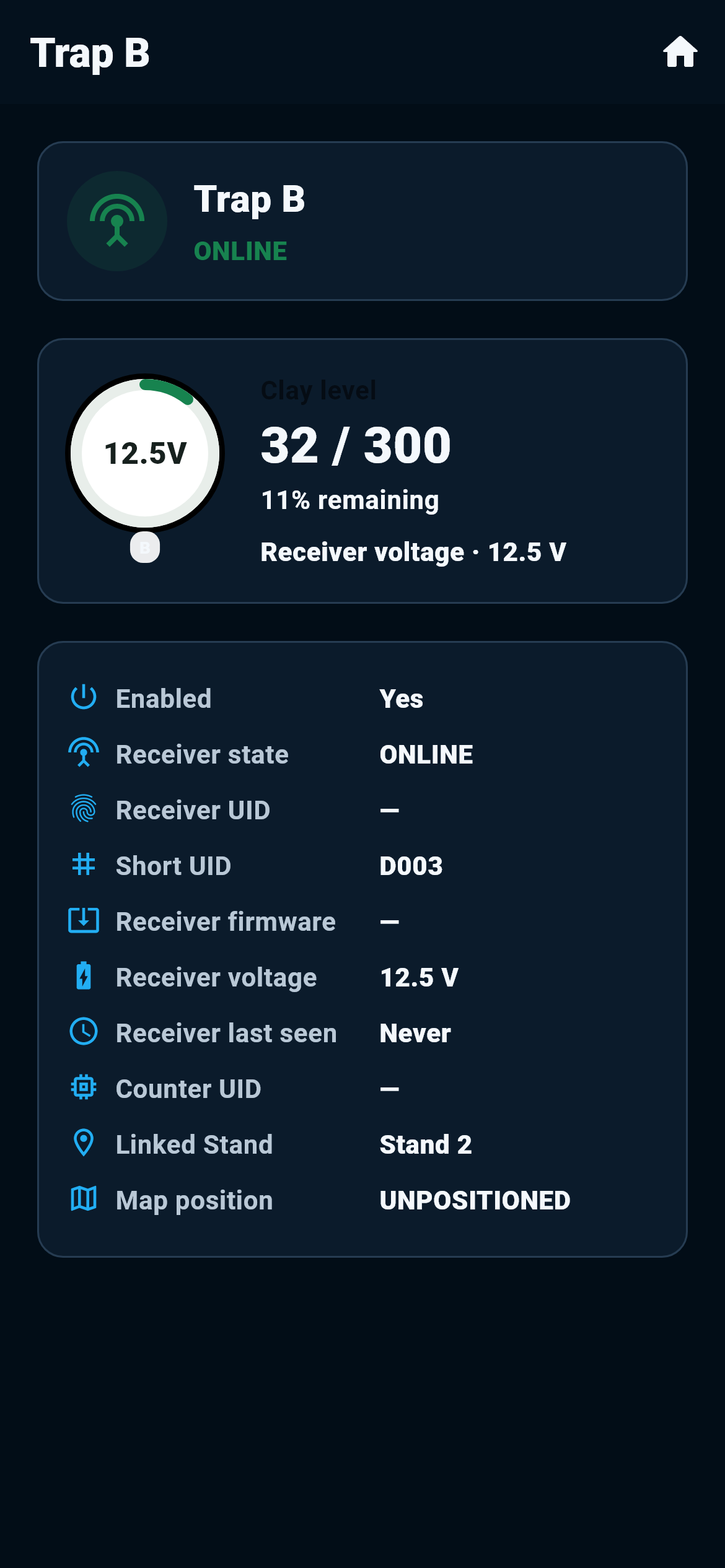
See remaining clays, receiver voltage and communication status where reported. Investigate a specific trap rather than guessing what is wrong.
Explore NetLink+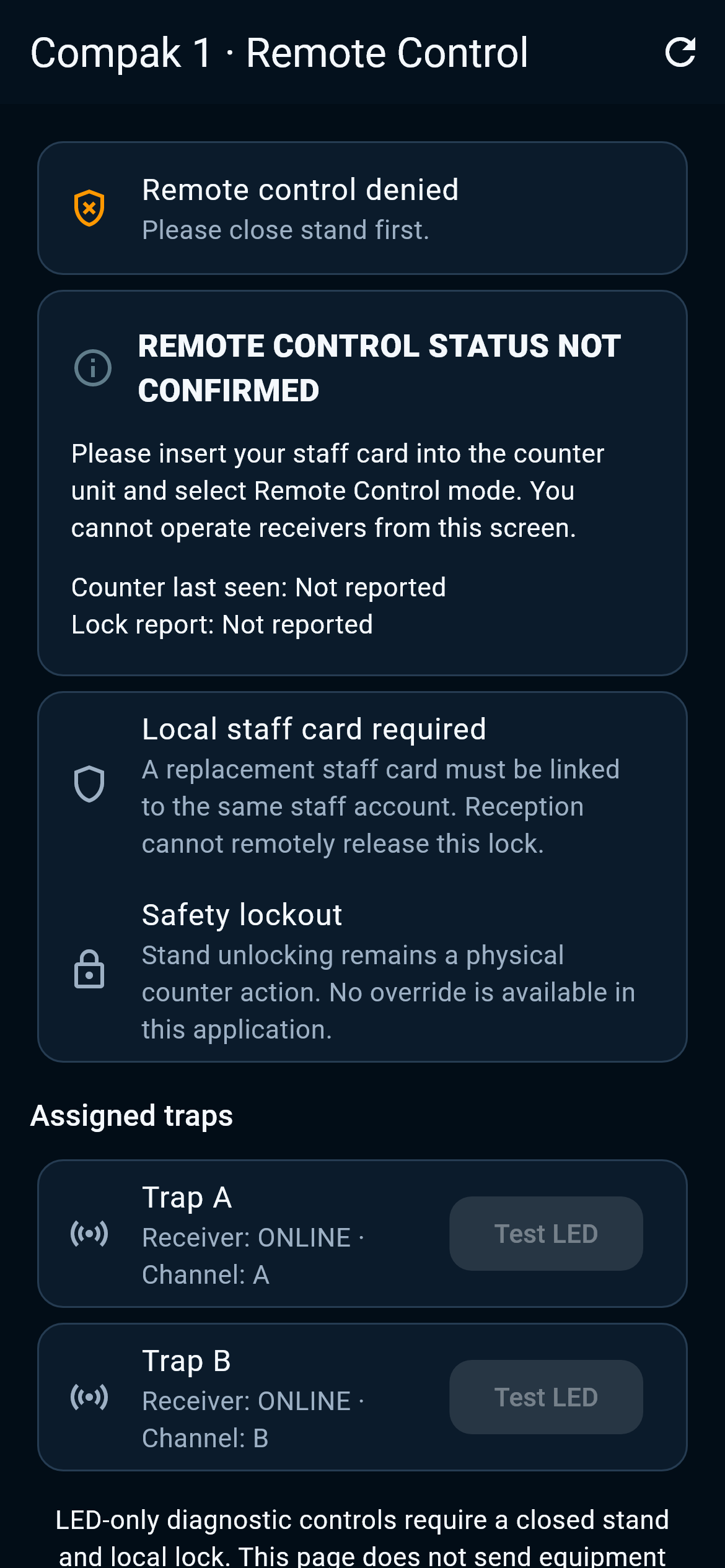
Inspect the stand's diagnostic state and approved LED-test controls. The interface enforces local authorisation and safety lockout; it is not a remote clay-release control.
Explore NetLink+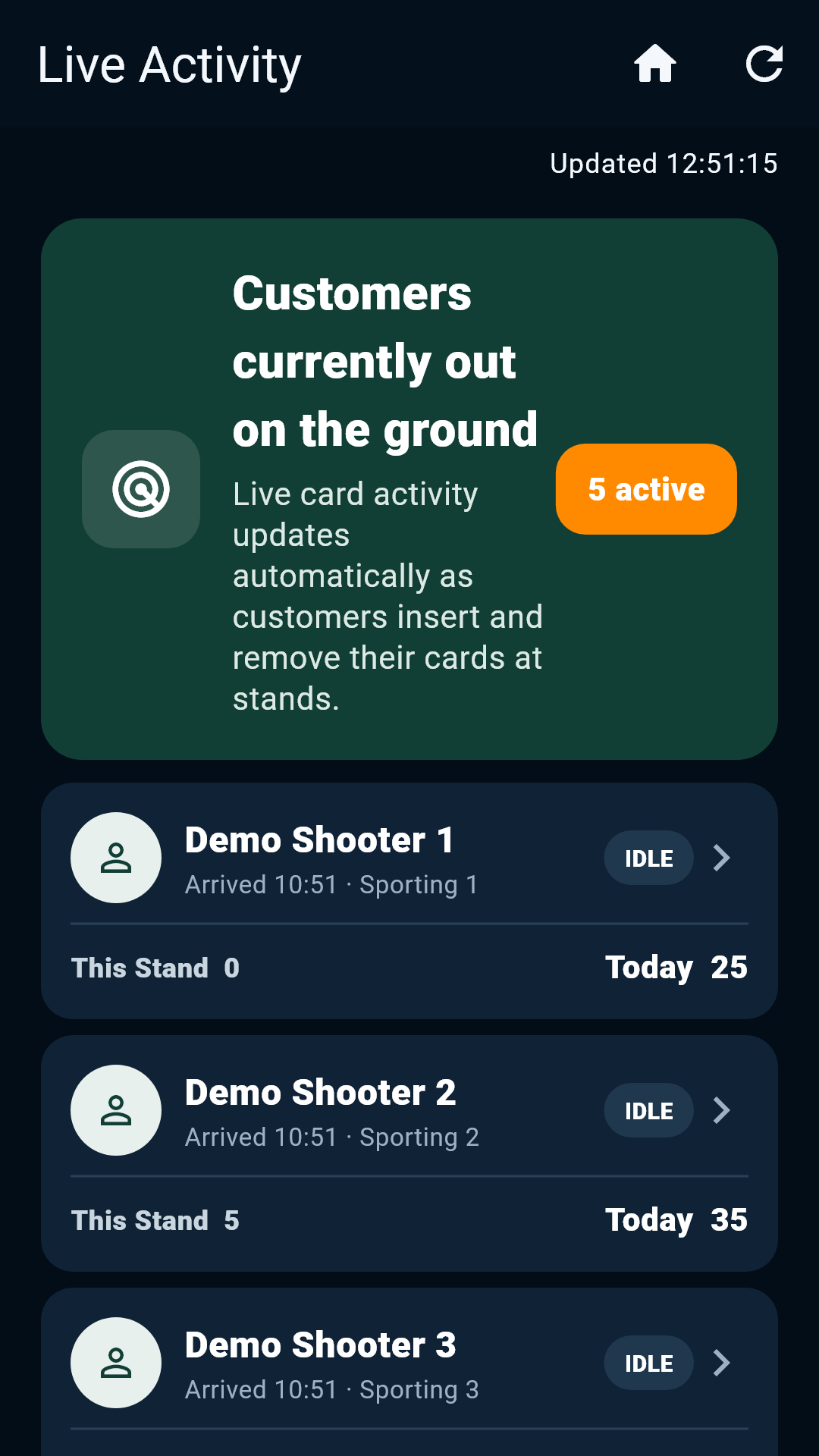
See customer activity reported by the system, including current stand and clay records when available.
Explore NetLink+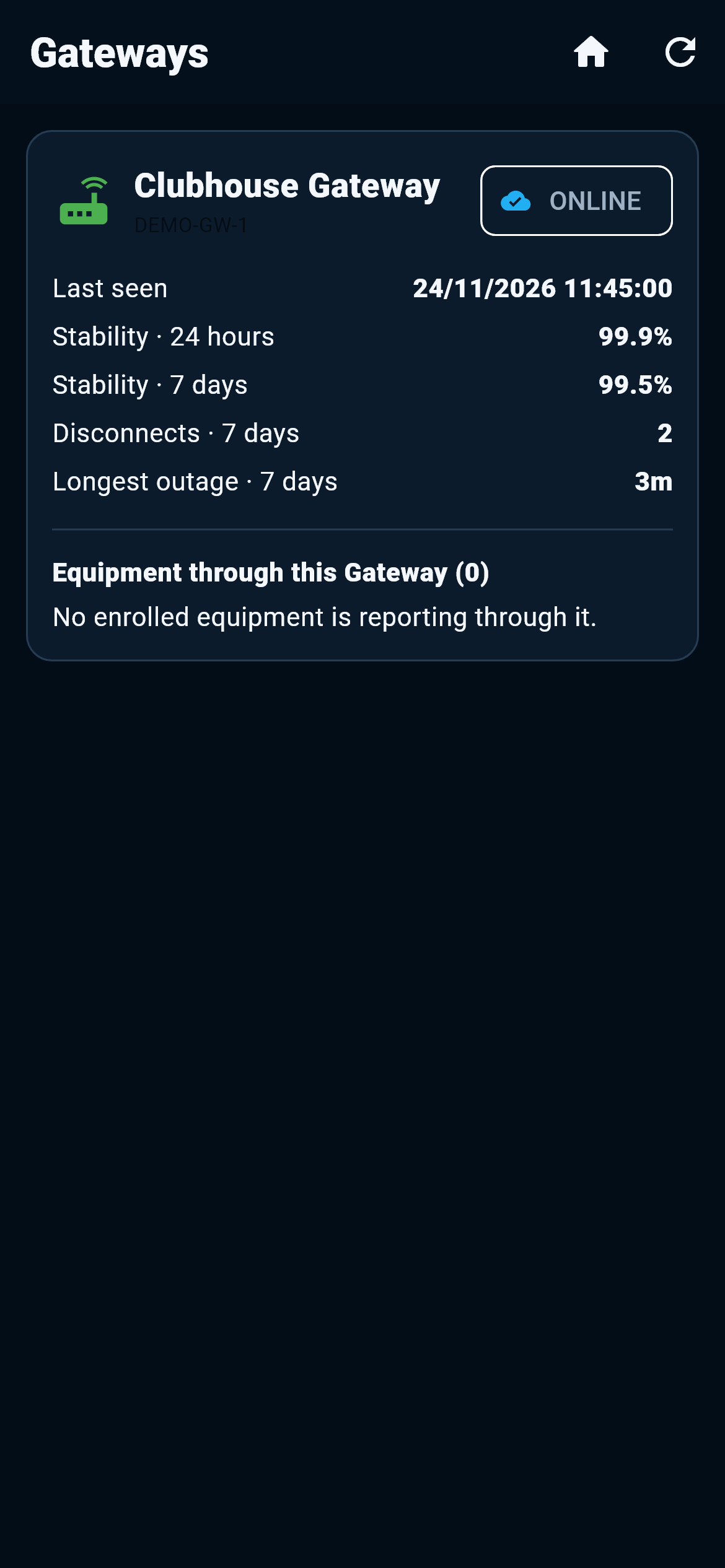
Review the connection history and stability of the gateway linking the field and Cloud.
Explore NetLink+Review equipment requiring service and record completed maintenance under the appropriate permissions.
Explore NetLink+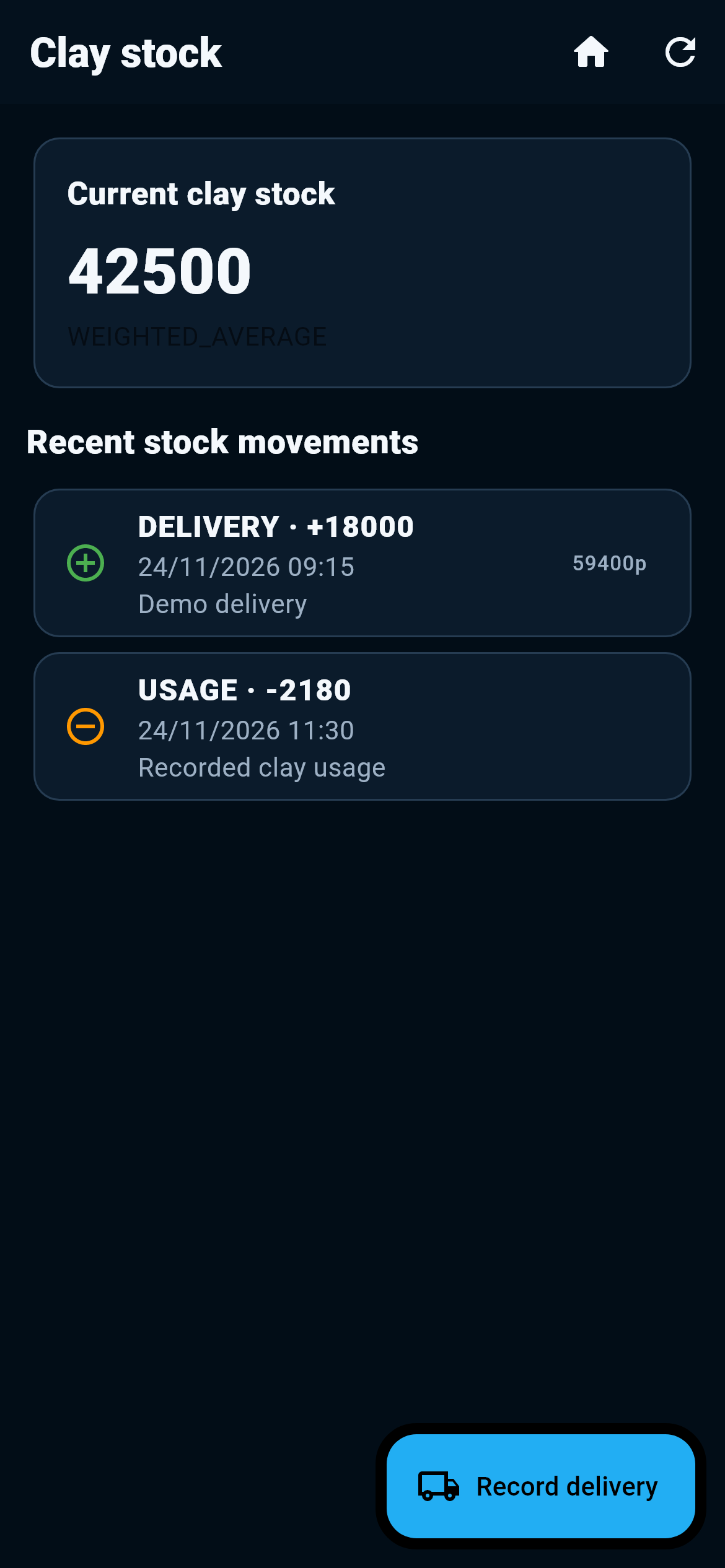
Review recorded stock quantities and recent movements; record a delivery when authorised.
Explore NetLink+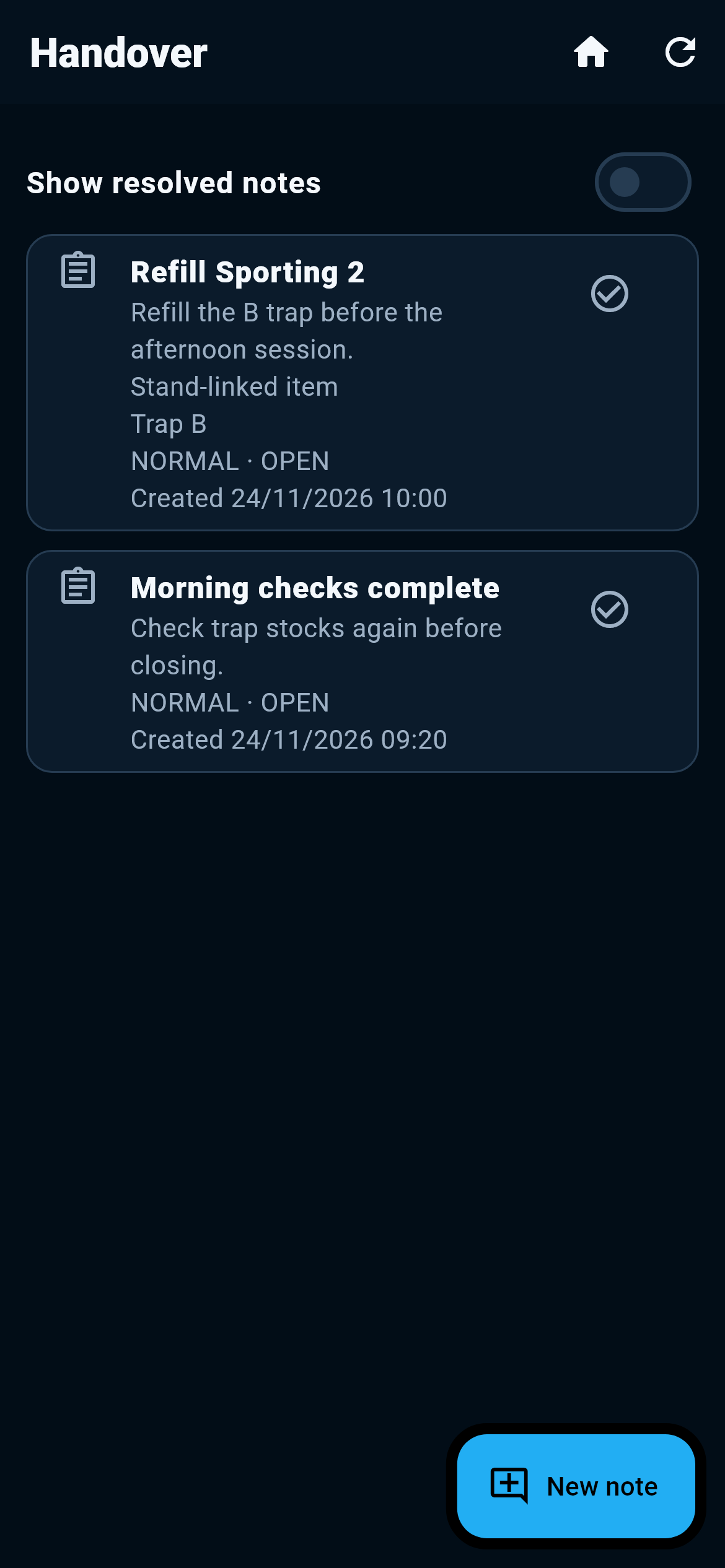
Leave stand-specific tasks and information for colleagues, and resolve completed handover items.
Explore NetLink+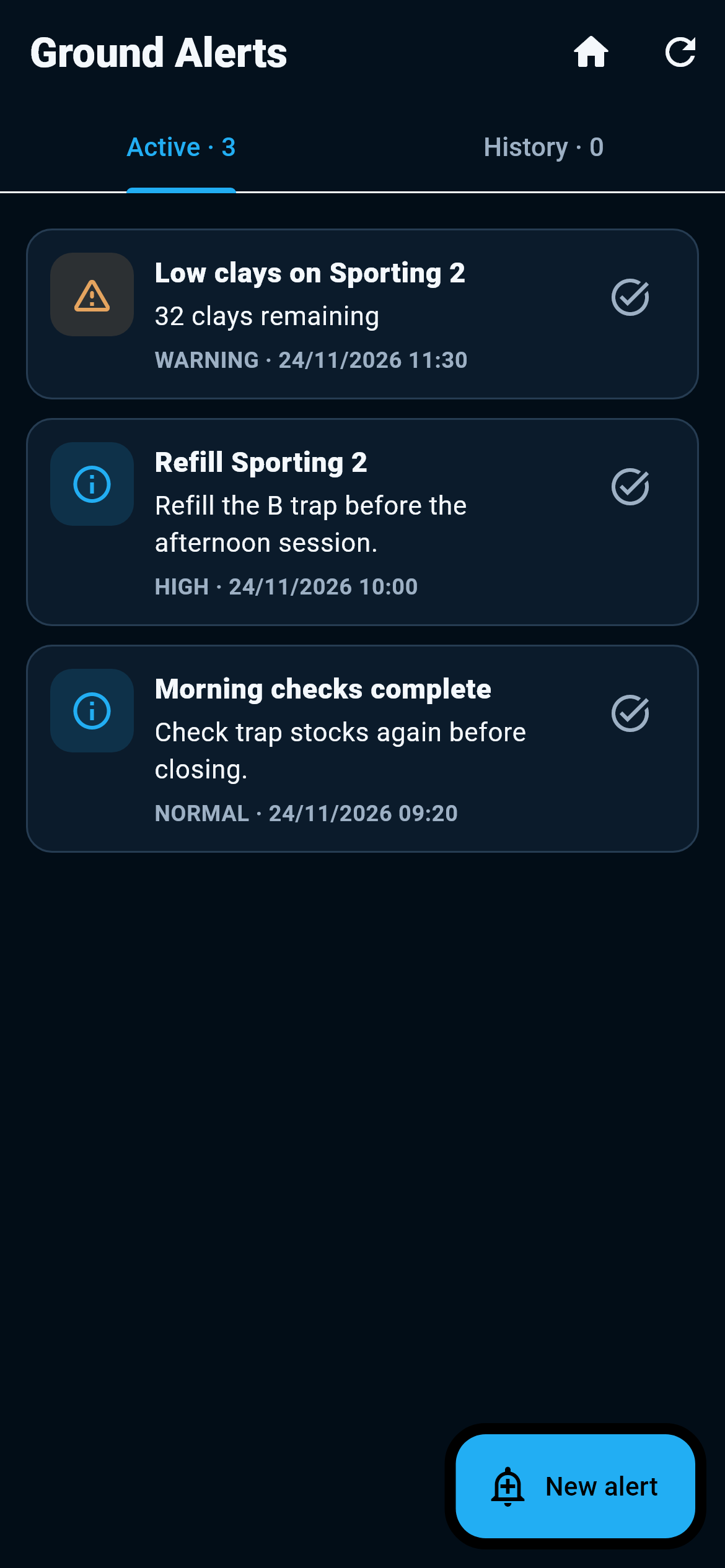
Find the warnings and outstanding staff reports that need attention. Keep the record of resolved items.
Explore NetLink+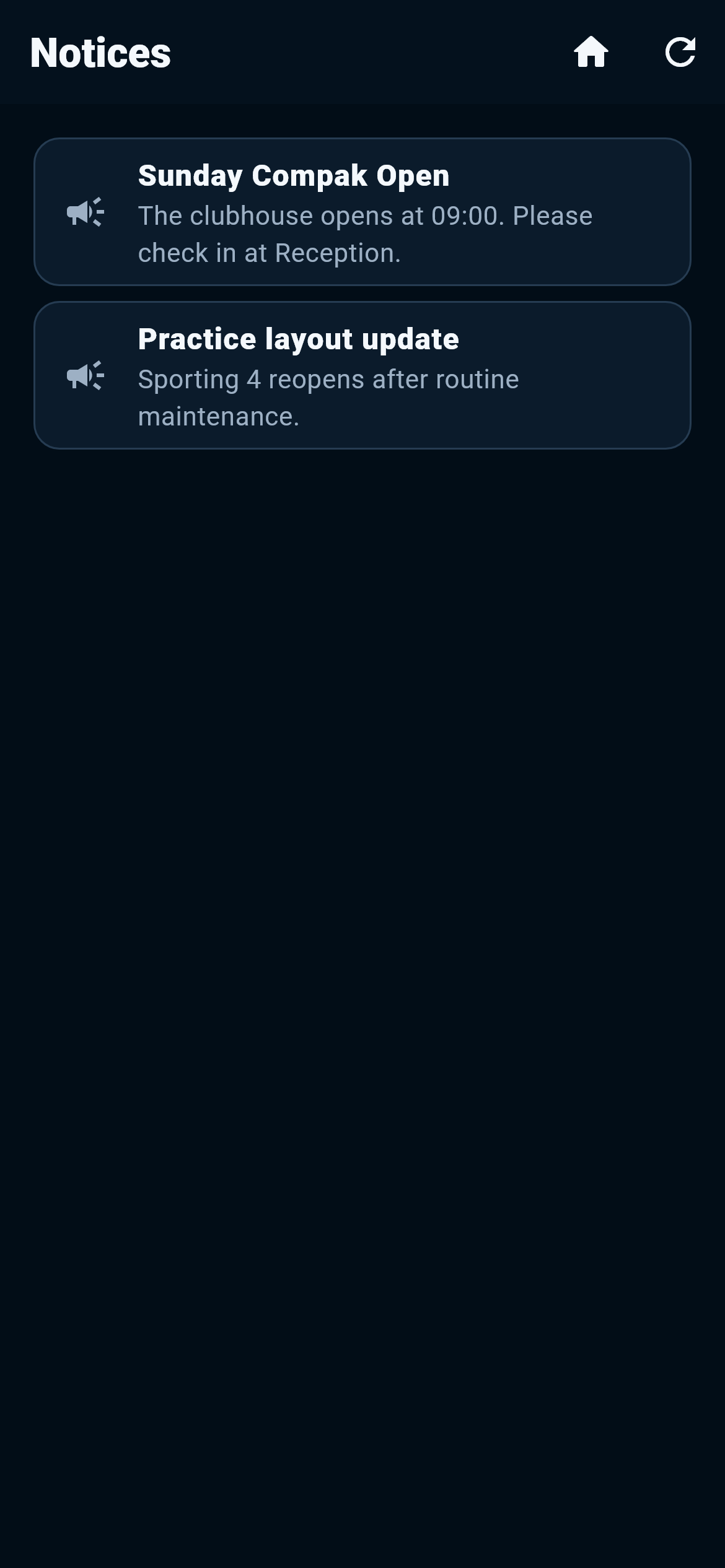
See current ground information shared with staff.
Explore NetLink+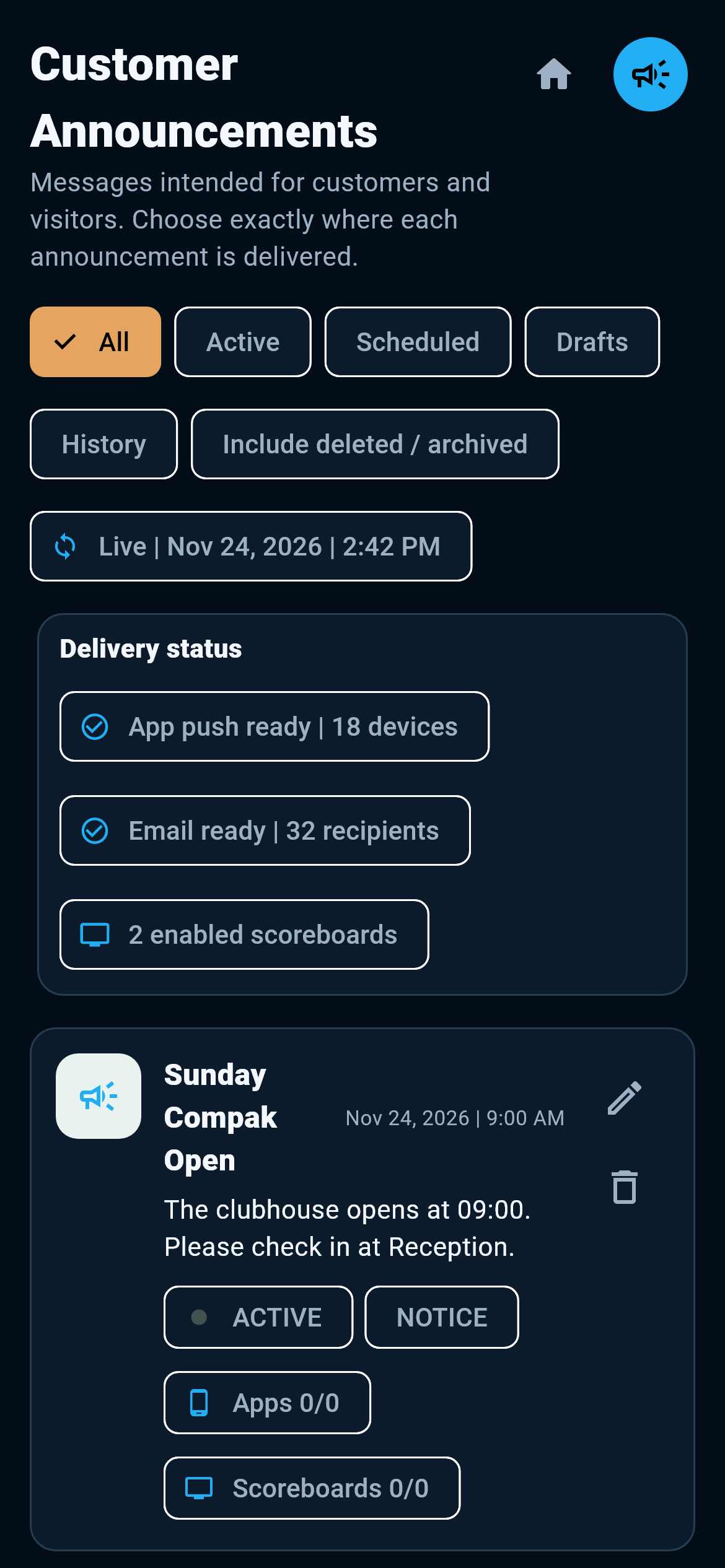
Create and manage announcements through authorised delivery channels, including supported app and display delivery.
Explore NetLink+Explore the Customer application screen by screen.
Choose the relevant ground and reach your account, competitions, announcements and other available customer features.
Explore NetLink+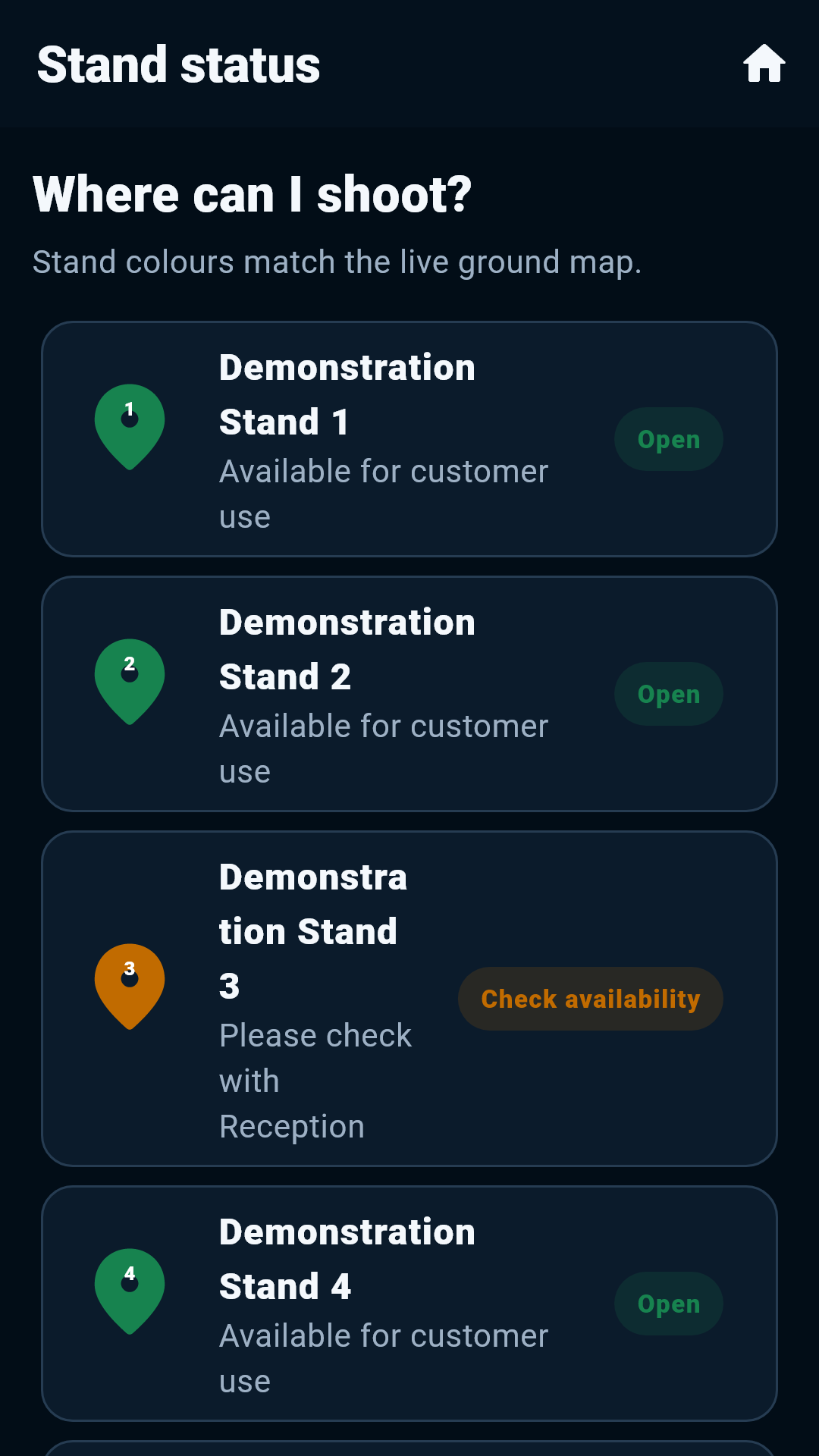
Check recorded stand status before heading out. Availability reflects the information reported by the ground.
Explore NetLink+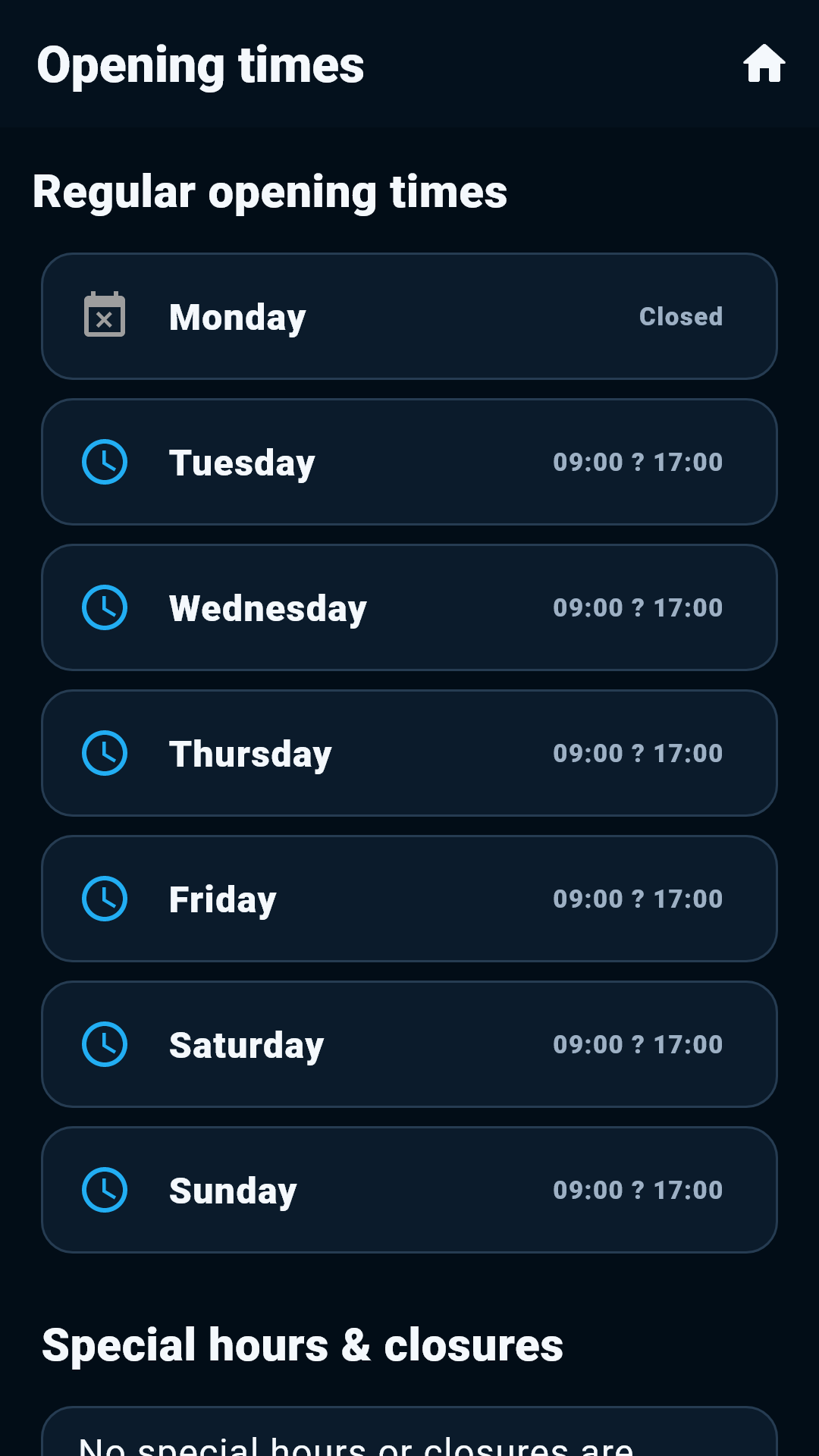
Check the normal and special opening hours maintained by the ground.
Explore NetLink+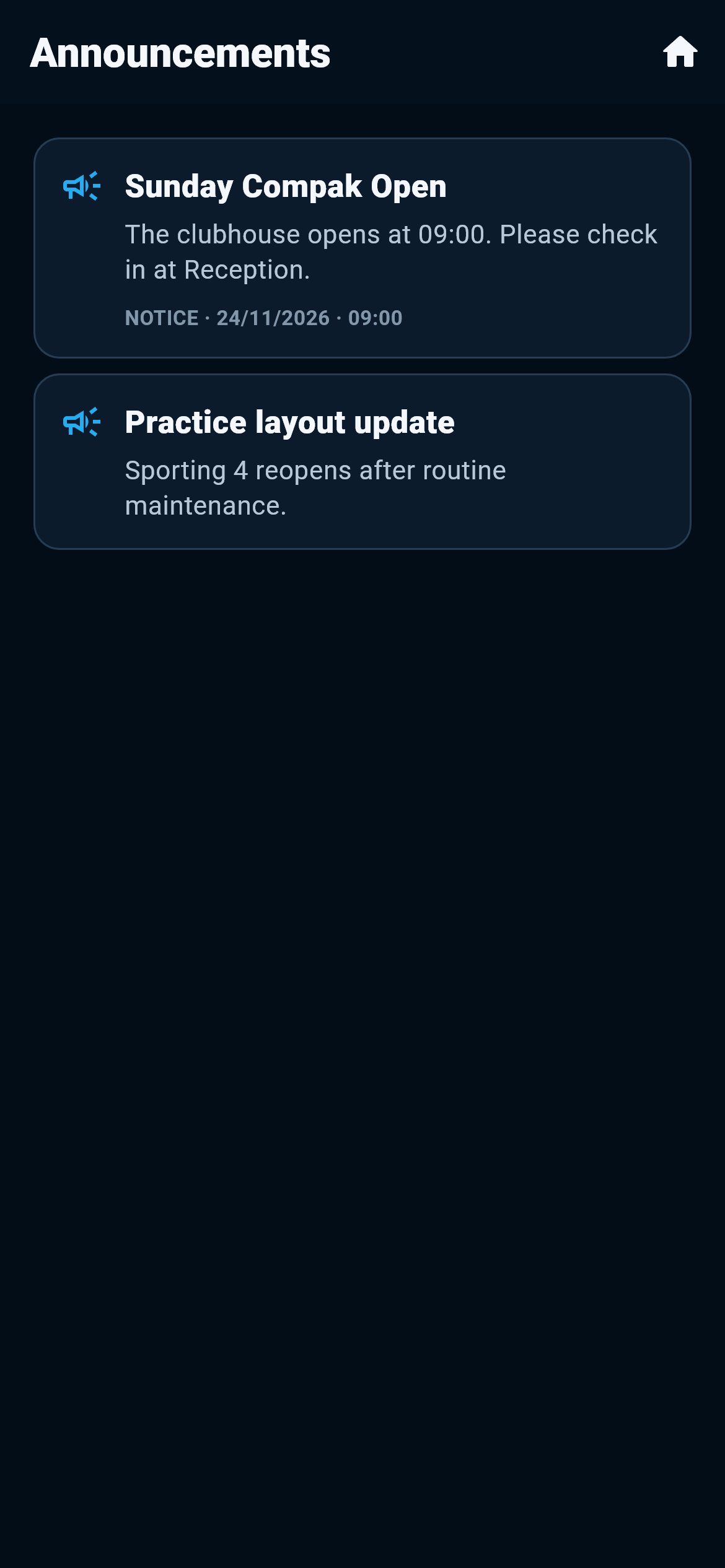
Read notices from the ground, such as layout changes or competition information.
Explore NetLink+
Choose which supported notification categories you want to receive; device settings govern sound and quiet behaviour.
Explore NetLink+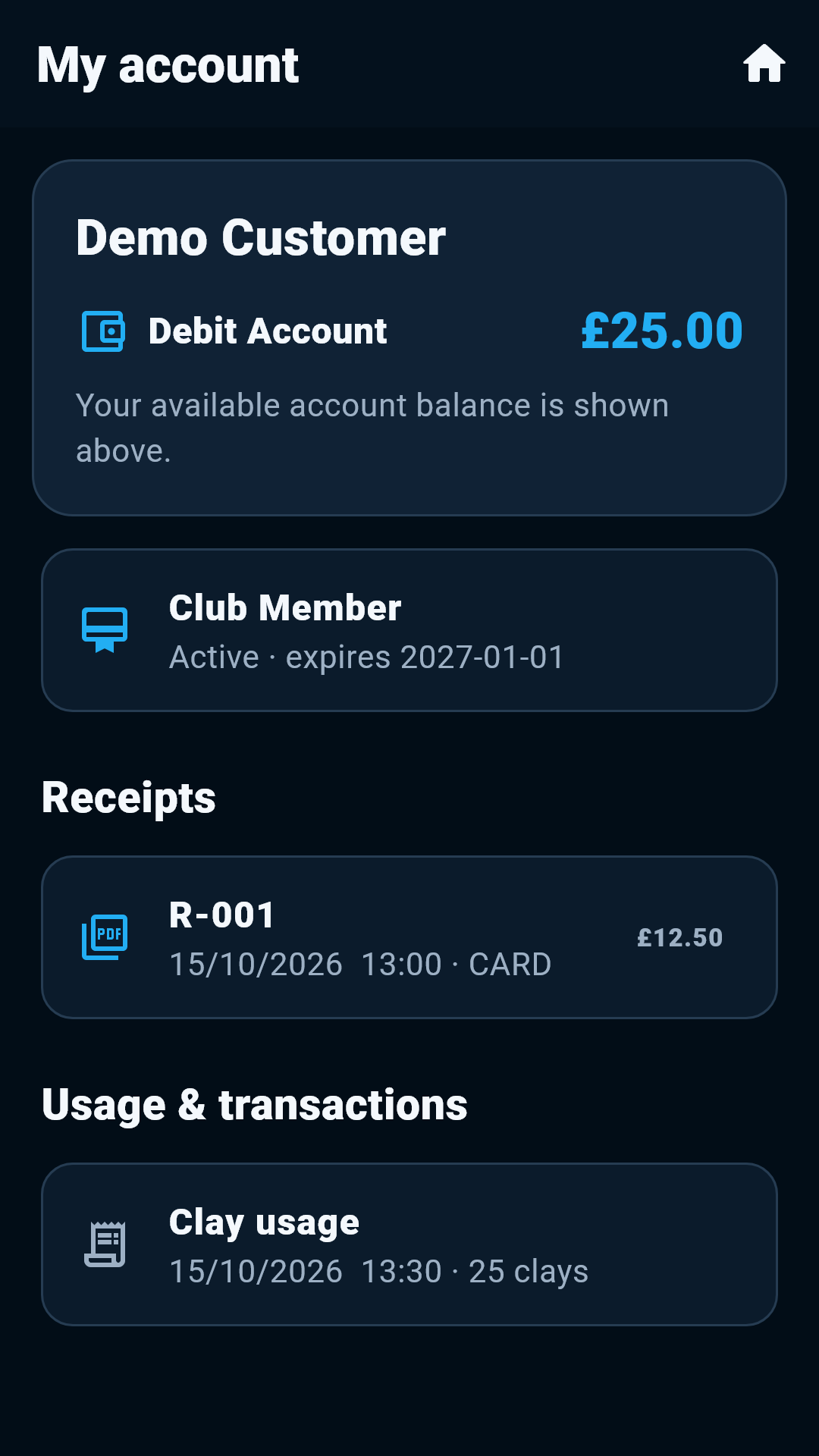
Review account information, clay balance or recorded charges, membership and available transaction or receipt history.
Explore NetLink+Explore recorded practice and competition activity over time, with date ranges, stand-session details, target analysis where available and a private training diary.
Explore NetLink+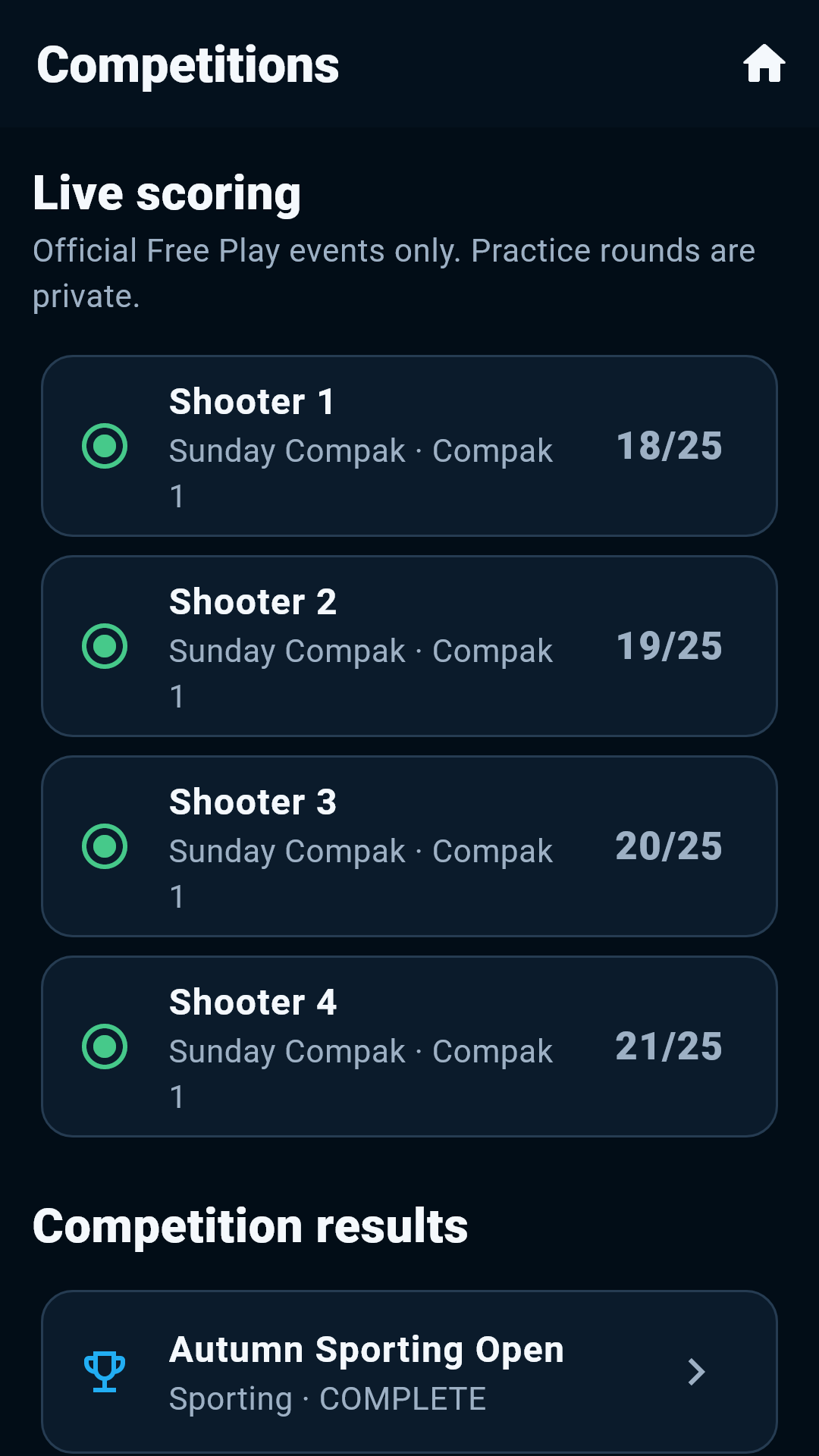
Review available competition information and recorded results. The data depends on the equipment and supported event workflow.
Explore NetLink+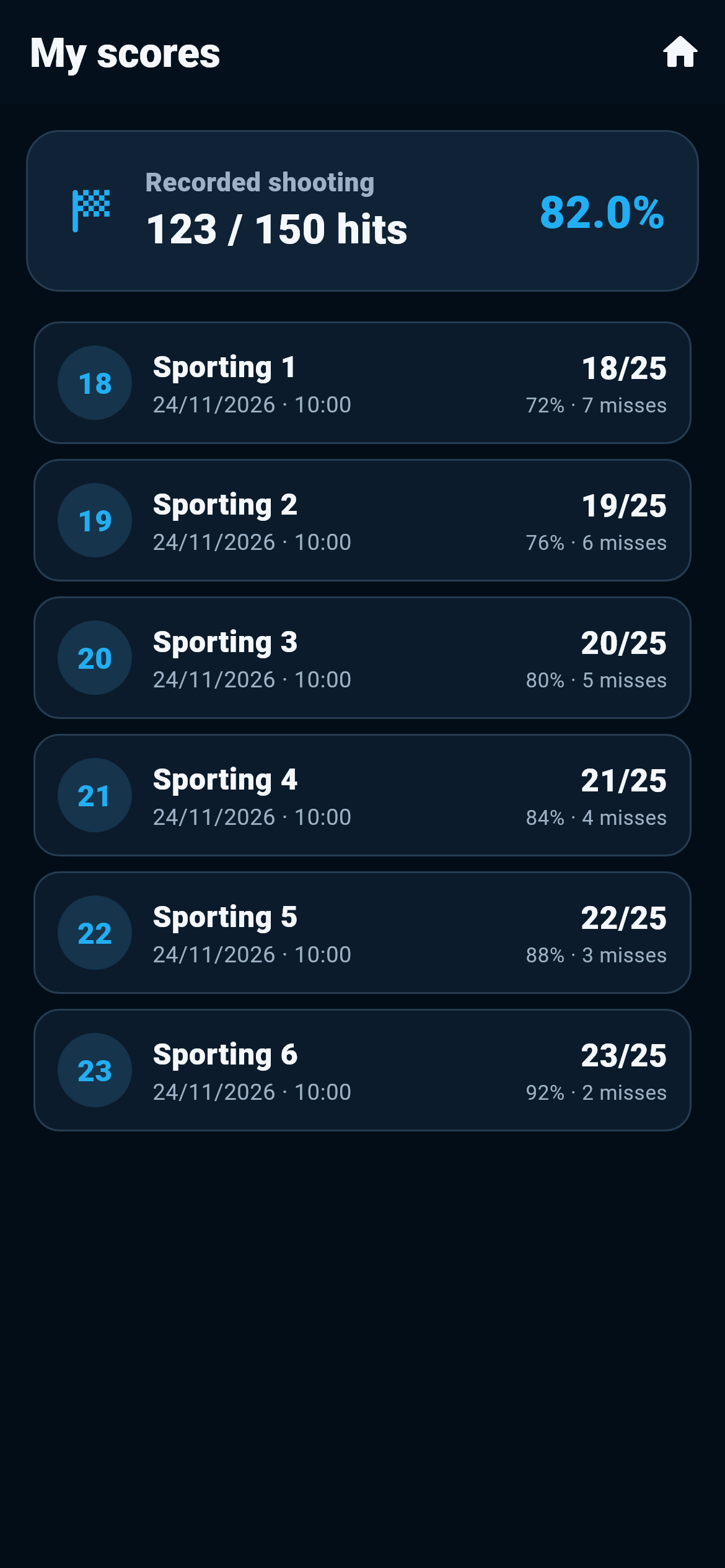
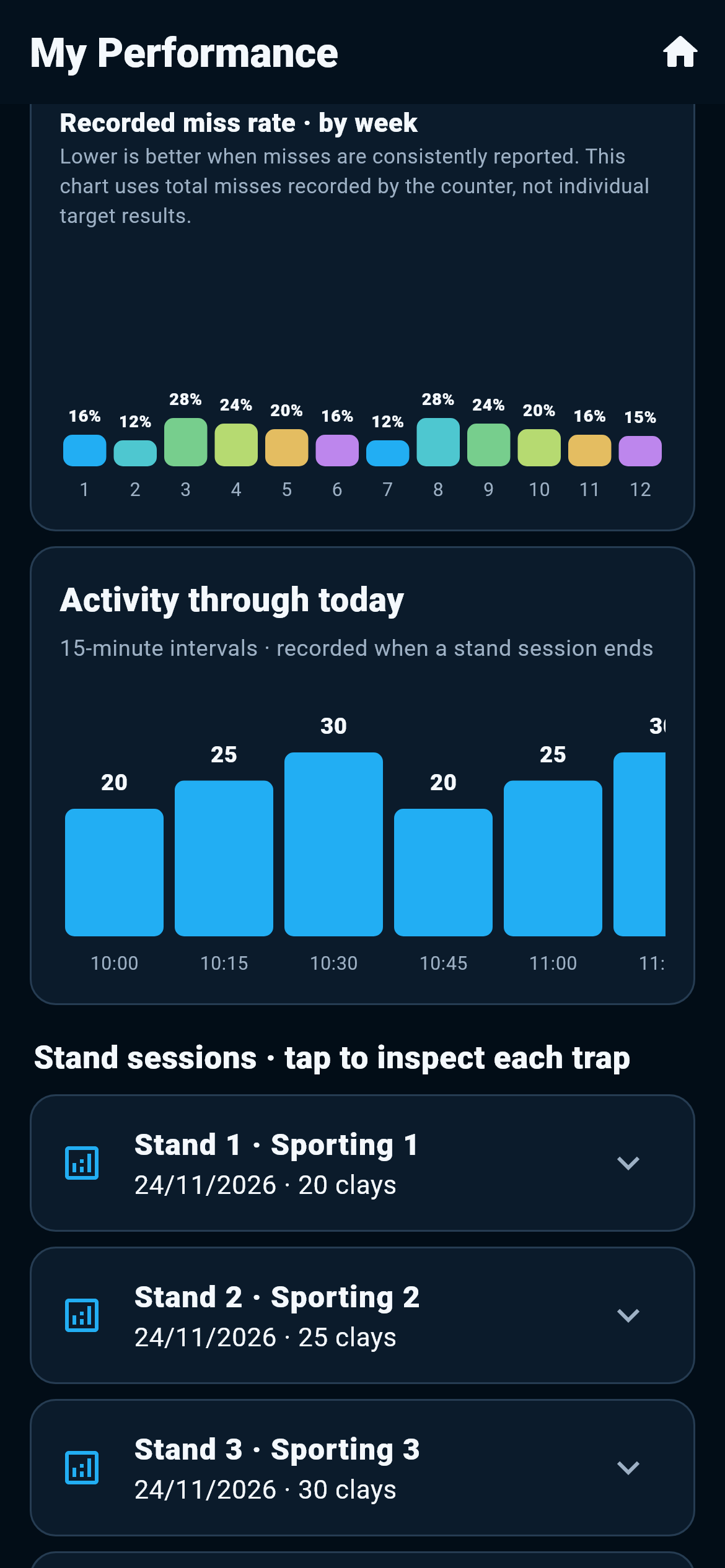
Review scores available to your account, including hits and misses for reported scored sessions.
Explore NetLink+Follow weekly activity and recorded miss-rate trends.
Explore NetLink+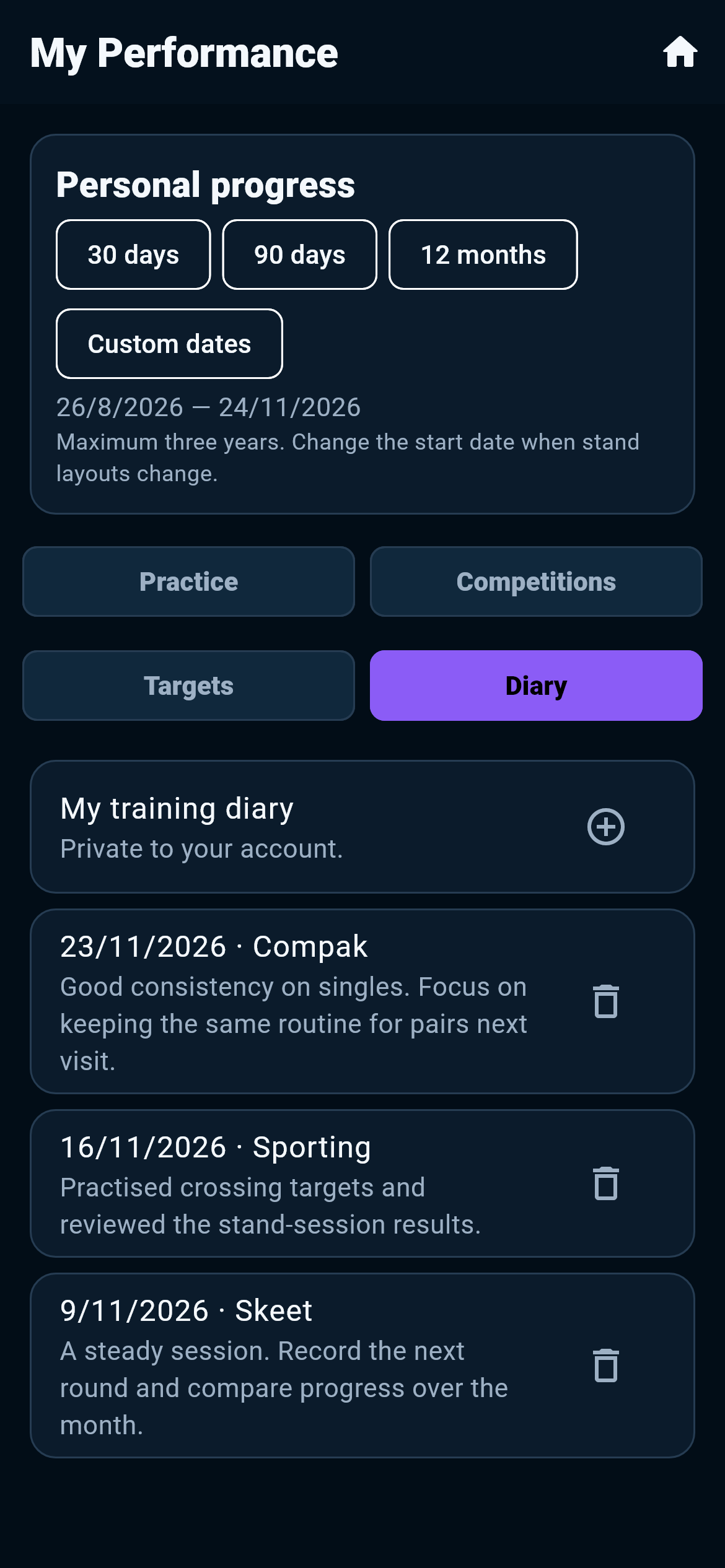
Keep private shooting notes alongside the records.
Explore NetLink+Explore every individual Sporting, Trap and Skeet profile.
Explore this feature →See the five-position set and its role in the system.
Explore this feature →